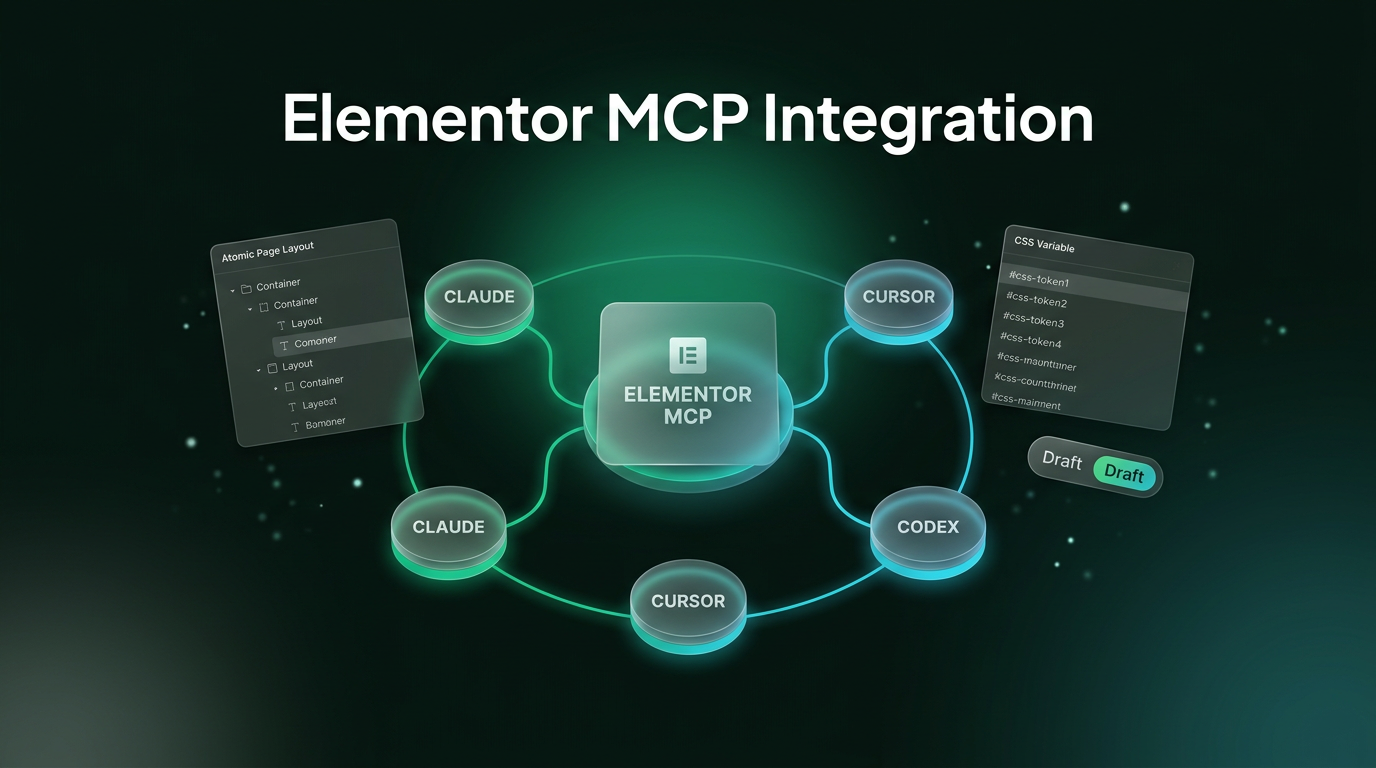
The Elementor MCP officially links WordPress visual site creation with third-party artificial intelligence assistants. Announced on the Elementor blog, this release implements Anthropic’s Model Context Protocol to bridge the gap between language models and WordPress database structures. Development platforms like Cursor, Codex, and Claude can now inspect, build, and modify page layouts directly using native layout objects.
For site builders and agencies, this shift changes how teams move from external briefs to live interface components. Rather than manually translating design specifications or pasting isolated code snippets into shortcode widgets, developers can prompt an external model to assemble native page elements. The integration retains standard visual editing controls while allowing AI clients to handle repetitive setup steps.
What the Elementor MCP Integration Introduces
Model Context Protocol serves as an open communication layer between language models and external software environments. By providing a standardized server within the WordPress environment, the Elementor MCP exposes theme variables, layout containers, and styling rules to external clients. This allows tools like Claude Desktop or Cursor to understand site structure before writing or modifying any data.
Instead of outputting raw HTML or generic styling blocks that break site themes, the connected agent interacts with native Elementor structures. The server interprets requests and turns them into container trees, applied global styles, and responsive settings. Site administrators maintain visibility because the tool writes information directly into standard post records rather than proprietary secondary databases.
The system also bridges external workplace software with web design. When connected to tools with multi-source access, the protocol lets an assistant read a layout file in Figma, copy specifications from a task document, and convert those requirements into real page sections inside WordPress. This structure turns the design environment into an accessible endpoint for connected development tools.
Core Capabilities of the Elementor MCP in Site Building
The protocol enables several concrete administrative and design functions within an active website. Teams can direct external assistants across basic styling updates as well as structured template generation:
- Atomic layout generation: Prompts can build full page layouts or atomic page structures in a single step, applying layout rules, text blocks, and responsive container controls.
- Template restructuring: Developers can point an AI client at an existing page layout and request structural adjustments, such as turning standard rows into balanced column grids without losing text contents.
- Global design system application: The protocol allows tools to read, create, and assign classes, global variables, hover interactions, and breakpoint settings across elements.
- Theme part assembly: External assistants can assemble headers, footers, post archives, and modal popups, while assigning specific display conditions across the site.
- Component and field population: AI tools can insert prebuilt site components, fill in form properties, and wire components to custom taxonomy values or post fields.
Advanced administration tasks become possible when an additional utility named Angie is active on the server. With Angie present, the Elementor MCP gains access to the wider WordPress Abilities API. This allows external tools to perform bulk catalog updates in WooCommerce, repair meta information across hundreds of posts, or adjust fields in Advanced Custom Fields and WPForms.
Guardrails, Draft Modes, and Safety Features
Direct database writing by external automated systems brings practical risks, which Elementor addresses through strict staging controls. Everything generated through the Elementor MCP automatically saves as a draft. The assistant cannot publish changes straight to live visitor traffic, ensuring that human team members review the visual composition before release.
Because generated items remain standard page builder objects, team members and clients can open them inside the standard visual editor. There is no custom code layer or locked container that prevents normal manual styling. If a designer needs to tweak spacing or replace placeholder imagery, they do so using the same drag-and-drop tools they already know.
Concurrent editing protections are also built into the system. If an administrator has a page open in the visual editor while an external AI tool submits modifications to the same record, Elementor detects the collision. The application notifies the user immediately, offering options to refresh the canvas or discard conflicting edits before continuing.
Setting Up the Connection in WordPress
Configuring the connection takes place within the WordPress administration panel under a dedicated menu item. Because the interface allows external tools to write database records, access is restricted strictly to users with administrator privileges, and credentials apply on a per-site basis.
Administrators generate a tailored setup prompt directly from the dashboard settings screen. During this step, the system creates an application password in the background and embeds the required connection URL and authentication tokens into the configuration text. The user then pastes this snippet into their chosen desktop or command-line client, including Claude Code, Cursor, Codex, or Claude Desktop.
The protocol connection itself is free to enable within WordPress. Usage expenses come from the consumption models of the connected AI assistants. On the site builder side, basic elements and layout structures work without extra licenses, while generating elements tied to Pro widgets requires an active Pro subscription.
Frequently Asked Questions About Elementor MCP
Is Elementor MCP free to use on WordPress sites?
Connecting the Elementor MCP to your WordPress site is free, and the core connector requires no separate license fee. Basic elements can be generated without cost, but using features and widgets from Elementor Pro requires an active Pro license. Additionally, users pay for their own API usage or subscription fees through their chosen AI provider.
Can Elementor MCP edit published pages directly?
No, changes made through the Elementor MCP are saved as drafts to prevent unverified updates from showing up on live production pages. Site administrators must review the generated layouts within the visual editor and manually publish them when satisfied.
Which AI coding assistants support Elementor MCP today?
The connector supports any client compatible with Anthropic’s Model Context Protocol. Supported environments include Claude Desktop, Claude Code, Cursor, and Codex, with manual connection settings available for other emerging MCP development utilities.
Practical Implications for Site Builders and Teams
Agency testing shows that integrating MCP servers changes site delivery timelines. During real-world testing by Webgate agency using Codex and Claude Code on an active production website, developers accelerated landing page development without abandoning their established design libraries. The integration allowed the agency to deploy agentic site construction alongside existing design tokens rather than starting site builds from scratch.
For builders who construct complex online systems, this integration bridges visual design and backend logic. In modern workflows, connecting platforms like web designing frameworks with automated workflows through AI automation keeps operations clean and organized. Wasif integrates structured protocols and automation layers so businesses can scale their web assets safely without creating technical debt.
The Elementor MCP demonstrates how visual WordPress architecture is adapting to autonomous coding tools while keeping humans firmly in control of the final review. If you want to integrate structured automation and modern systems into your digital infrastructure, reach out to Wasif Ahmed to discuss your project.