Custom software
Custom software built around how a business actually runs
Wasif Ahmed provides custom software development for businesses that have outgrown spreadsheets, shared folders and tools that almost fit. That can be an ERP, a CRM, an internal tool or a set of connected modules, shaped around the real daily work instead of a generic template.
The work is explained in plain language from the first call to the handover. Each screen exists because a person in the business needed it, and each step is tested with demo data before real records go in.
- Built around the way the business already works
- One place for sales, stock, money and reports
- Private, tracked and ready for a team
Common business problems
Sound familiar?
Most growing businesses meet the same six problems. Each one is described in everyday terms, followed by how Wasif solved it in LORIX, a custom software development project for an adhesive tape manufacturer and distributor.
Spreadsheets everywhere
Sales, stock and payments sit in separate files, and nobody knows which copy is current.
One connected system, so every number has one home.
The same details, typed again
A customer, a product and a price are retyped on every document, and each retype risks a typo.
A sale is written once. The quotation, invoice and delivery challan carry the details along.
Stock never matches the shelf
The file says one number, the warehouse says another, and nobody knows why.
Every stock change is its own line in a movement history, so any count can be traced.
Who owes what
Chasing payments means digging through invoices and notes.
Ageing views show who is overdue and for how long, for customers and suppliers.
Website and stock room disagree
The online store shows quantities the back office changed days ago.
A store connection with dry runs and a review screen, so nothing reaches a shop unchecked.
No control, no history
One shared login, and no way to see who changed what.
Invitation-only accounts, roles, an audit log, a Trash and encrypted backups.
What can be built
One service, many kinds of software
Custom software is a wide label, so here is what it covers. The common thread is the same: software shaped around one business instead of the other way round.
ERP and operations
Sales, purchases, stock and money in one connected system, as built in LORIX.
Quoting, invoicing and stock
Quotations, invoices and delivery challans that flow on, with stock that can be traced line by line.
CRM and pipelines
Contacts, enquiries and follow-ups organised so no lead is forgotten.
Internal tools and dashboards
Small, focused tools for approvals, tracking and daily reporting.
Reports and exports
Clear reports that can leave as PDF, Excel or PowerPoint.
Integrations and data import
Connections to online stores and other tools, and old spreadsheet records moved in with a preview first.
dataSmall tools
ERP, CRM or custom software? In plain words
Three labels that often get mixed up, and how they relate.
ERP
Runs the operations: quotations, invoices, purchases, stock and money.
CRM
Manages relationships: contacts, enquiries, follow-ups and deals.
Custom software
The umbrella term. It can be either of these, a mix of both, or a small tool for one specific job.
A standard CRM often does not need custom code. In that case the Go High Level CRM setup may be the cheaper and faster route, and Wasif says so honestly.
Inside the build
Inside LORIX, a business platform built for an adhesive tape company
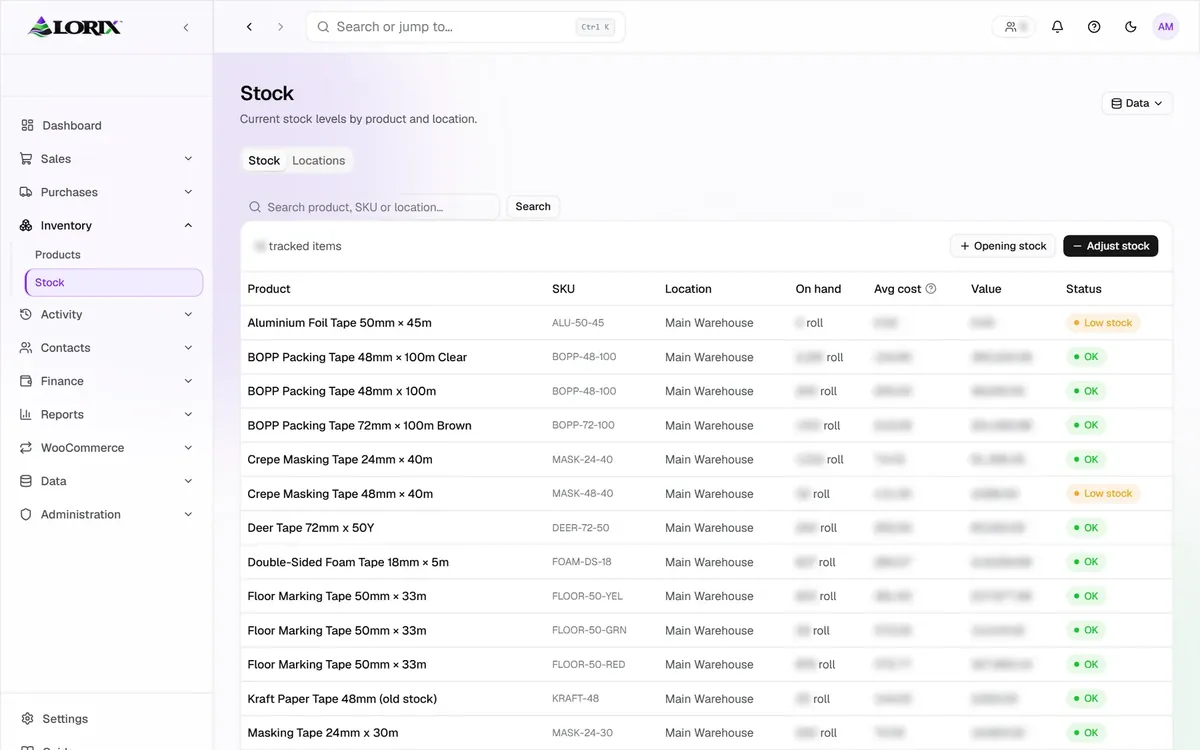
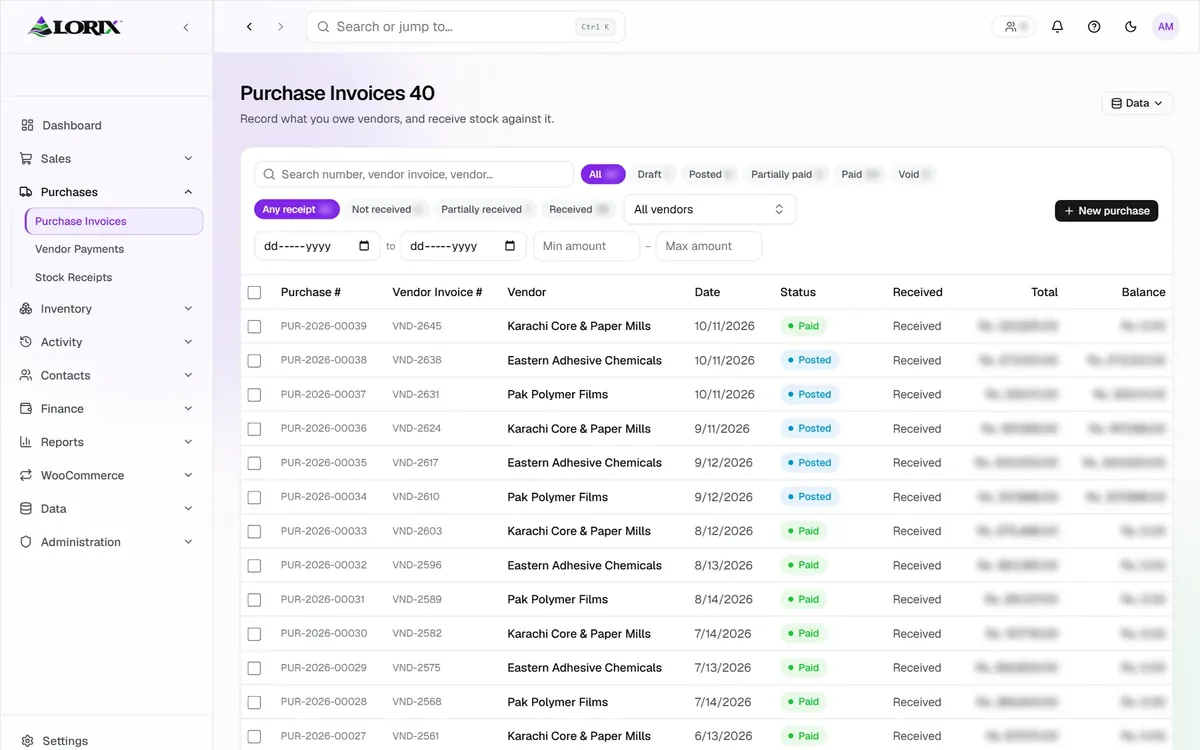
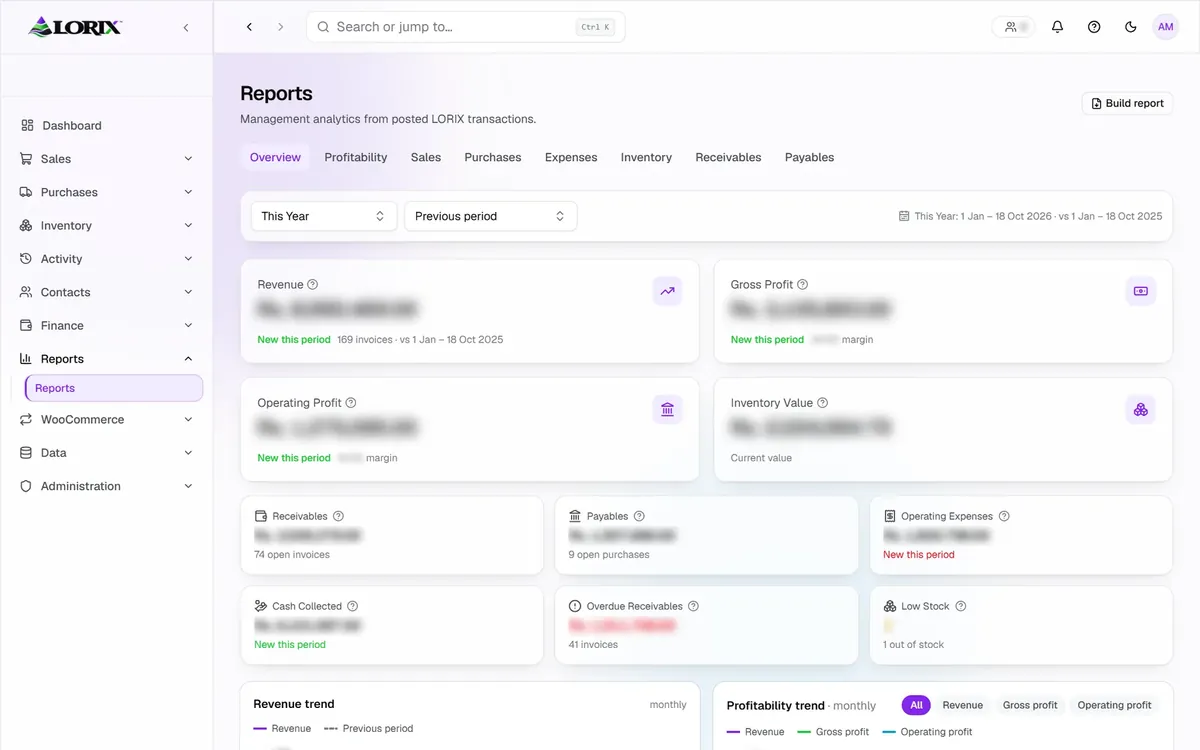
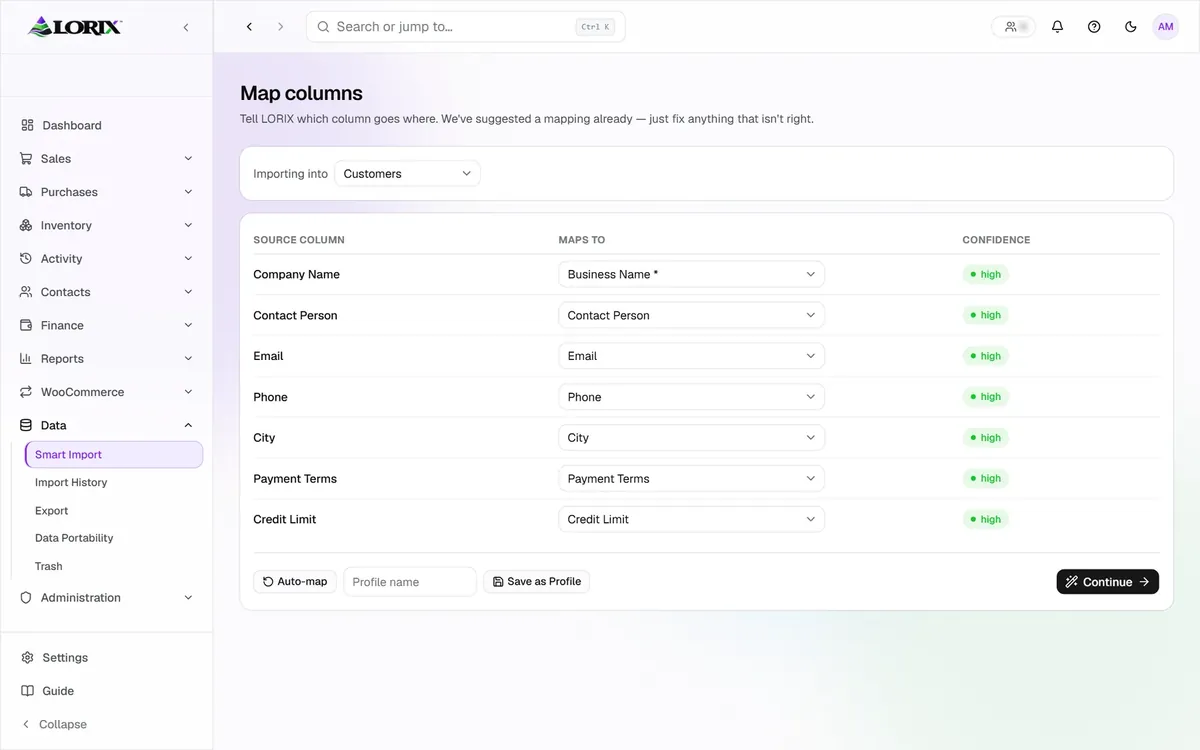
These are real screens from LORIX, shown with demo data. Every figure is blurred to protect the client’s records. The strip keeps moving on its own and slows down when the pointer is over it.
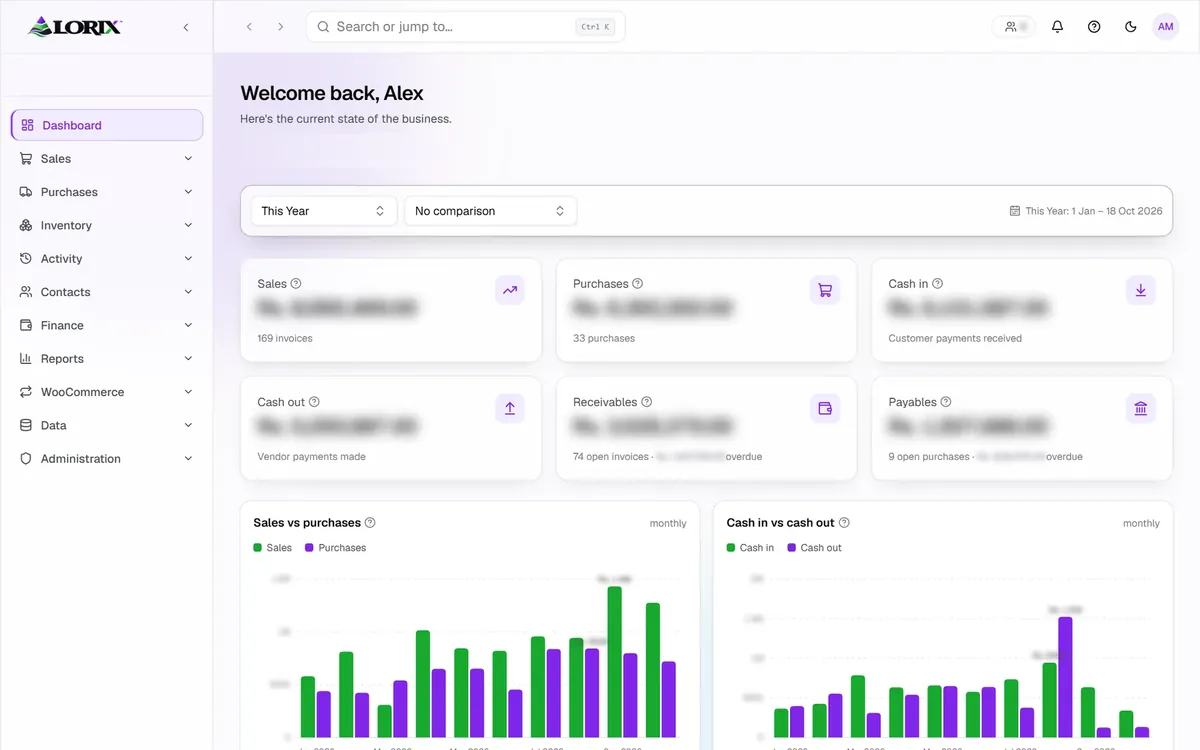
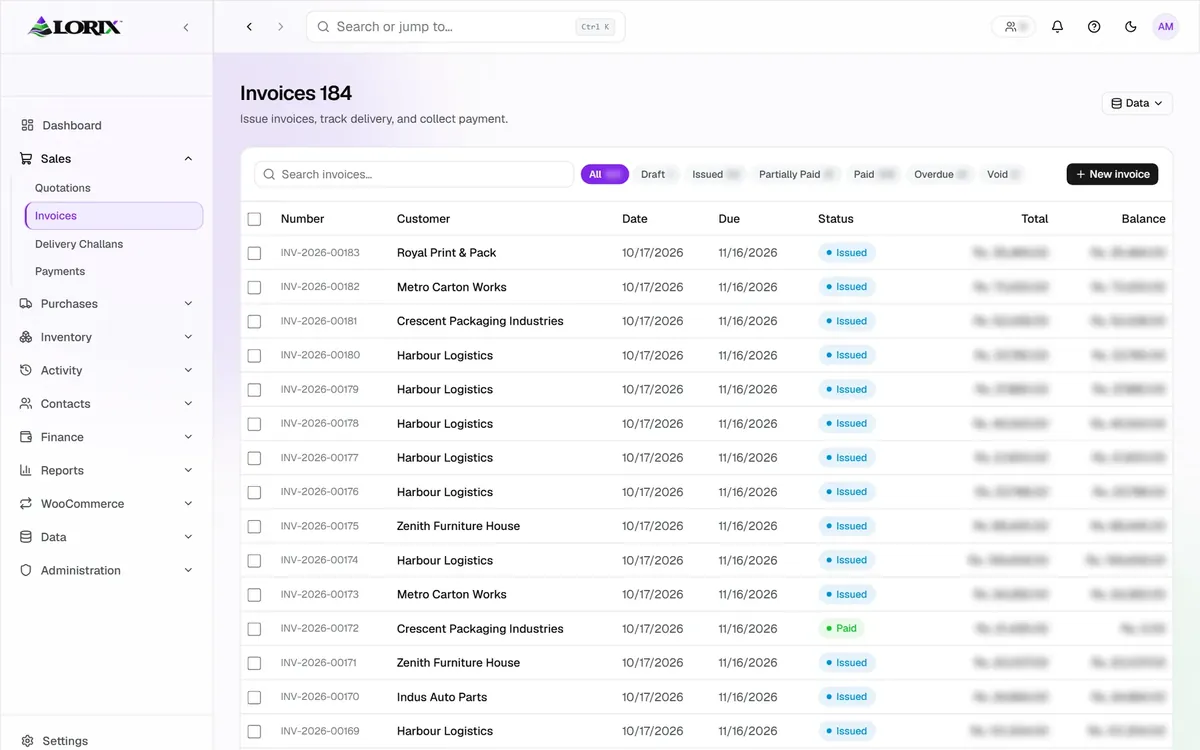
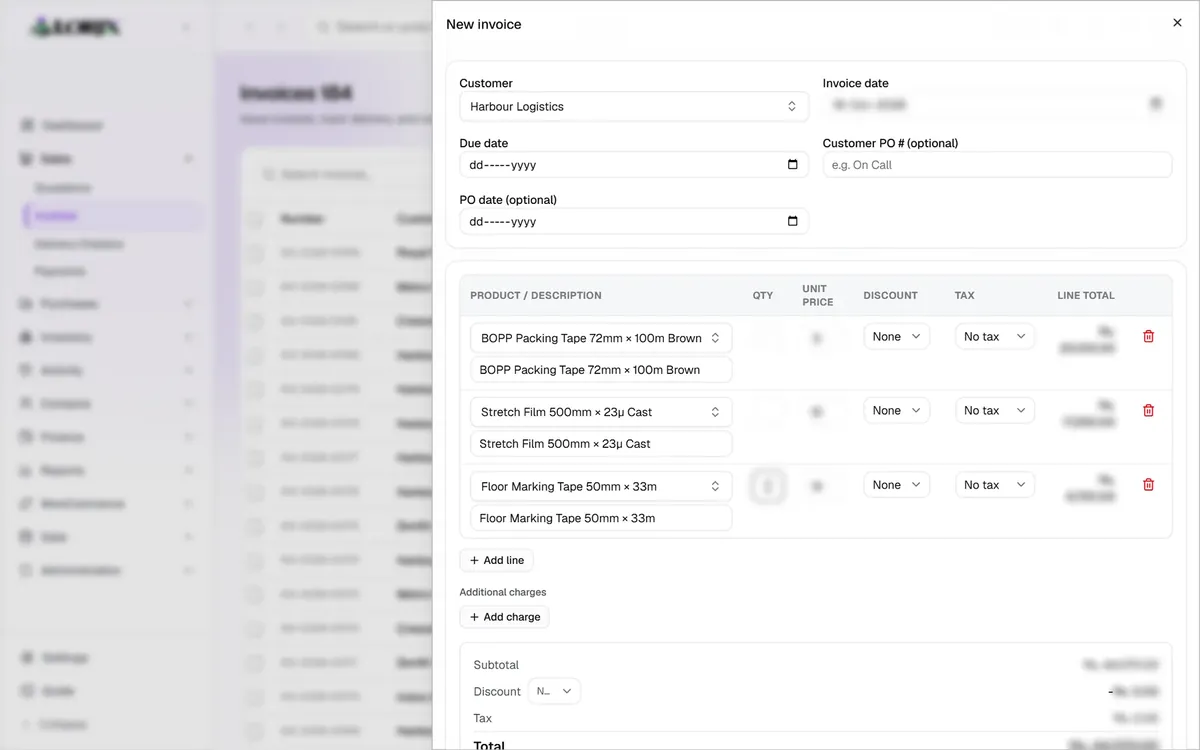
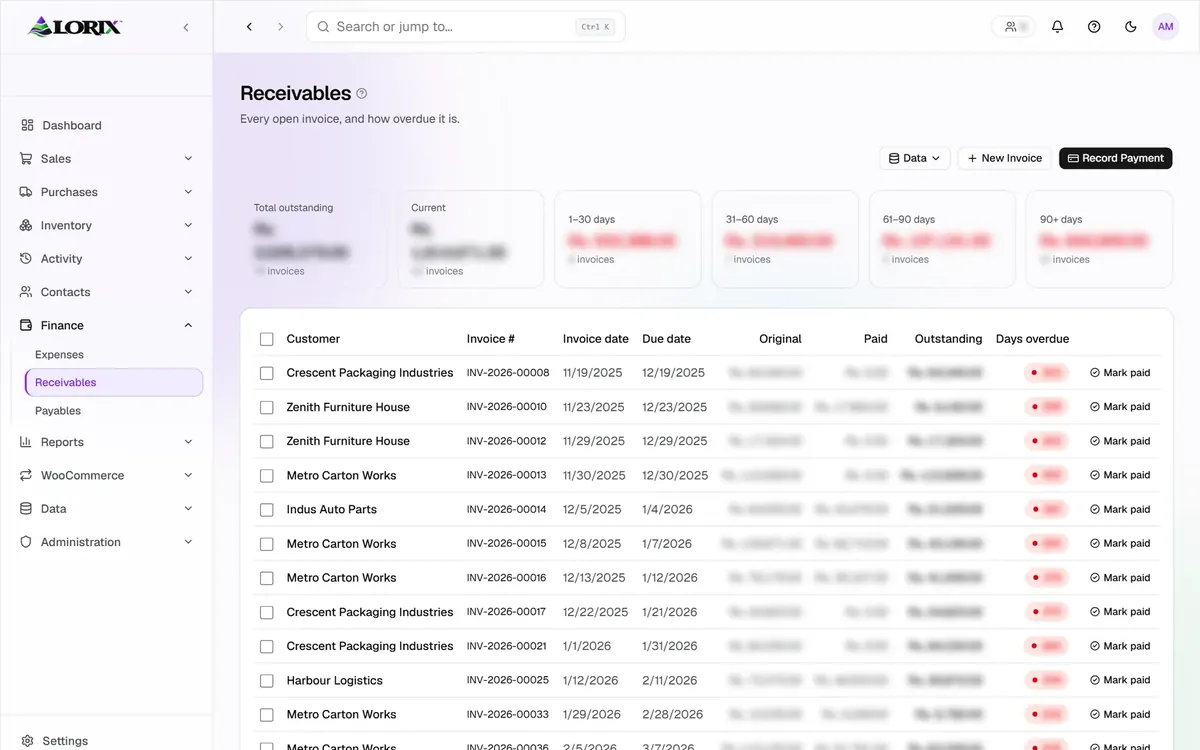
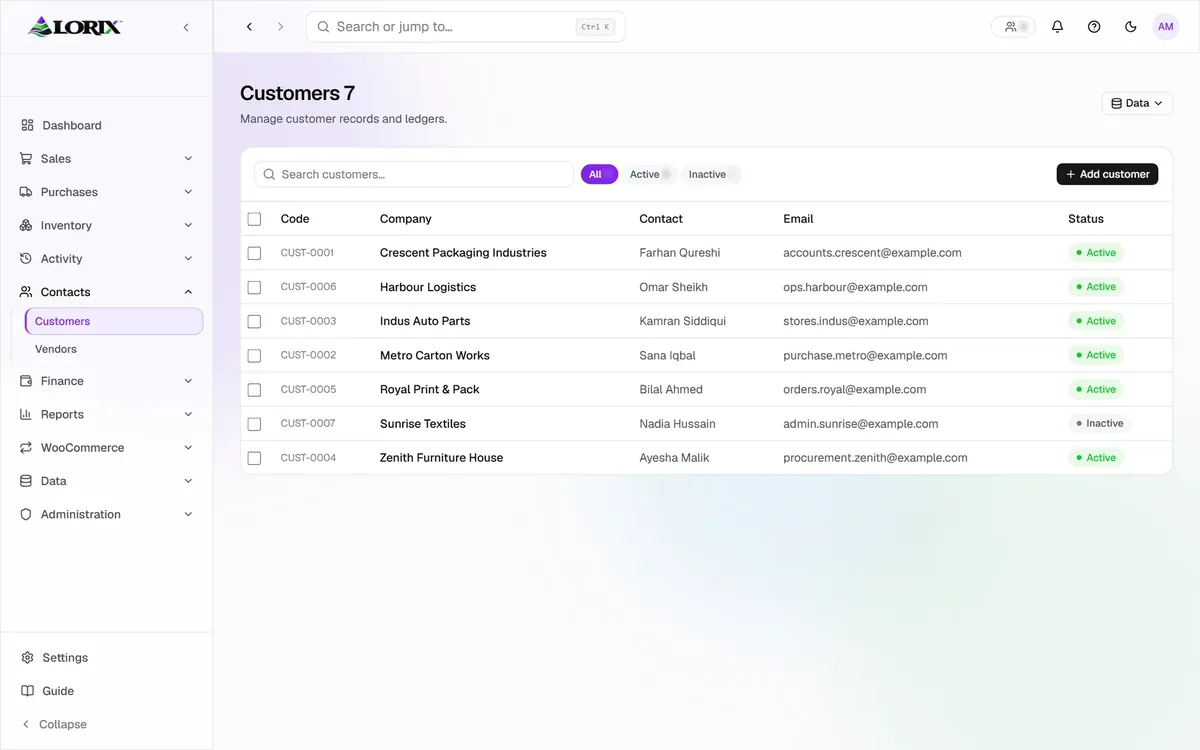
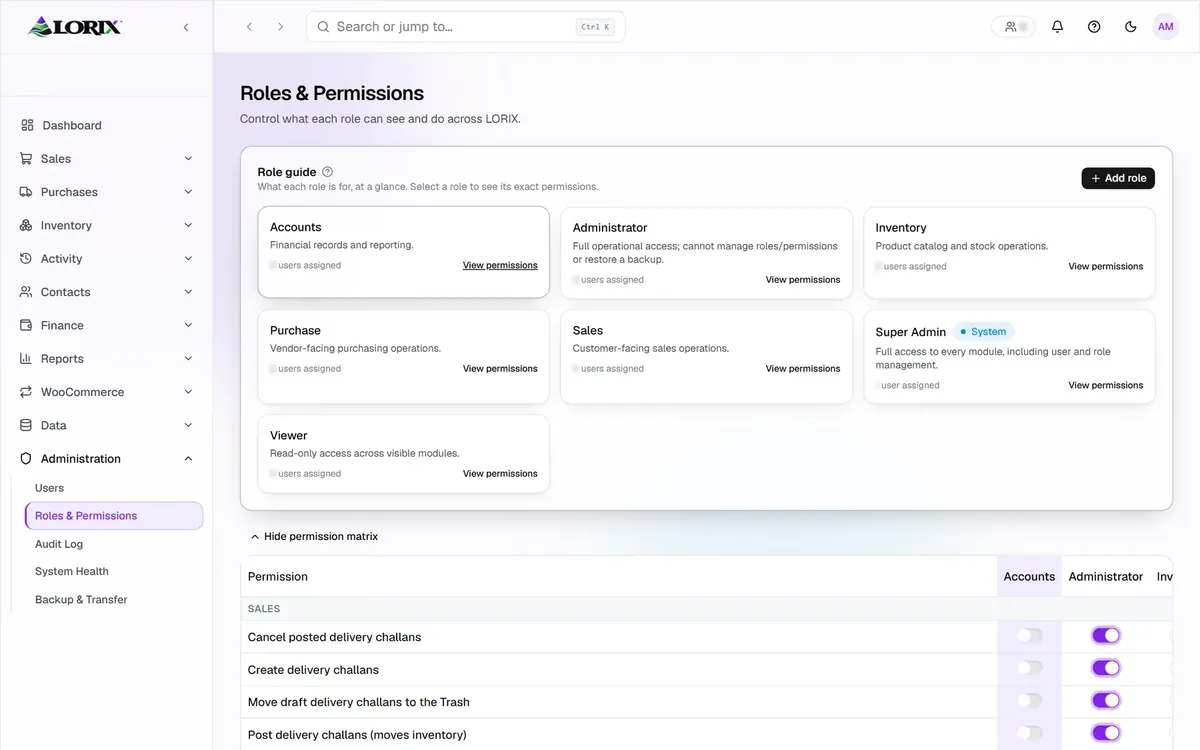
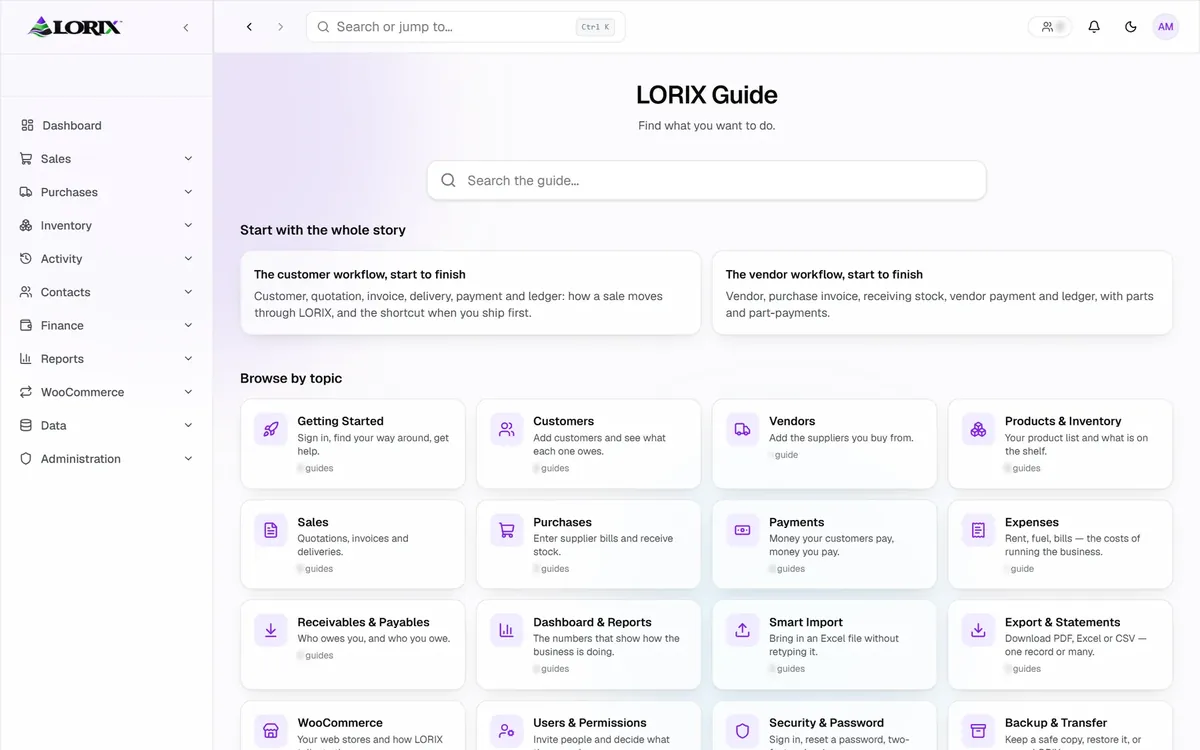
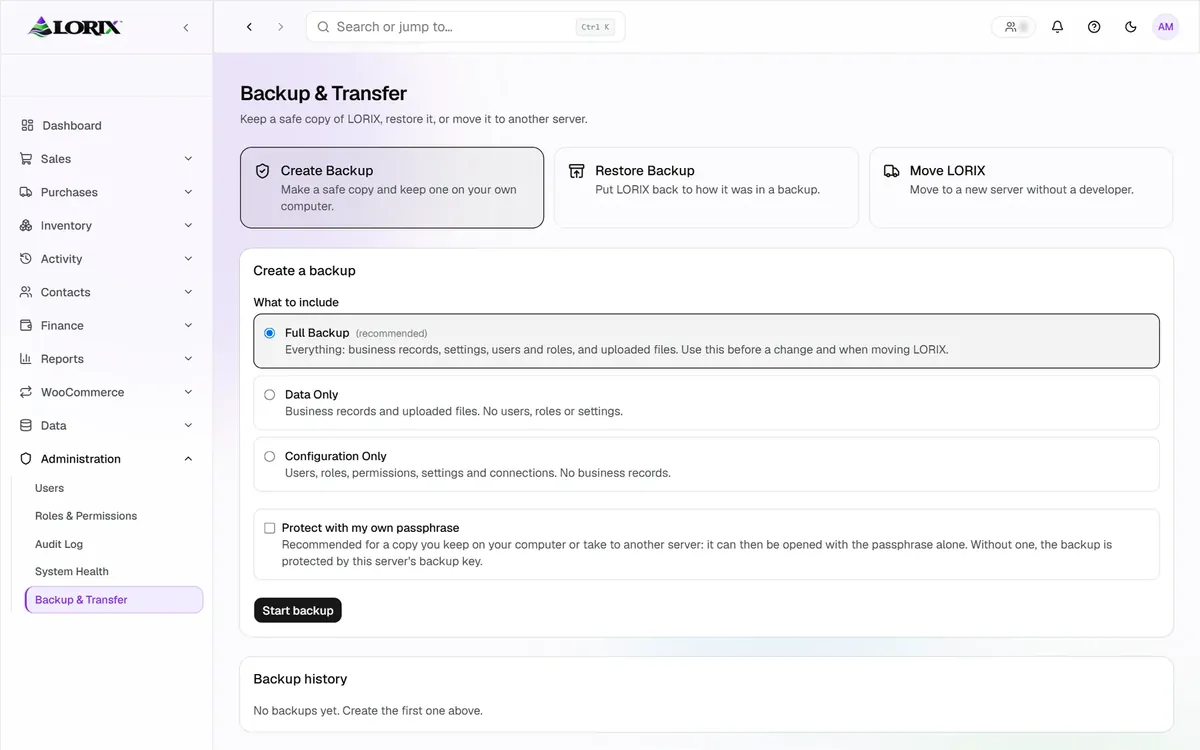
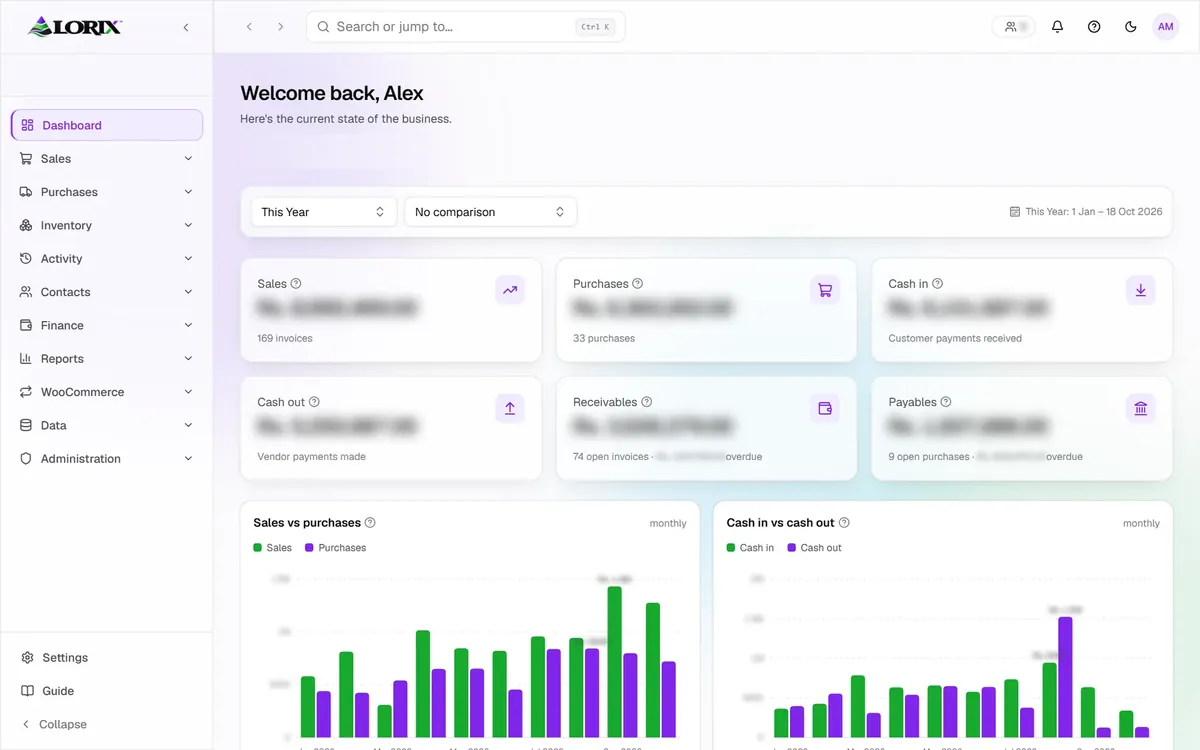
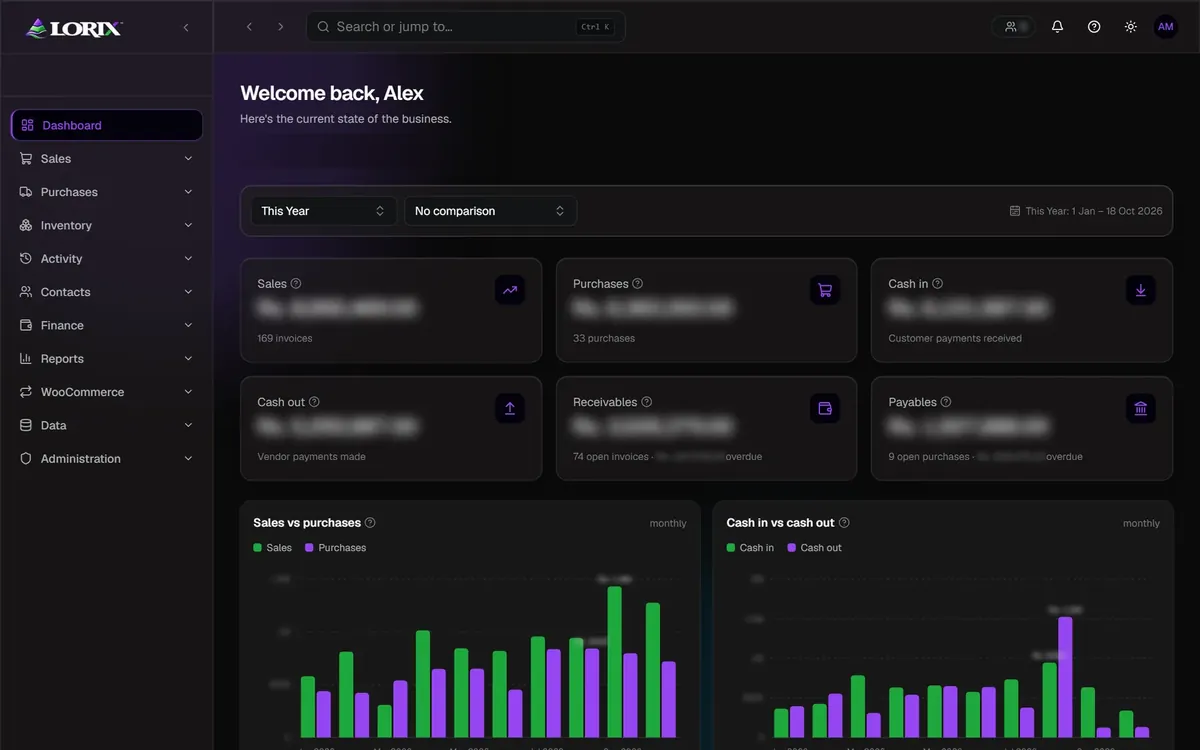
Hover or touch to slow the strip down.
How a sale moves
One sale, written once
A single sale shows why connected software matters. Here is its path through LORIX, from the first offer to the final report.
Quotation
The offer is prepared from saved customers and products.
Invoice
The accepted quotation becomes an invoice without retyping.
Delivery challan
Goods leave with a delivery challan linked to the invoice.
Payment
Payments are recorded against the invoice and appear in receivables.
Stock and reports
Stock and reports update from the same record.
Revise, never edit
A finished document is never overwritten. A change creates a new revision, so the full history stays visible and honest.
What is inside
Nine areas, one platform
LORIX is split into clear areas, so each person finds the part of the business they work in.
Sales
Quotations, invoices, delivery challans and payments, linked in order.
Purchases
Supplier invoices with weighted-average cost, so margins rest on real costs.
Inventory
An append-only movement history, so every change in stock leaves a trace.
Money
Receivables and payables ageing, plus expenses, in plain tables.
Reports
Eight report tabs and a Report Builder with PDF, Excel and PowerPoint export.
Website sync
A multi-store WooCommerce connection with Safe and Review modes, dry runs and a Website Changes screen.
Smart Import
Spreadsheet data is previewed in a dry run, and uncertain rows are marked Needs review.
Security and admin
Invitation-only accounts, roles, an audit log, encrypted backups and a Trash for recovery.
Easy for a team
An in-app Guide, five themes and a phone-friendly layout that installs like an app.
Under the hood: Next.js, TypeScript, PostgreSQL, Tailwind CSS, shadcn/ui, Drizzle, Better Auth and Zod.
On a phone
Works at the desk and on the move
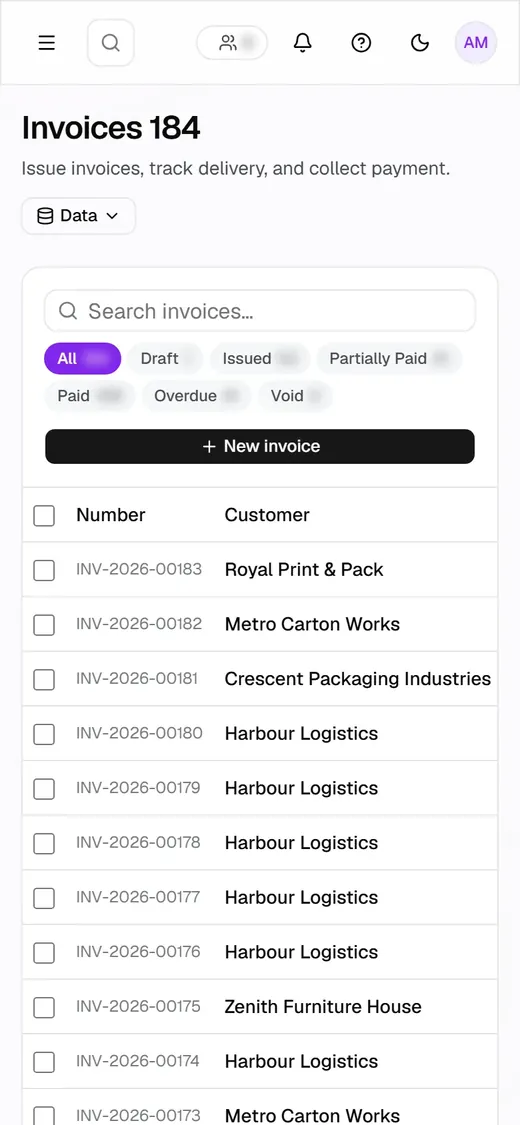
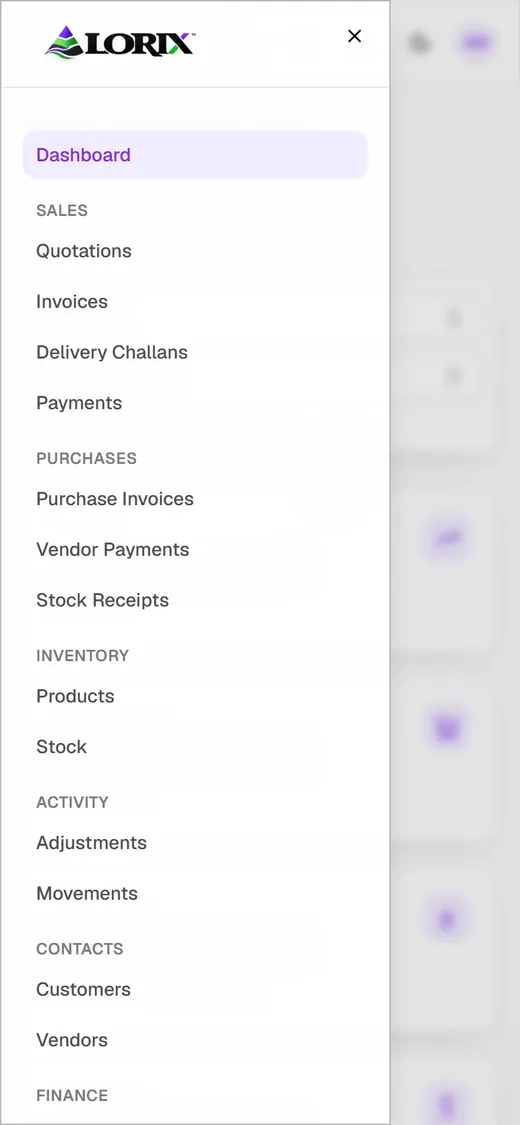
LORIX has a layout made for phones, and it can be installed like an app. Lists and menus stay readable on a small screen, so a quick check does not need a laptop.
- A phone layout for invoices and menus
- Installable as an app
- Five themes, including a dark one
Build or buy
Off-the-shelf software or custom software development?
Neither route is always right. This is how they usually differ.
Off-the-shelf software
Ready now, shaped for the average business.
- Quick to start with a familiar setup
- Monthly fees that grow with each user
- The business adapts to the tool
- Some features sit behind higher plans
- Spreadsheet workarounds often remain
Custom software
Built once, shaped around one business.
- Shaped around the real workflow
- Only the features the business needs
- Data and access stay under the business's control
- Grows by adding modules, not workarounds
- Documented, with a guide for the team
When off-the-shelf is the better choice
A business with a standard process, a small team and no special rules is often better served by a ready-made tool. Custom software earns its place when the process is unusual, when several tools must work together, or when spreadsheets keep breaking things. Wasif says so plainly when a ready-made tool fits better.
How it works
From first call to handover
Understand the work
A walk through the current process, the spreadsheets and the pain points, in plain language.
Shape the screens
Mockups show what each screen will look like before building starts.
Build in working pieces
Modules arrive one at a time, so progress can be seen and corrected early.
Test and hand over
Everything is tried on demo data first, then the team receives an in-app guide and a clear walkthrough.
Common questions
Questions about custom software development
What is custom software?
Custom software is a program built for one specific business instead of a general audience. It follows that business's own process, vocabulary and rules. It can be an ERP, a CRM, an internal tool, or several connected modules.
What is the difference between an ERP and a CRM?
An ERP runs operations such as sales, purchases, stock and money. A CRM manages relationships such as contacts, enquiries and follow-ups. Custom software can cover either one or both.
When does a business need custom software instead of a ready-made tool?
Usually when the process is unusual, when several tools must be stitched together by hand, or when spreadsheets keep causing errors. If a standard tool fits, it is often the better choice, and Wasif says so honestly.
What did Wasif build with LORIX?
LORIX is a business platform for an adhesive tape manufacturer and distributor, a long-term client. It covers quotations, invoices, delivery challans, purchases, inventory, receivables, payables, reports and a connection to multiple WooCommerce stores, with roles, an audit log and encrypted backups.
Can custom software connect to an online store?
Yes. LORIX connects to multiple WooCommerce stores with dry runs, Safe and Review modes and a Website Changes screen. Changes are previewed and reviewed first instead of going live automatically.
Can existing spreadsheet data be moved into new software?
Yes. A Smart Import step previews the data in a dry run and marks uncertain rows as Needs review, so nothing is saved blindly.
Is the data kept safe?
LORIX uses invitation-only accounts, roles that limit what each person can see, an audit log of changes, a Trash for recovery and encrypted backups.
What technology is used?
LORIX is built with Next.js, TypeScript, Tailwind CSS, shadcn/ui and PostgreSQL, together with Drizzle, Better Auth and Zod. The technology is chosen to suit each project.
How does a custom software project start?
It starts with a conversation about the current process, the spreadsheets and the pain points. From there Wasif shapes mockups, builds in working pieces, tests with demo data and hands over with a guide. The contact form at the bottom of this page is the first step.
Explore more
Other services
Connect with Wasif
Let's map your software
Tell Wasif what keeps landing in spreadsheets, and see whether custom software, a ready-made tool or a smaller fix is the right route. What is the one task in your business that still lives in a spreadsheet?
Spreadsheets are a quiet cost
Every retyped detail and mismatched count takes time that a connected system gives back.
Software fitted to the work
Screens, steps and reports follow the way the business already runs, not the other way round.
Tested before it goes in
Each piece is tried on demo data first, then handed over with a guide for the team.
A straight answer on the right route
If a ready-made tool fits better, Wasif says so instead of building something that is not needed.