Mobile app development

Mobile apps built around one routine people come back to

Wasif Ahmed designs and builds mobile apps for people who have an idea, a book, a service or a routine that deserves its own place on a phone. The work starts with a sketch and moves to a clickable preview that can be tapped through before any app code exists.

One codebase is planned for Android and iPhone. Each screen is explained in plain language, so the idea stays clear from the first call to the first test build.

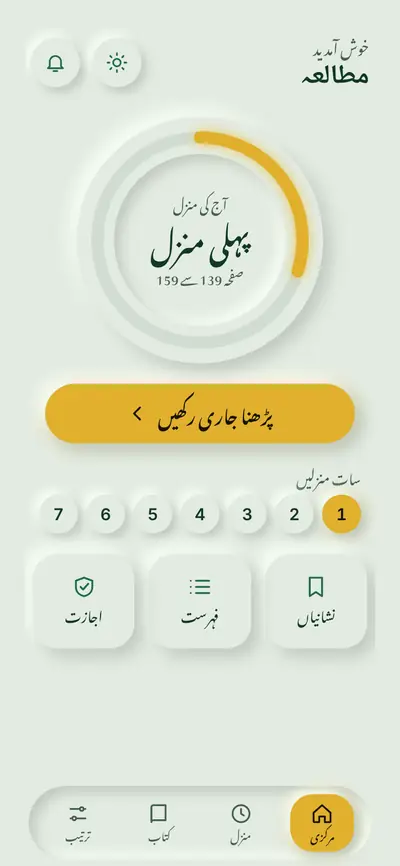
Reading app home screen in the light theme
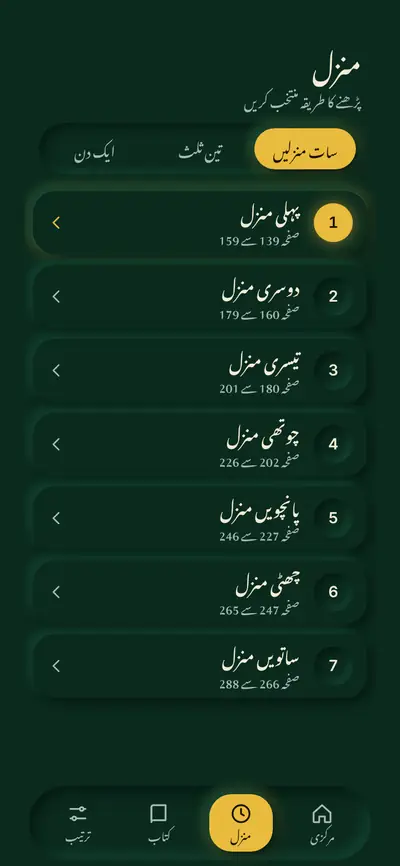
List of seven daily reading portions in the dark theme
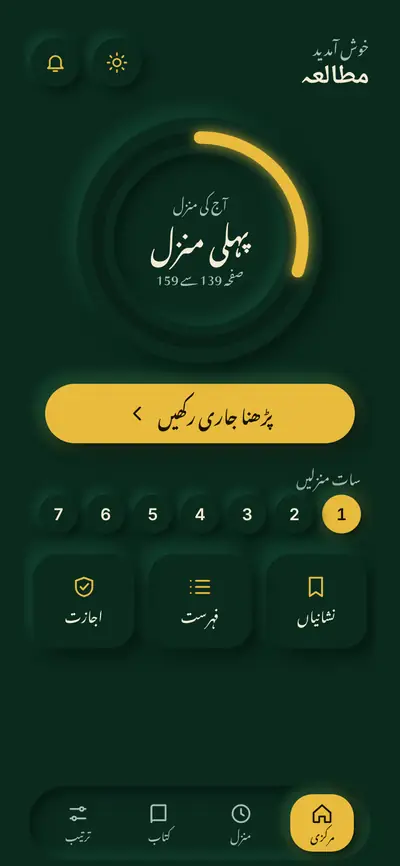
Reading app home screen with a progress dial in the dark theme
Common app problems

Sound familiar?

Most app ideas stall on the same six problems. Each one is described in everyday terms, followed by how Wasif approaches it.

An idea that stays on paper

The app is clear in someone's head, but nobody can tap through it yet.

How Wasif approaches itA clickable preview turns the idea into screens that can be tested before any code is written.

Two phones, two projects

Android and iPhone versions get planned, and paid for, as separate jobs.

How Wasif approaches itOne codebase is planned for both, so the design and the logic are shared.

A server for every small thing

Accounts, logins and databases get added even when the app does not need them.

How Wasif approaches itWhere data can stay on the phone, the app keeps it there, which keeps it fast and private.

Built for a desk, used in real life

Dark rooms, one hand and weak signal are rarely part of the testing.

How Wasif approaches itNight themes, thumb friendly controls and offline friendly storage are designed in from the start.

A feature list nobody asked for

A long list of features hides the one thing the app should do well.

How Wasif approaches itThe first version stays small and built around one routine. More is added once that works.

No clear path to release

Store accounts, listings and test builds arrive as a surprise at the end.

How Wasif approaches itThe path from preview to test build to store listing is laid out at the start.
What can be built

Many kinds of apps, one careful process

Mobile app is a wide label, so here is what it can cover. The common thread is a small, clear first version built around one routine.

Reading and content apps

Books, guides, courses and long documents with saved places, bookmarks and comfortable reading.

Routine and habit apps

Daily plans, progress dials and reminders that help people keep a routine.

Booking and ordering apps

Menus, services or products with a simple order or enquiry flow.

Companion apps for a business

Customer or staff apps that sit beside a website or an internal system.

Community and membership apps

Member areas, updates and simple profiles for clubs, schools and associations.

Directory and catalogue apps

Searchable lists of products, places or people, with favourites and filters.

Featured design

A reading app, designed for a long book

This is a design preview for a publishing institute. It is a clickable design, not a released app, and the screens show a neutral sample page. Tap the tabs to see the four parts of the design.

Design preview: completeBuild: plannedStore release: not started

A plan the app keeps

Three ways to split the book: seven portions, three parts or one sitting. The home screen shows today's portion on a progress dial, with one button that opens the reading screen.

  • Progress dial for today's portion
  • Seven portion, three part or one sitting plans
  • One tap from the plan to the page
Reading app home screen with a progress dial in dark theme
Today's portion at a glance
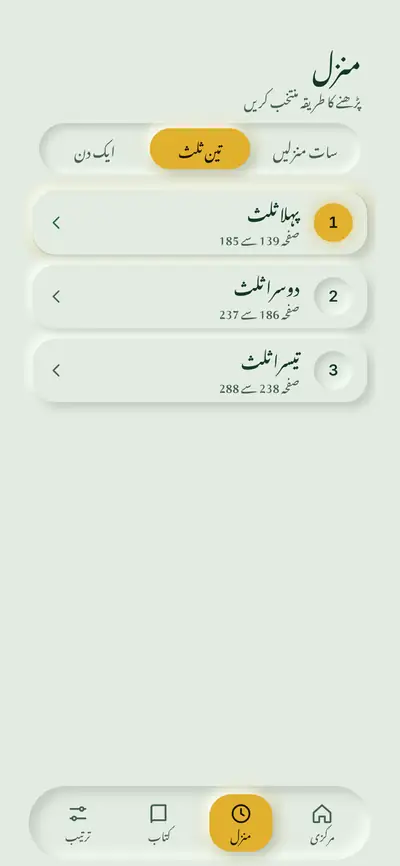
List of seven daily portions with page ranges
Seven portions, one tap each
List of three reading parts with page ranges in light theme
Or split the book in three parts

A screen made for tired eyes

Light, sepia and night page colours keep long sessions comfortable. Controls stay large enough for a thumb, and digits sit centred in their circles.

  • Three page colours for day, evening and night
  • Bookmark button on the reading screen
  • Slider for moving through the pages
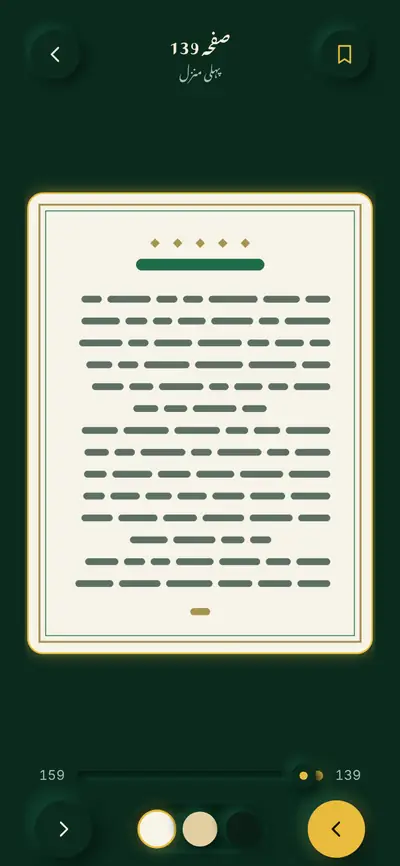
Reading screen with a bookmark button and page colour choices
A calm reading screen
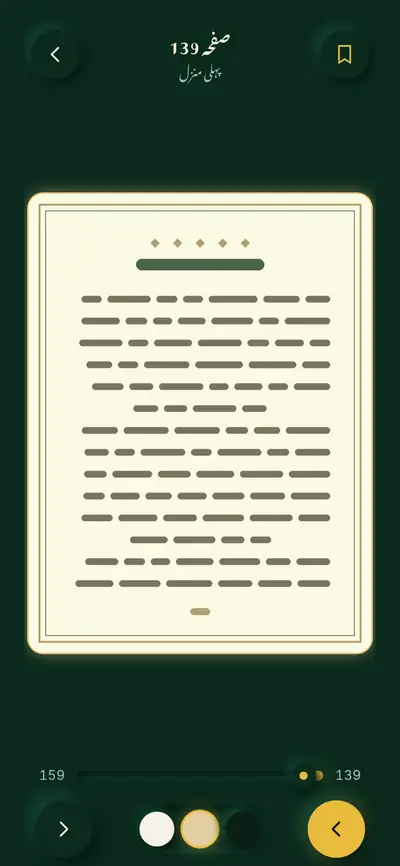
Reading screen using the sepia page colour
Sepia for evening reading
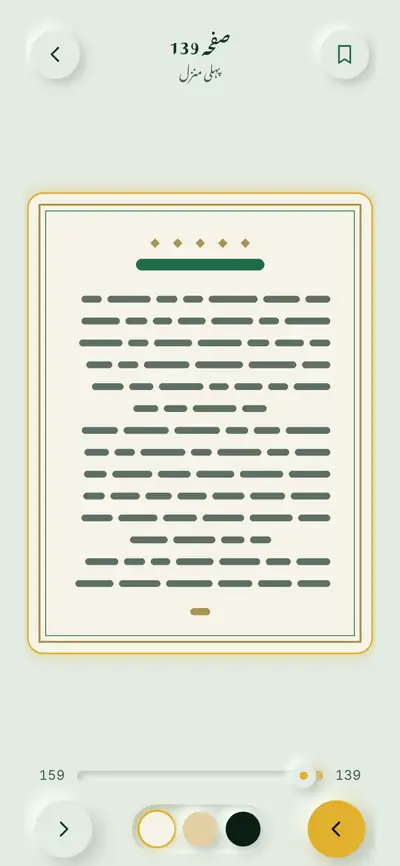
Reading screen in light theme with a sample page
Reading in the light theme

One tap between dark and light

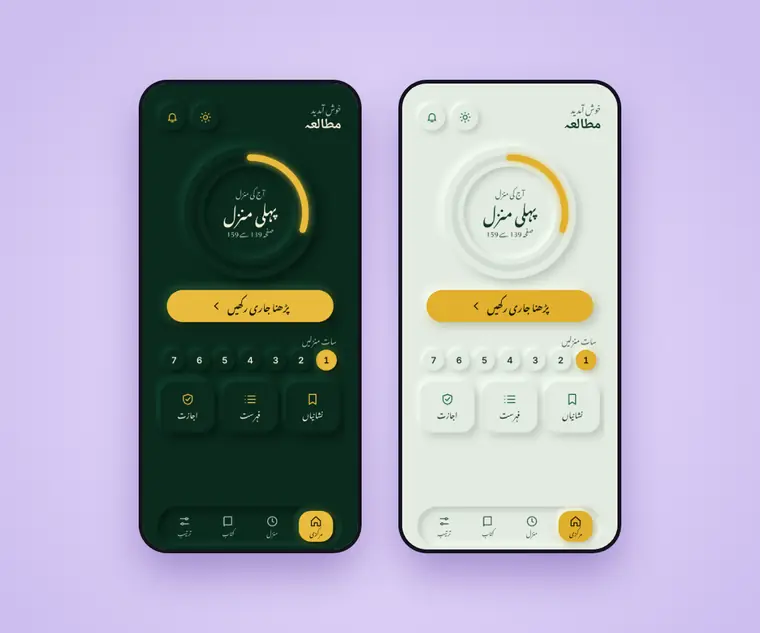
The theme switch sits on the home screen and in settings. Both themes share the same soft raised and pressed surfaces in deep green with gold accents.

  • Dark and light app themes
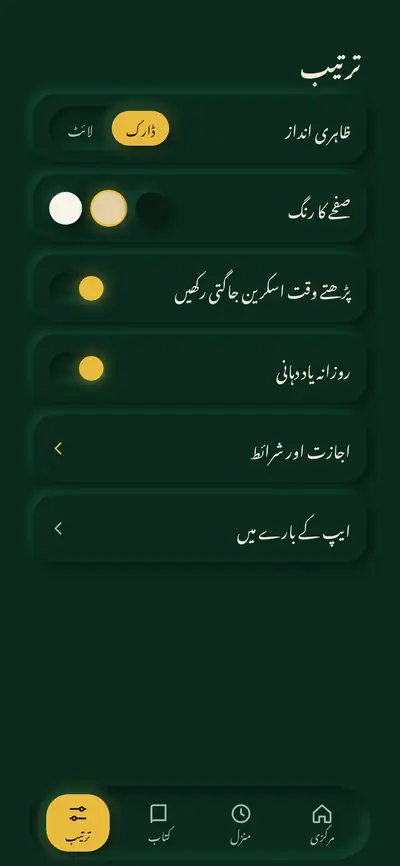
  • Theme, page colour and reminder in one settings screen
  • Same layout in both themes
Reading app home screen in dark and light themes side by side
One tap switches between dark and light
Settings screen with theme, page colour and two switches
Theme, page colour, reminder and screen settings
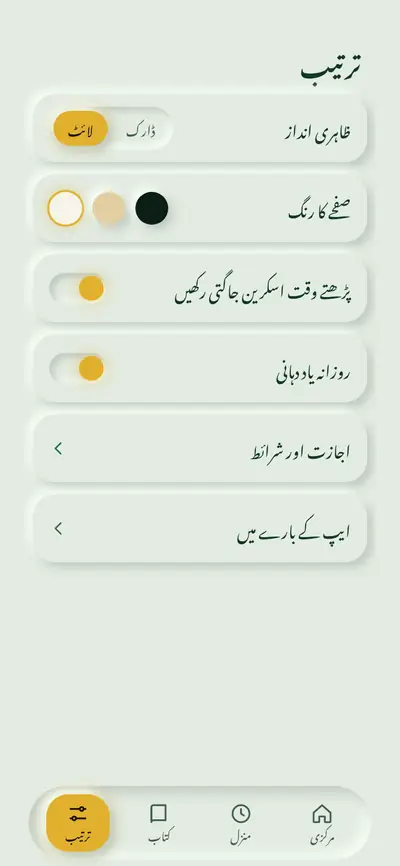
Settings screen in light theme
Settings in the light theme

A place that is easy to return to

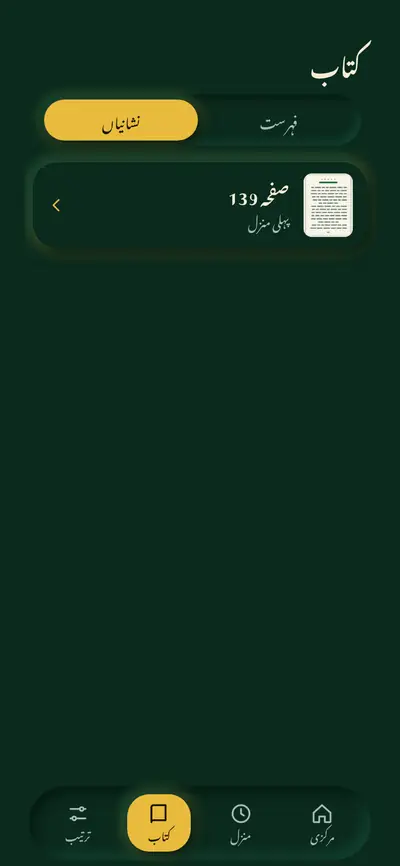
A continue button and bookmarks bring the reader back to a saved page. Saved pages sit in one list, each with a small thumbnail, and the contents list jumps to any section.

  • Continue button on the home screen
  • Bookmarks in one list with thumbnails
  • Contents list with page numbers
Bookmarks list showing one saved page with a thumbnail
Saved pages in one list
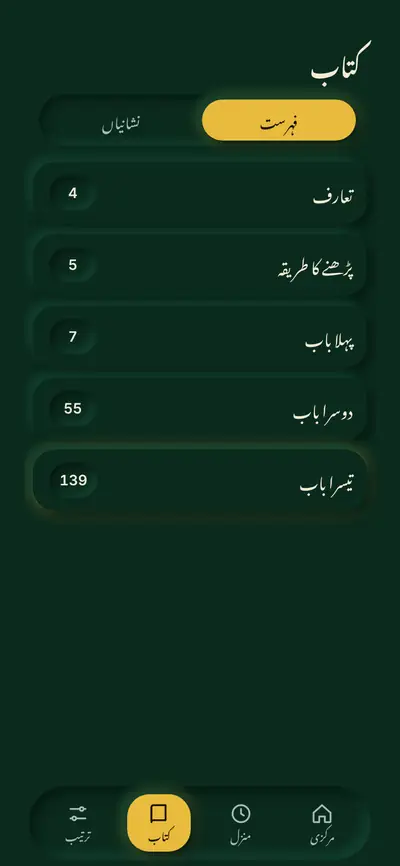
Contents list with page numbers in dark theme
Contents with page numbers

Features and what is real today

Daily portion tracker

Three plans (seven portions, three parts, one sitting) with a progress dial

Interactive in the design preview

Reading screen

Page view with a bookmark button and three page colours

Interactive in the design preview

Bookmarks

One list of saved pages with thumbnails

Interactive in the design preview

Contents list

Jump to the sections of the book

Shown in the design preview

Dark and light themes

One tap on the home screen, also in settings

Working in the design preview

Page navigation

Previous and next page, with a slider

Planned, the preview holds one sample page

Daily reminder

Local notification at a time the reader picks

Planned for the build

Keep screen awake

Screen stays on while reading

Planned for the build

Offline first storage

Book and settings stored on the phone, no account needed

Planned for the build

How it was designed

Wasif started with a handful of reference screens and three different directions, then settled on one: soft raised and pressed surfaces in deep green with gold accents, in a dark and a light theme. Every number sits centred in its circle, and the reading text uses a calligraphic Urdu face with a clean sans for digits.

The result was turned into a clickable preview and tested on real phones before any app code was written.

How it will be built

The build plan is Expo with React Native and TypeScript, so one codebase serves Android and iPhone. The book and the reader's settings are stored on the phone, which keeps the app fast, private and free of accounts and servers. Reminders use local notifications.

Testing starts on an iPhone through Expo Go and on an Android phone, before any store build.

ExpoReact NativeTypeScriptLocal notificationsOn device storage
How it works

From first call to first test build

Five stages, each one explained before it starts.

  1. Discovery call

    Who the app is for, what it should do first and what already exists.

  2. Sketch and flow

    Screens and journeys on paper, agreed before any visual design.

  3. Clickable preview

    A design that can be tapped through on a real phone.

  4. Build and test

    One codebase for Android and iPhone, tested on real devices.

  5. Release steps

    Store accounts, listing and handover explained step by step.

App or website

Is an app the right first step?

Neither route is always right. This is how they usually differ.

An app is a good fit when

  • People return to it often, such as a routine, a reader or a booking
  • It needs to work offline or send reminders
  • It should feel like part of the phone, with saved places and settings
  • A small, focused tool is more useful than a full website

A website is the better first step when

  • People mostly arrive once from a search or a link
  • The content changes often and needs a simple editor
  • Visitors need to find the business, not install anything
  • The goal is to be found on search before anything else

Wasif says plainly which one makes sense, and the web side is covered on the Web Solutions page. Sometimes the answer is both.

Common questions

Questions about mobile apps

Will the app work on both Android and iPhone?
That is the plan. The build uses one codebase, Expo with React Native and TypeScript, so both phones share the same design and logic.
Do I need a finished design before we start?
No. A few notes, sketches, an existing website or a printed example is enough. The first stages exist to turn that into screens.
Does every app need a server and user accounts?
No. Some apps are better when the data stays on the phone, which is faster, more private and cheaper to run. Wasif says plainly when a server is genuinely needed and when it is not.
How long does it take and what does it cost?
Both depend on the number of screens and features, so they are quoted after the first conversation rather than taken from a price list.
Can I test the app before it is built?
Yes. The clickable preview stage is made for exactly that, so the idea can be tapped through on a real phone and changed before any app code is written.
Who publishes the app in the stores?
Store developer accounts are normally created in the owner's name. The release steps, the listing and the testing builds are explained as part of the work.
Is the reading app in a store?
Not yet. The design preview is complete, development comes next, and no store release has started. The status is kept honest on this page.
Can an app use right to left languages?
The featured design preview already uses a right to left Urdu interface with a calligraphic typeface, so right to left layouts are part of the design experience.
Start a conversation

Have an idea that deserves its own app?

Wasif designs and builds mobile apps that keep a routine simple, from the first sketch to a clickable preview you can test on your own phone. What is the one routine, book or service you would like to see on a phone?

Explore more

Other services

Connect with Wasif

Let's shape your app

Send a short note about the app, or place an order for a first plan. Wasif replies by email with first thoughts, then a short call can scope the first version. What is the one routine or service you would like to see on a phone?

What happens next

  1. 1You send a short note with a few details
  2. 2Wasif replies within 24 hours with first thoughts
  3. 3A short call scopes the work and agrees the next step

Prefer to reach out directly?

Scroll to Top
Secret Link