Evaluating an MCP for WordPress setup is becoming essential as automated tools interact more closely with content management systems. Site owners looking to automate editing, design updates, and administration now have three distinct architectural paths to connect external models to their databases.
The Model Context Protocol acts as an open interface standard. It allows software agents running in clients like Claude or Codex to read resources, execute declared tools, and trigger workflows on remote environments. When applied to WordPress, it turns routine dashboard duties into structured actions that external AI systems can handle safely.
Understanding each MCP for WordPress implementation helps teams select the right setup without adding technical debt or security vulnerabilities to production hosting.
Understanding MCP for WordPress and the Abilities Standard
An MCP server on a website does not generate text or make autonomous choices by itself. Instead, it acts as a structured bridge between remote intelligence and local functions. The client model sends requests, and the server checks permissions before executing tasks inside the site.
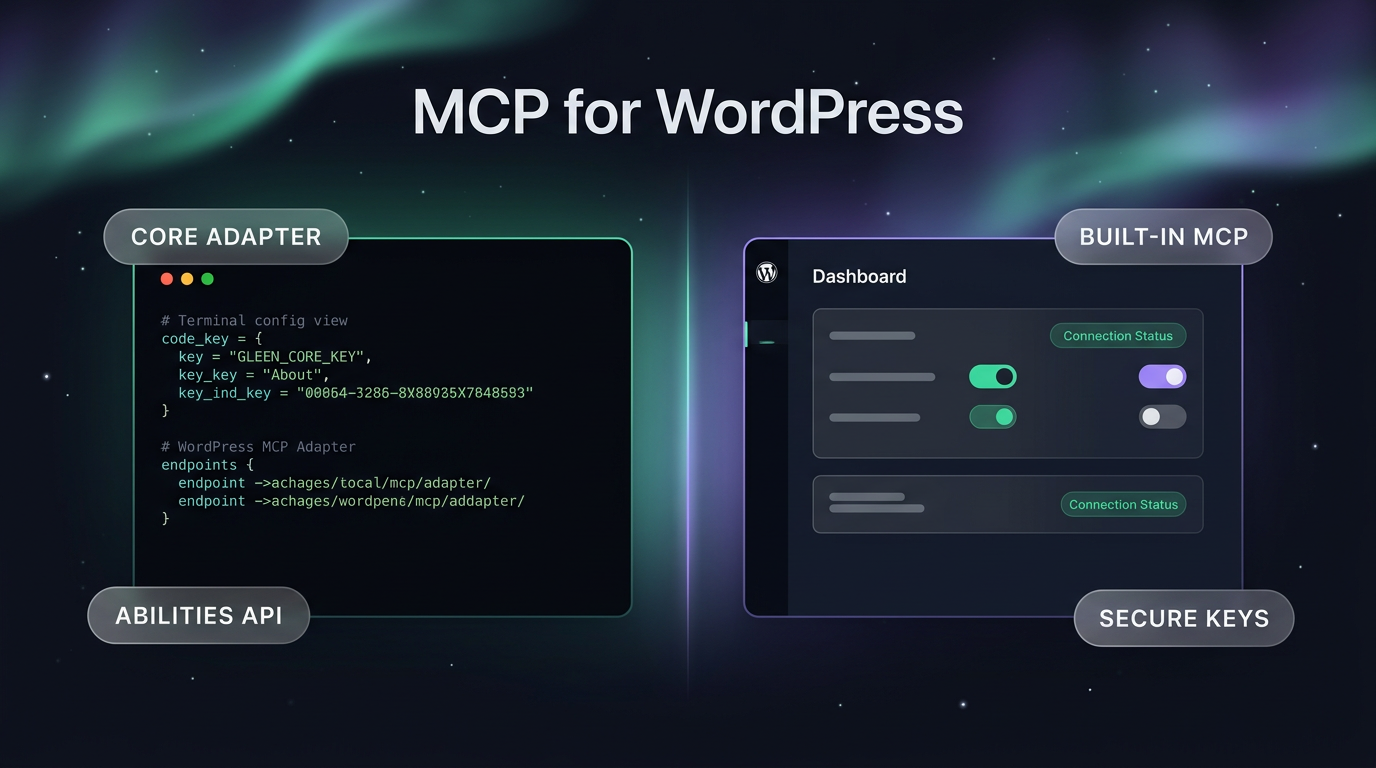
Core WordPress development introduced the Abilities API to standardize how internal features present themselves to machine interfaces. When a plugin or core module registers an ability, it defines what inputs it accepts and what changes it performs. Examples include updating widget parameters, editing product inventories, or modifying layout styles.
Any MCP for WordPress option built to support this standard can turn those registered abilities into callable tools. The agent discovers available functions during its handshake with the server, meaning the site remains in control of what the external model can touch.
Because the abilities standard relies on WordPress itself, developers do not need to create bespoke communication layers for every single plugin. If an e-commerce or form plugin registers its methods properly, any compliant protocol bridge can read those capabilities immediately.
The Official WordPress MCP Adapter
On October 2, 2026, version 0.7.0 of the WordPress MCP Adapter arrived on the official WordPress.org plugin directory after initial development on GitHub. The adapter is an open-source bridge maintained within the wider project structure, requiring WordPress 6.9 or newer to function.
Because the plugin is currently in its 0.x release cycle, it focuses on transport rather than guided user interfaces. There is no dedicated configuration wizard or visual status dashboard inside the WordPress admin screen. Installing it requires site administrators to generate an application password within WordPress user settings.
Once the administrator generates the key, they must open their AI client and manually write the endpoint URL and credentials into a local configuration file. This manual handoff means users must feel comfortable editing developer configuration files and managing connection security independently.
Site owners testing the official adapter gain an authentic MCP for WordPress transport layer directly aligned with the core project roadmap. It introduces minimal code bloat while establishing clean communication paths.
The main advantage of this setup is neutrality. The WordPress MCP Adapter connects directly to the core Abilities API. It exposes capabilities registered by any active, compliant plugin across the installation without favoring a specific page builder or commercial vendor.
Built-In Elementor MCP Integration
Site administrators running Elementor have access to an integrated alternative. In Elementor version 4.3.0 and newer, an official MCP server comes built directly into the core builder plugin, removing the need for a separate adapter installation.
Setup takes place inside the WordPress dashboard by navigating to the Elementor settings menu. Administrators select their AI client from a list, and the plugin automatically manages application password generation behind the scenes. This removes the step of editing raw JSON or YAML configuration files on local machines.
Elementor states that generated credentials remain private between the site and the AI client, without passing authentication secrets through intermediary cloud proxy servers. The direct connection protects site access while keeping setup accessible to non-technical editors.
Users seeking deeper functionality can pair this built-in bridge with companion tools:
- Elementor Pro adds specialized tools for Theme Builder layouts, Loop grids, dynamic fields, and interactive forms.
- Angie, Elementor’s dedicated AI plugin, provides capabilities for custom administrative modifications, widget creation, and site-wide bulk operations.
- Third-party plugins registered with the WordPress Abilities API, such as WooCommerce, Yoast, WPForms, Jetpack, and Advanced Custom Fields, become accessible through the single connection once Angie is enabled.
For teams that already build on this builder ecosystem, the integrated bridge provides immediate access with minimal operational overhead, as detailed in the Elementor product announcement.
Evaluating Unofficial Community MCP Servers
Beyond the WordPress MCP Adapter and Elementor’s native tool, several community developers have published independent MCP servers on public code repositories. These options vary widely in design, code quality, and active maintenance.
Independent servers can be useful for testing experimental features or niche integrations that core plugins do not yet support. However, running custom servers in production creates real governance considerations. Because they sit outside standardized review directories, site owners must inspect the underlying code to verify how data is handled.
Community implementations often require root-level manual setup, custom endpoint routing, and frequent manual updates. If an unverified server requests excessive administrative permissions, it could expose sensitive customer data or database functions to external prompts.
Unless a project requires a specific experimental protocol not found elsewhere, standardizing on official releases reduces maintenance overhead and minimizes security exposure.
Comparing Your MCP for WordPress Architectural Paths
Choosing an MCP for WordPress depends on existing infrastructure, administrative skill, and long-term maintenance requirements. No single option fits every agency or corporate website.
Teams running lean, custom-coded themes often prefer the WordPress MCP Adapter. It keeps dependencies clean, adheres strictly to core development standards, and operates without commercial presentation layers. The tradeoff is the operational friction of manual file configuration whenever keys expire or endpoints move.
Businesses managing sites built with visual layout tools typically find the Elementor integration more practical. The guided connection saves administrative time, and adding support for dynamic WooCommerce catalogs or custom fields requires only activating supported companion plugins.
Organizations must also consider plugin maintenance lifecycles. Every standalone plugin added to a site increases update testing and compatibility risks. Using an existing, actively maintained core builder avoids adding another standalone dependency to weekly maintenance schedules.
Real-World Implementation and Agent Workflows
Connecting an AI agent is only the first step. Practical value comes from structuring how the external model interacts with content workflows. When an agent has access through an MCP for WordPress bridge, teams must set boundaries around what actions it can trigger autonomously.
For example, an agent tasked with catalog maintenance can query draft posts, update stock figures, or adjust meta titles using registered abilities. Restricting permissions through dedicated WordPress user accounts ensures that an automated tool cannot alter core theme files or delete user accounts during execution.
Pairing these agent connections with comprehensive Agentic AI Systems & AI Workforce design allows companies to connect site administration with external data feeds, scheduling pipelines, and marketing databases. Integrating these tools into established AI automation workflows prevents errors and keeps automated changes accountable to editorial review.
FAQs
What is the minimum requirement for the WordPress MCP Adapter?
The WordPress MCP Adapter version 0.7.0 requires WordPress version 6.9 or higher to run. Because it lacks a visual settings interface, users must manually generate an application password and configure their AI client settings files.
Can an automated server edit site content without permission?
An MCP for WordPress connection does not rewrite content independently. It only exposes functions that existing plugins register through the Abilities API. The agent can only execute tasks that site administrators grant through the corresponding WordPress user role and connection credentials.
Does Elementor MCP require third-party servers to work?
Elementor MCP creates a direct link between your WordPress host and your external AI tool. Credentials remain between your site and your local AI client, without routing data through external middleware proxies.
Putting Connected Sites to Work
Wasif designs structured digital operations that connect autonomous tooling with reliable web infrastructure. When deploying model context protocol environments, Wasif ensures authentication permissions remain tight, preventing automated tools from executing unverified database modifications.
Careful planning around MCP for WordPress keeps your content secure while allowing automated tools to assist with daily administrative tasks. If you want to connect your business website to autonomous workflows safely, reach out to Wasif Ahmed to discuss your architecture.