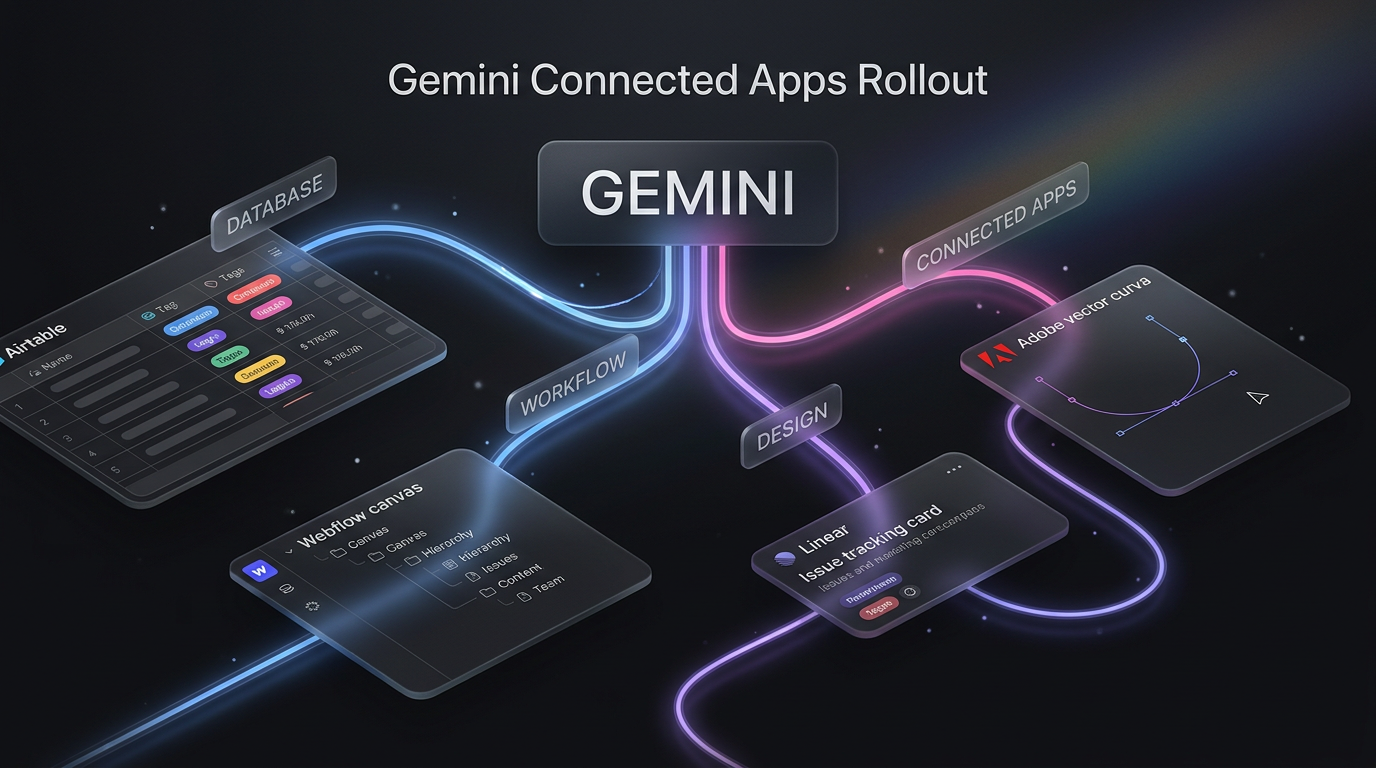
Google has started rolling out a substantial expansion to its Gemini connected apps ecosystem. The company announced that users can now interact directly with third-party software inside Gemini, eliminating the need to jump between multiple browser tabs to retrieve records, generate media, or manage tasks.
As announced on the Google blog by Mai Lowe, Group Product Manager for the Gemini App, the latest update introduces external integrations across three distinct categories: productivity, creative production, and personal lifestyle management. The rollout gives Gemini direct access to services such as Airtable, Linear, Webflow, and Adobe through conversational prompts.
What Changed with Gemini Connected Apps
In earlier iterations, integrations inside Gemini were largely confined to Google Workspace applications such as Google Docs, Google Drive, Gmail, and Google Maps. Users could query their personal emails or summarize documents stored on Google servers, but external business systems remained isolated outside the assistant interface.
With this expansion, Gemini connected apps link directly to specialized business databases, software development issue trackers, document signing platforms, and website builders. Users connect the services through their Gemini account settings, after which they can query them directly or invoke specific services during a conversation using an @ mention command.
The system routes instructions from the chat prompt directly to the connected provider, executes the requested action or data retrieval, and displays the response inside the ongoing conversation window.
The New Services Available in Gemini Connected Apps
The rollouts cover fourteen distinct platforms split across three primary functional areas. Each tool provides specific actions within the Gemini chat interface.
Productivity and Operations Tools
The productivity expansion targets everyday operational workflows, software task management, and documentation systems. Users can inspect project states, retrieve specific records, and prepare paperwork without opening separate dashboards.
- Airtable: Users can query records, inspect linked relational databases, and organize project records directly through natural language prompts.
- Linear: Product and engineering teams can review issue boards, inspect sprint status, and manage issue queues without logging into the tracker interface.
- monday.com: Team leads can check project milestones, inspect task assignments, and review team workloads from the chat.
- PandaDoc: Users can track document signing statuses and inspect contract workflows.
- Wispr AI: The voice dictation tool integrates to help capture and structure spoken thoughts and notes.
- Zoho: Gemini connects into the Zoho suite to pull operational data and support customer tracking queries.
Creative Production and Website Builders
For designers, marketers, and developers, Gemini connected apps add direct touchpoints with visual design suites and digital publishing software.
- Adobe: Users can trigger creative asset tasks and ideate visual layouts directly inside the prompt panel.
- Picsart: Visual editing functions allow quick graphic modifications and visual experiments without leaving the conversation.
- Squarespace: Site managers can review web page structures and initiate site updates.
- Webflow: Designers can inspect design structures, review layouts, and coordinate web publishing tasks straight from Gemini.
Lifestyle and Personal Services
Beyond commercial use cases, the rollout introduces personal utility integrations into Gemini connected apps. Apartments.com allows conversational rental searches based on neighborhood criteria and budget constraints. Experian enables users to check credit reporting updates securely. Peloton connects workout planning and training regimens, while SeatGeek lets users search for upcoming concert or sporting tickets inside the dialogue.
How to Enable and Use Gemini Connected Apps
Activating these third-party integrations requires two primary access pathways depending on user preference.
The first method uses the Gemini settings panel. Users navigate to the settings menu inside the Gemini application, review the list of available third-party services, and authenticate their credentials for each platform they wish to use. Once authorized, Gemini maintains the security token to query the connected tool when prompted.
The second method uses direct in-chat summoning. While drafting a prompt, typing an @ mention brings up the active directory of Gemini connected apps. For instance, typing “@Airtable show me all open customer tickets marked high priority” directs Gemini to run that targeted query against the connected base.
Alternatively, asking Gemini directly about a connected service triggers the assistant to pull from that database if permissions are already established.
Practical Implications for Businesses and Teams
The practical value of Gemini connected apps lies in reducing context switching. In standard office routines, knowledge workers frequently spend minutes navigating between project boards on monday.com, customer records in Zoho, and design assets in Webflow. Consolidating these lookups into an unified conversational prompt lowers cognitive drag and shortens reporting cycles.
A concrete example involves software bug triage. An engineering manager can open Gemini and type “@Linear summarize open blockers in the current sprint, then check @Airtable for related customer bug reports.” Instead of opening two tabs, filtering views, and cross-referencing identifiers manually, the manager receives a unified summary inside one conversational thread.
Similarly, digital agencies that manage client sites can use Webflow integrations to review published assets while verifying contract statuses through PandaDoc within the exact same workflow.
However, users should maintain realistic expectations during the phased rollout. Third-party integrations depend heavily on the depth of the public API endpoints exposed by each partner. Basic querying and task generation work reliably, but deep administrative modifications or complex multi-step automations still require dedicated integration engines.
How This Connects with Dedicated Automation
Conversational assistants offer fast, ad-hoc lookups, but they do not replace background business logic. While Gemini connected apps excel at responding to immediate user queries inside a chat, automated operations require deterministic, scheduled triggers that run whether a user is chatting or not.
In real-world client architectures, Wasif Ahmed integrates tools like Airtable, Webflow, and custom databases using structured automation platforms like Make.com alongside conversational frontends. Teams interested in building structured data workflows can examine specialized AI automation pipelines that bridge external business tools into coherent systems.
Furthermore, businesses expanding into autonomous agent workflows can review how conversational tools coordinate with full Agentic AI Systems to execute complex, multi-stage assignments across enterprise databases.
For organisations looking to modernise their web presence alongside these automated workflows, reviewing modern web designing practices ensures frontend platforms connect smoothly with modern software stacks.
What This Changes for Client Builds
Wasif observes that the entry of major SaaS platforms into Gemini marks a clear shift in how teams interact with their core software stack. For client implementations, having direct conversational hooks into platforms like Linear, Airtable, and Zoho reduces the need to build custom chat interfaces for everyday record lookups.
Wasif uses these updates to evaluate where client teams can handle quick operational checks directly inside Gemini, while reserving dedicated automation scenarios for data synchronization, webhook processing, and business-critical logic. Balancing conversational ease with strict workflow architecture keeps company operations both accessible and dependable.
As Google continues expanding Gemini connected apps, businesses that organise their databases cleanly today will see the fastest improvements in day-to-day team productivity.
If you want to integrate conversational assistants and robust workflow automation into your operational stack, reach out via the contact page to discuss your requirements.