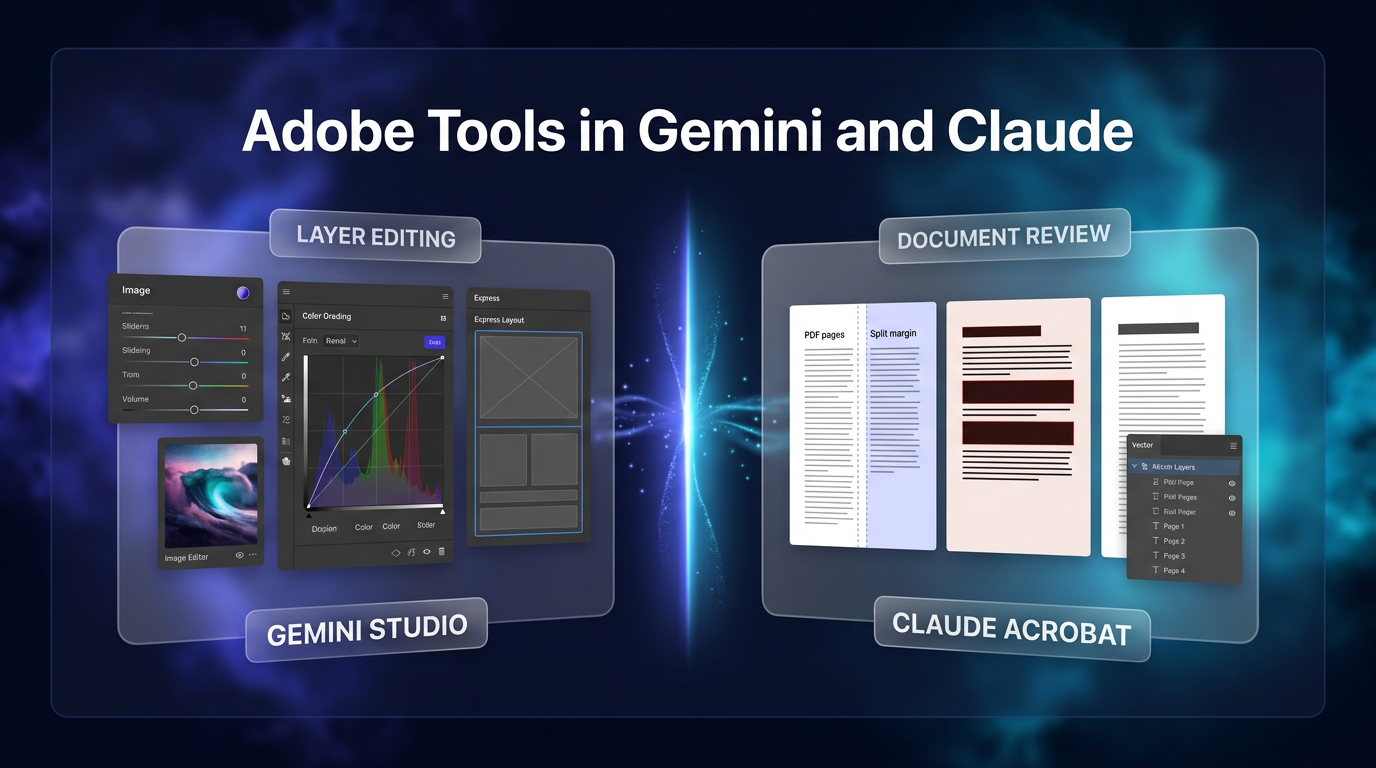
Adobe in Gemini is rolling out globally, bringing creative editing and asset generation capabilities directly into Google’s chat platform. The rollout, detailed in an official Adobe announcement, connects Gemini users to editing modules from Photoshop, Lightroom, Adobe Express, and Firefly. At the same time, Adobe expanded its integration inside Claude by adding Acrobat document utilities alongside interactive, layer-based editors for both PDF files and Express designs.
As creative and administrative workflows increasingly start inside conversational assistants, software providers are shifting their utility directly into chat panels. Rather than requiring users to switch applications, these integrations allow teams to prepare marketing assets, edit documents, and handle file adjustments within an ongoing prompt thread.
Adobe previously integrated its toolset into ChatGPT, Claude, Slack, and Microsoft Copilot. Extending these capabilities to Gemini broadens conversational editing for a user base that Google measures at over one billion monthly active participants. By embedding design and imaging functions into chat conversations, teams can generate, edit, and finalize assets without leaving their primary communication environment.
What the Launch of Adobe in Gemini Introduces
The arrival of Adobe in Gemini connects Adobe creative tools directly to the Google Gemini assistant. Google reports that Gemini assists more than one billion monthly users with administrative and research tasks. Through this integration, users can describe their intended creative outcome in standard language, after which Adobe orchestrates the underlying tools to produce the final asset.
The integration currently connects several core Adobe platforms within Gemini, allowing users to move from rough concept to finished deliverable through iterative conversational prompts. Instead of manually configuring layer masks or adjusting curves in desktop software, users can instruct the assistant to apply specific styling, lighting, and composition rules.
Core Creative Capabilities in Adobe in Gemini
The system organizes its functionality across several key creative disciplines:
- Product photo optimization: Users can upload raw product imagery and request specific adjustments. Adobe tools inside Gemini handle color balance, exposure correction, and consistent cropping suitable for e-commerce storefronts or print catalogs.
- Multi-channel campaign adaptation: Users can take an existing base graphic and instruct the system to adapt dimensions and layouts for different social media channels while retaining typography, color palettes, and brand guidelines.
- Template customization via Adobe Express: By describing a campaign theme, target demographic, and desired aesthetic, users prompt Adobe to pull relevant Express templates, adjusting copy, colors, and layout elements directly in the conversation.
- Generative adjustments via Firefly: Creators can issue natural language prompts to modify scenes, adjust lighting styles, or generate fresh visual assets without opening standalone desktop software.
The company confirmed that Adobe in Gemini is rolling out across all Gemini plans, including free and paid accounts. Users enable the feature by navigating to the Personal Intelligence settings in Gemini, selecting Adobe under connected apps, and logging in with an Adobe account or creating a free profile.
Expanded Claude Capabilities and Acrobat Tools
Alongside the Google rollout, Adobe released a major update to its Adobe for Claude plugin. Adobe had previously introduced creative editing features inside Claude, but this release introduces Acrobat tools directly into the conversation. The unified plugin now brings together more than 80 tools spanning Acrobat, Express, Photoshop, Lightroom, Illustrator, InDesign, Premiere, and Adobe Stock.
Users can manipulate PDF documents directly through Claude chat. The tools allow teams to split combined files, delete unwanted pages, merge separate documents, redact confidential text, and export PDFs into editable formats. Users who require deeper oversight can launch an interactive document editor directly within Claude to highlight sections, leave comments, reorder pages, and modify text blocks.
The update also introduces a Document Review skill. When prompted, Claude evaluates the uploaded document and generates structured recommendations or annotations directly inside the editor interface. This allows contract reviewers, operational teams, and researchers to audit long-form documents without round-tripping files through external viewer software.
While Adobe in Gemini concentrates on conversational image generation, photo adjustments, and layout generation, the Claude integration expands deeper into multi-page document management and granular vector editing. This distinction allows organizations to select the conversational interface that best aligns with their immediate operational needs.
Hands-On Layer Editing in Claude
A notable addition to the Claude integration is an interactive, layer-based editor for Adobe Express designs. In earlier versions of conversational design tools, adjusting a single headline or background tone often required regenerating the complete graphic, which frequently changed unintended elements.
The new layer editor allows creators to click into individual text blocks, vector components, color fills, and photographic layers. Users can modify specific wording, swap fonts, or adjust color values manually while keeping the rest of the composition intact. This hybrid approach combines the speed of generative prompting with the granular control needed for precise production work.
The Adobe plugin for Claude is rolling out globally across web, desktop, and mobile environments, as well as Claude Code. Free guest access is supported, while logging into an Adobe account unlocks extended usage limits, additional tools, and continuous project history across editing sessions. Existing installations of the prior Adobe connector update automatically.
Practical Implications for Business Operations
For small businesses and content teams, the arrival of Adobe in Gemini and the expanded Claude plugin streamline day-to-day production. Marketing teams frequently face bottlenecks when simple adjustments (such as resizing graphics for different channels or swapping promotional dates) require dedicated design department queues. Handling routine adaptations inside the same conversational assistant used for drafting copy reduces turnaround times.
Similarly, administrative teams handling procurement or client intake often juggle PDF editing tools alongside their analytical models. By merging Acrobat utilities directly into Claude, teams can summarize contracts, redact sensitive client details, and split multi-page agreements without leaving their active working environment. Teams can coordinate these creative assets alongside structured social media management workflows to keep output consistent across platforms.
Operational efficiency increases when non-technical staff can handle asset formatting independently. Product managers can prepare storefront updates directly from supplier photographs, while communications staff can translate white papers into multi-format visual teasers without waiting for agency revisions.
Where This Fits in Real Projects
When Wasif Ahmed plans automation architecture and operational workflows for clients, the primary goal is removing friction between ideation and output. Conversational tools excel at processing inputs, but they have traditionally lacked the precise formatting and rendering controls found in dedicated desktop applications.
Direct integrations like Adobe in Gemini illustrate how AI chat platforms are transforming from simple text generators into central operating consoles. Businesses building multi-step marketing funnels can pair conversational asset generation with automated data pipelines. Through tailored AI automation, teams can connect front-end chat assistants to back-end databases, ensuring that visual assets and customer communications move without manual file transfers.
As Adobe continues expanding its footprint across Gemini and Claude, creative production will become more accessible to non-technical staff while giving experienced builders faster ways to assemble prototypes. The distinction between standalone creative applications and conversational workspaces continues to diminish, creating cleaner paths from idea to execution.
Frequently Asked Questions
How do users activate Adobe tools inside Google Gemini?
Users can activate Adobe in Gemini by navigating to the Personal Intelligence section in Gemini settings, selecting Adobe under connected applications, and signing in with an existing Adobe account or creating a free profile.
What is the difference between the Gemini and Claude integrations?
The Gemini implementation centers on image editing, product photography cleanup, and template layout generation through Photoshop, Lightroom, Express, and Firefly. The Claude plugin provides these creative utilities while adding over 80 Acrobat document tools and an interactive, layer-based editor for direct manual revisions.
If you want to integrate conversational tools like Adobe in Gemini and automated systems into your daily business operations, connect with Wasif at wasifahmed.dev/contact.