Anthropic has released a suite of Claude workspace tools designed to keep collaborative work inside the platform rather than requiring users to copy text into external software. As announced on the Claude blog, the company launched Claude Whiteboards and Claude Sheets in beta, while Claude Dashboards exited its October beta and reached general availability under the new name Claude Data.
These additions aim to solve a common friction point in artificial intelligence workflows. Previously, using Claude for planning, tabular calculations, or business intelligence required exporting drafts into secondary apps where the assistant could no longer view ongoing changes. With these native surfaces, teams on paid plans can co-author boards, track edits in cells, and query connected data warehouses directly inside Claude on web, desktop, and mobile clients.
The Core Updates: Whiteboards, Sheets, and Claude Data
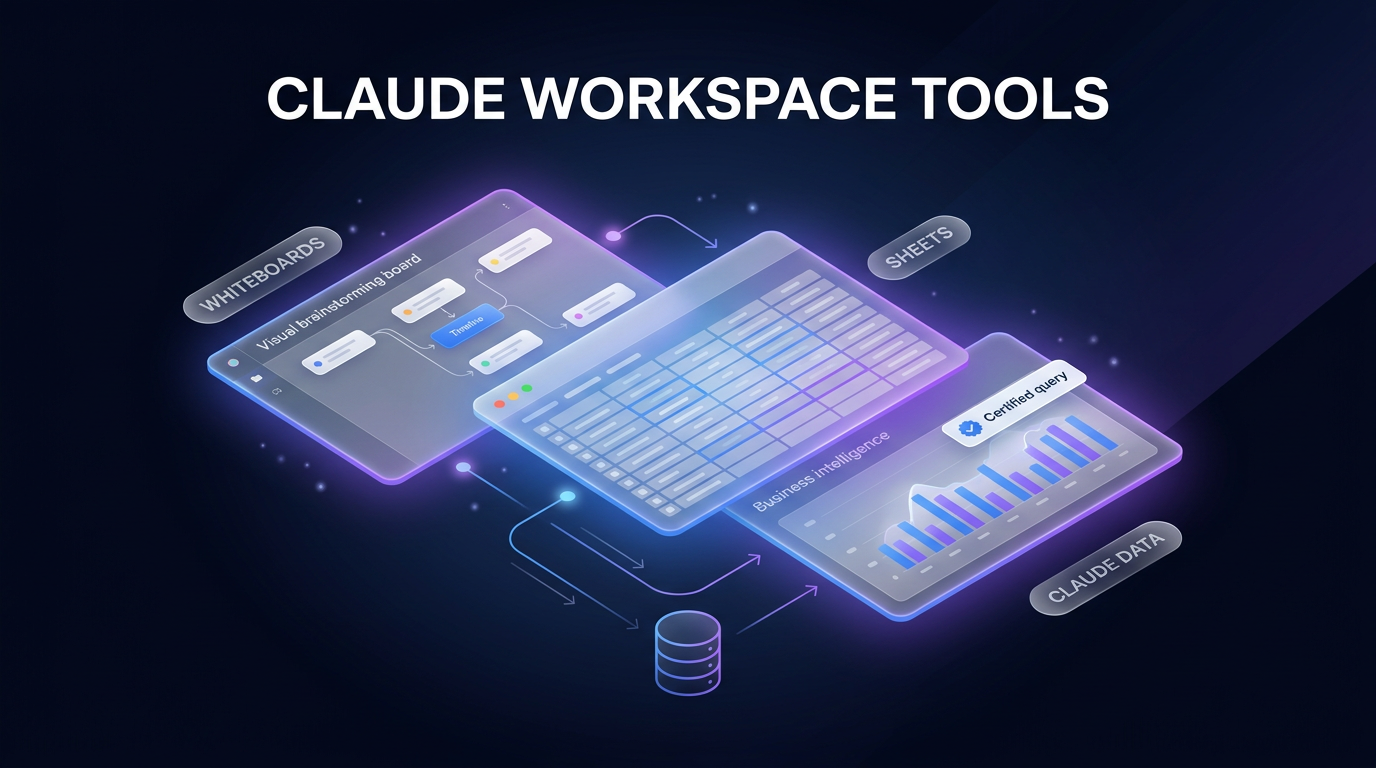
The release introduces three distinct working environments within Claude. Each addresses a specific phase of knowledge work, spanning project ideation, operational tracking, and quantitative analysis.
Claude Whiteboards for Structured Ideation
Claude Whiteboards functions as a shared visual canvas where team members brainstorm alongside the model. Users can talk through an informal project concept or dump notes from a retrospective meeting. Claude can then organize those notes into themed groups, construct a visual timeline, and assign action items with designated owners and target dates.
The interface supports targeted inspection: users can drag a selection box around any cluster on the board to ask focused questions. Once planning concludes, Claude can convert the whiteboard into a structured document or presentation deck. If a team prefers an established diagramming platform, the contents can be exported directly into third-party partner applications, including Miro, Lucid, and Vani by Zoho.
Claude Sheets for Tabular Editing
Claude Sheets adds spreadsheet creation directly into chat threads. Through natural language prompts, users can generate multi-tab workbooks containing formulas, cell formatting, and custom drop-down selectors for use cases such as hiring budgets or marketing campaign schedules.
The system outlines each new modification directly inside the cells, allowing team members to review incremental changes. Anthropic notes that Sheets currently provides simple spreadsheet functionality, with further feature additions planned. Users needing advanced functions can export their workbooks to .xlsx or CSV formats, integrate with Claude for Excel, or sync with partner project platforms such as Airtable, Asana, monday.com, and Smartsheet.
Claude Data Reaches General Availability
Claude Data expands upon the earlier Dashboards feature, which initially connected to data warehouses like BigQuery, Amazon Redshift, and ClickHouse. Anthropic renamed the feature to reflect a wider scope of business intelligence tasks. While the core dashboard product is now generally available, two key capabilities—certified queries and live sharing—are launching in beta.
- Certified queries: Data specialists can establish and approve standard SQL queries, applying an official certified badge to charts so team dashboards rely on verified metrics.
- Live sharing: Colleague viewers can inspect current figures without holding administrative connector credentials, seeing only query outputs approved by the author.
- Data storytelling: Users can collaborate with Claude to draft written summaries and narrated video walk-throughs based on query results.
- Visual themes and caching: Claude Data now supports company design systems, per-dashboard cache refresh cadences, and version rollback histories.
Partner integrations for Claude Data include post-launch support for analytics platforms such as Mixpanel, Amplitude, PostHog, Omni, Sigma, and ThoughtSpot. In addition, interactive connectors for software like Adobe, Atlassian, Box, and Notion systems can now open alongside conversation windows in split-screen or full-screen modes.
Why These Claude Workspace Tools Matter for Operations
For operations leads, project managers, and business owners, the introduction of native Claude workspace tools reduces the administrative overhead of translating AI outputs into execution artifacts. Copying structured tables or action item lists between disconnected browser tabs frequently leads to formatting loss, broken calculations, and version divergence across distributed teams.
Maintaining working documents inside the chat interface gives the model continuous visibility into revisions. When project scope expands or target delivery dates shift on a whiteboard, Claude retains that conversational context without demanding a fresh prompt upload. This setup is particularly practical for cross-functional teams that use AI automation to draft sprint schedules, financial forecasts, and internal documentation.
Practical Implications and Administrative Controls
Organizations adopting these updates must account for default workspace policies and connector requirements before rolling them out across departments.
Administrative Defaults and Enterprise Timelines
On Claude Team plans, Whiteboards, Sheets, and Claude Data are enabled by default across all active seats. For Enterprise plans, Anthropic has set Whiteboards and Sheets to off by default. Claude Data is scheduled to turn on by default for Enterprise organizations on November 19, 2026. Workspace administrators can modify these settings at any time by navigating to Organization settings and opening the Artifacts panel.
Infrastructure and Security Prerequisites
While Whiteboards and Sheets operate out of the box on web, desktop, and mobile clients, Claude Data requires an active connection to an underlying data source, such as a cloud data warehouse or supported CRM. Anthropic also announced self-hosted Claude Managed Agents on November 12, 2026, allowing security-conscious teams to run autonomous workflows within their own private cloud or on-premise infrastructure while retaining credential custody.
Frequently Asked Questions About Claude Workspace Tools
Which subscription tiers have access to Claude workspace tools?
All three tools are available across paid Claude subscription tiers, including Team and Enterprise plans. Team tiers receive all three features automatically enabled, while Enterprise tiers require administrator activation for Whiteboards and Sheets.
Can team members view Claude Data dashboards without warehouse credentials?
Yes. Through the beta live sharing feature within these Claude workspace tools, team members can view updated dashboard charts without direct access to underlying warehouse connectors. Viewers only see results produced by certified queries that have been approved by the dashboard creator.
Can Claude Sheets export directly to desktop spreadsheet software?
Yes. Claude Sheets supports direct file exports to standard .xlsx and CSV file types. Teams requiring extensive workbook modeling can also utilize the Claude for Excel integration or send data directly to project trackers such as Airtable and monday.com.
Where This Fits in Real Client Builds
Wasif designs connected business architectures that bridge language models, automated pipelines, and CRM systems. In production environments, client teams often struggle to maintain consistency between high-level prompt strategies and their day-to-day database queries. These native visual and tabular tools provide a reliable middle tier where teams can validate planning logic before pushing data into operational backends like Go High Level or Make.com.
For organizations deploying Agentic AI Systems & AI Workforce frameworks, having verified query definitions inside Claude Data minimizes metric hallucination. Data teams can certify foundational revenue and churn definitions, ensuring operational agents and human operators reference identical calculations when assessing performance.
Conclusion
The addition of Whiteboards, Sheets, and Claude Data turns Anthropic’s assistant from a passive text generator into an active collaborative operating space. By embedding spreadsheets, planning boards, and certified data queries into a shared canvas, these Claude workspace tools allow technical teams and business stakeholders to plan, calculate, and report without leaving the conversation.
If you want to integrate structured AI workflows and database automations into your business operations, reach out to Wasif Ahmed to discuss your project requirements.