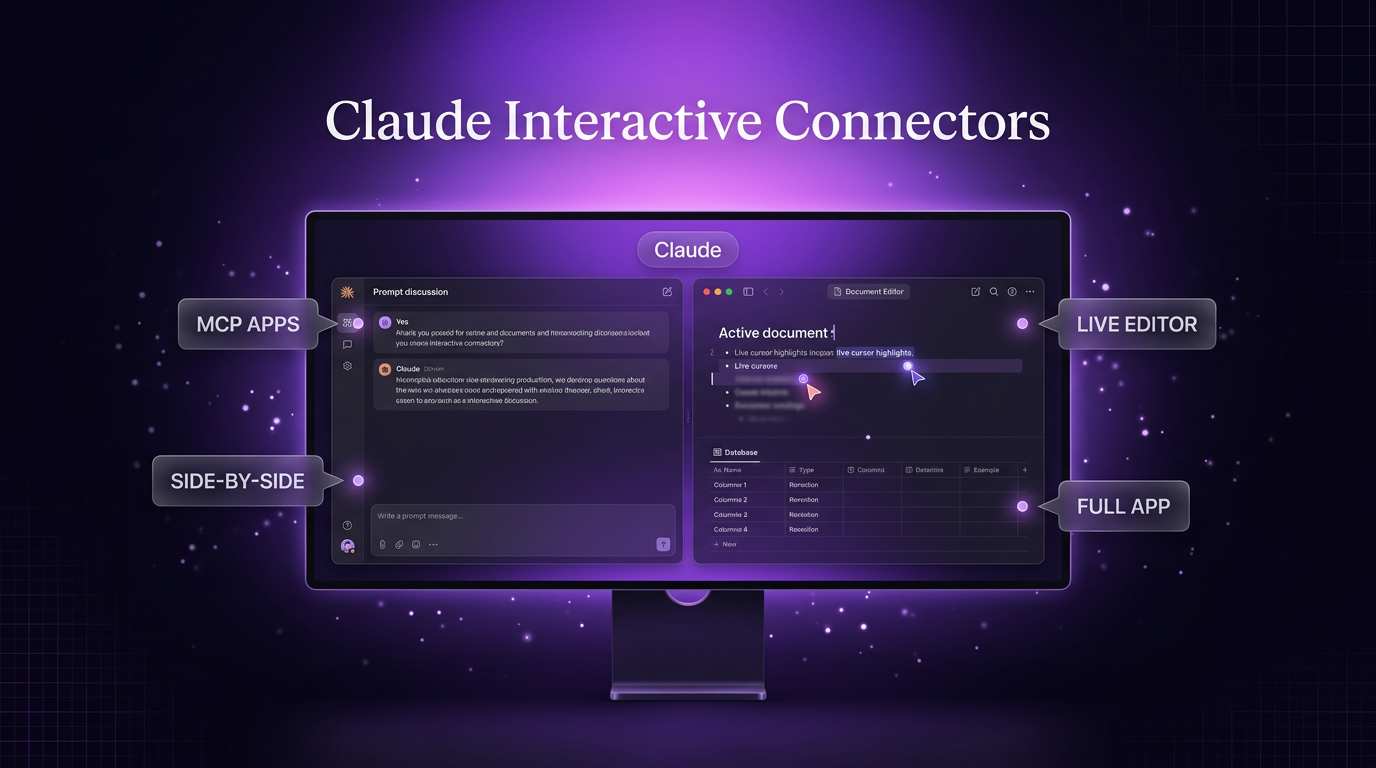
Claude interactive connectors now allow users to open software applications directly alongside conversational threads or expand them into full-screen workspaces. In an update announced on the Claude blog, Anthropic confirmed that its earlier interactive preview features have expanded into full software environments inside the Claude interface. The deployment is rolling out on the web and Claude desktop applications across all account tiers as part of an updated interface that merges conversational prompts with direct tool execution.
Instead of switching between browser tabs or relying on static previews, users can now ask Claude to edit pages, modify spreadsheet rows, and update documents inside live connected environments. The system asks for approvals in the same manner as standard connector actions, displaying modifications in real time as the model executes them.
How Claude Interactive Connectors Change Workspace Tasks
The primary shift with Claude interactive connectors is the removal of the traditional text-only barrier. Previous connector iterations presented small, constrained previews within the chat stream. Under this update, the connected application opens in a dedicated side-by-side pane or full window, signed into the user’s authentic account.
Users can open an integrated tool directly without drafting an initial text prompt. If Claude’s assistance is required later in the session, prompts can be entered directly from the active view. Tools used frequently can also be pinned alongside saved artifacts in the primary sidebar and the quick-access menu.
This arrangement alters standard business tasks in several ways:
- Direct editing: Users observe text, code, or data updates inside the target application while remaining within Claude.
- Full session controls: Windows can be expanded to full screen or collapsed when more conversation room is needed.
- Authentication continuity: Services like Confluence and Notion open with full editing accounts rather than restricted read-only windows.
- Granular approval: Every write action Claude takes requires user confirmation before changes apply permanently.
Supported Tools and Launch Integrations
The launch roll-out for Claude interactive connectors focuses on a select group of platform partners. Current tools available in the connector directory include Asana, Canva, Carta, Dropbox, monday.com, Smartsheet, Vercel, and Webflow.
Specific capabilities vary depending on the target software. In Atlassian Confluence, users can position an active page next to the conversation, direct Claude to draft or rewrite sections, and inspect text edits live. In Box, files can be reviewed, edited, and verified using side-by-side version comparison tools before accepting updates. In HubSpot, teams can inspect lead pipelines and follow-up queues, issuing commands to update records directly.
For structured documentation, Claude can generate new documents or build complete databases inside connected Notion systems. Users can adjust database properties, review rows, or edit content independently without switching windows. Adobe integrations permit basic photo retouching and PDF redactions inside Claude, while upcoming builds from Figma, Harvey, and Shopify remain in development.
The Architecture: MCP Apps in Public Preview
Behind Claude interactive connectors sits an architectural extension called MCP Apps. This framework extends the open Model Context Protocol, allowing an MCP server to deliver graphical user interfaces directly into client software.
Previously, MCP implementations focused heavily on passing structured data or static cards back into conversational windows. With the MCP Apps extension, host platforms can render interactive tools and embedded web interfaces. Because MCP remains an open specification, applications built for this standard can operate across any external AI client that supports the protocol, rather than functioning exclusively within Anthropic’s software.
Anthropic has placed support for these extended capabilities into public preview for third-party software developers. Engineering teams can build custom interactive connectors that register application tools and surface full graphical views inside Claude.
Security, Administration, and Account Rollouts
Security controls for Claude interactive connectors follow the baseline permissions established by organizational administrators. If an organization has approved access to specific connector endpoints, the new workspace capabilities appear automatically as the interface update reaches individual accounts.
Admins retain the ability to restrict specific connectors or limit tool permissions across corporate workspaces. For end users, write operations adhere strictly to human-in-the-loop validation. Claude requests confirmation before executing file rewrites, database changes, or status shifts, preserving the safety boundary required in production databases.
What This Means for Real-World AI Automation
From an automation perspective, the arrival of Claude interactive connectors bridges the gap between text analysis and execution. In broader AI automation pipelines, models frequently summarize data well but struggle to hand off finished outputs into operational tools without third-party webhooks.
Wasif Ahmed reviews tools like these to evaluate how client teams can reduce context switching across multi-step workflows. When an AI workspace handles both the reasoning process and the native software interface, operational handoffs become faster and require fewer custom intermediary scripts.
While interactive connectors currently prioritize single-session manual tasks, their underlying protocol provides an important foundation. Teams preparing internal databases, project boards, and client portals can structure their data models to support both automated API execution and direct human-in-the-loop interface edits.
Conclusion
The introduction of Claude interactive connectors provides a practical shift toward unified workspaces, allowing business users to review, edit, and manage external documents without leaving their conversational interface. By building on the open MCP Apps standard, the platform delivers verifiable editing workflows while keeping administrative permissions intact.
To explore how custom tool integrations and automated business systems can support your daily operations, contact Wasif Ahmed directly to discuss your project requirements.