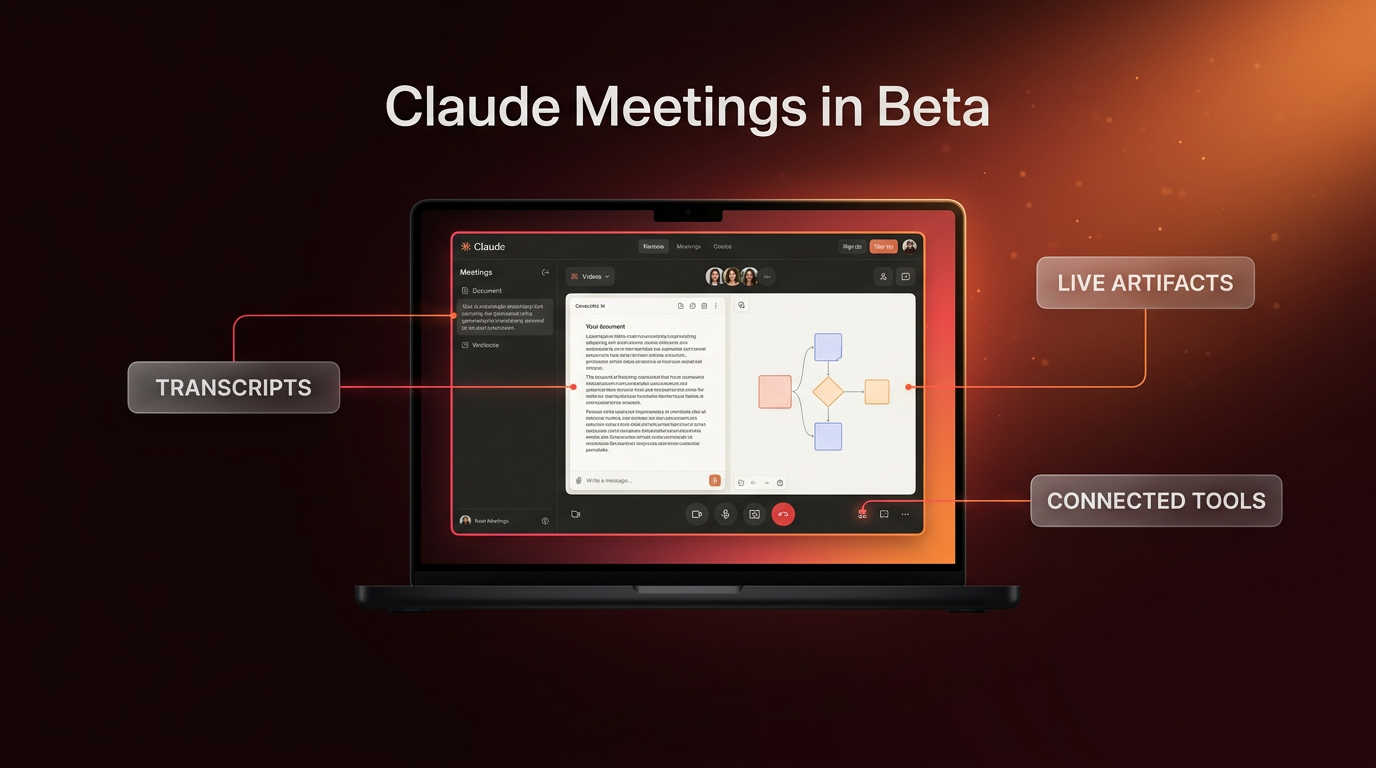
Claude Meetings is now rolling out in beta for Team and Enterprise subscribers, allowing the AI assistant to join video calls as an active participant. Anthropic announced this new capability to let teams collaborate with AI during live discussions rather than copying meeting transcripts after the call ends. The initial release works with Google Meet, while integrations for additional video conferencing platforms are currently planned for upcoming releases.
During a call, Claude appears in the participant list, tracks the discussion, and takes on active tasks while people talk. Teammates can speak directly to Claude or send prompts through the meeting chat. According to Anthropic, Claude responds in writing by default and can create documents, draw whiteboards, and query connected internal tools with explicit user permission.
How Claude Meetings Operates During Live Calls
Claude Meetings changes the role of meeting software from passive recording to active co-working. When invited, Claude joins the session, posts a notification in the chat, and listens to the conversation in real time. Rather than storing audio recordings, the system generates a running transcript, automated summaries, and screen descriptions.
The platform supports collaborative work through several core mechanics:
- Live artifact creation: Participants can instruct Claude to generate outlines, project roadmaps, or structured notes while the conversation unfolds. Teammates on the invite can edit these artifacts in real time.
- Connected tool queries: When asked about past projects, metrics, or budgets, Claude can search integrated software tools. Claude asks for individual permission before connecting to those resources.
- Real-time whiteboards: Teams can prompt Claude to visualize timelines or system diagrams, creating a visual canvas alongside text documents during the call.
- Post-meeting documentation: As soon as the call concludes, all notes, action items, artifacts, and transcripts appear on a dedicated meeting page inside claude.ai.
For example, if an operations team discusses an upcoming launch, a participant can say out loud, “Claude, start a doc for this plan.” The assistant compiles the key points raised so far into a structured document. If the team needs historical budget numbers, a member can ask Claude to pull last year’s event data. Claude asks for permission to search the connected tool, posts the figures into the video chat, and compares them with the new plan.
Security Boundaries and Access Controls in Claude Meetings
Anthropic has built specific administrative controls to address workplace privacy. By default, Claude Meetings is configured to avoid calls where external guests are present. If an external guest joins an ongoing meeting, Claude automatically exits the session. Administrators can adjust this rule to allow external guests, but under those conditions Claude posts an entry notice in the chat, does not reply publicly to chat prompts, and records transcript notes that include guest statements.
Voice interaction includes specific identity verification safeguards. Currently, when an attendee speaks out loud to prompt the model, Claude asks for verbal confirmation of who is speaking before acting. Connected tool permissions follow an individual model: Claude asks for authorization the first time an attendee requests a tool query, and that authorization persists for future calls.
Availability during the beta phase also carries strict organizational limitations. While Claude Meetings is active by default on Team plans and can be enabled by administrators on Enterprise tiers, it is not currently supported for organizations that require zero data retention (ZDR), customer-managed encryption keys (CMEK), or HIPAA-ready compliance configurations.
Pricing and Platform Ecosystem Connections
During the public beta, meeting notes and transcripts are free for Team and Enterprise subscribers. Text responses given by Claude inside meetings do not incur extra charges unless the prompt triggers a connected external tool, which consumes usage credits against the company’s existing tier plan. Documents, whiteboards, and other collaborative artifacts generated inside sessions remain free through February 10, 2027.
Anthropic stated in their announcement that partnerships are underway with third-party transcription and productivity tools. Integrations are planned with Gong, Attention, Granola, Fireflies.ai, Otter, and Plaud to allow teams to export transcripts directly into their existing sales and documentation pipelines. More details are available in the official announcement on the Anthropic blog.
FAQs About Claude Meetings
Which video conferencing platforms work with Claude Meetings right now?
At launch, Claude Meetings exclusively supports Google Meet. Anthropic has stated that support for other major conferencing platforms is planned for future updates.
Does Claude Meetings record and store audio from our conversations?
No, the system does not store audio files. It creates and saves a text transcript, screen descriptions, and structured summaries on a dedicated page within claude.ai.
Are external guests permitted in calls where Claude is present?
By default, Claude exits calls if an external attendee joins. Workplace administrators have the option to allow external calls, during which Claude logs notes but will not respond in chat.
What This Means for Real-World AI Systems
Bringing active models directly into meetings marks a shift from retrospective summaries to active operational assistance. In modern workflows built around AI automation, having a system that can produce structured briefs while people talk removes the friction of assigning administrative tasks to engineers or project managers. When connected with broader agentic AI systems, these live meeting artifacts can serve as verified inputs for follow-up triggers across CRM databases and internal tracking software.
Wasif Ahmed tracks these platform releases closely when designing business systems, ensuring teams configure proper permissions before connecting live AI agents to enterprise data. Setting clear administrative boundaries around external calls and connected tools helps organizations capture productivity benefits without compromising client confidentiality.
Conclusion
Claude Meetings transforms video calls into interactive workshops by combining automated transcription with real-time document drafting and live tool queries. While currently restricted to Google Meet on Team and Enterprise accounts, the beta demonstrates how AI assistance is moving from external text boxes into daily business operations.
If you are planning to connect Claude Meetings or custom AI workflows into your company operations, reach out to Wasif Ahmed to discuss your technical setup.