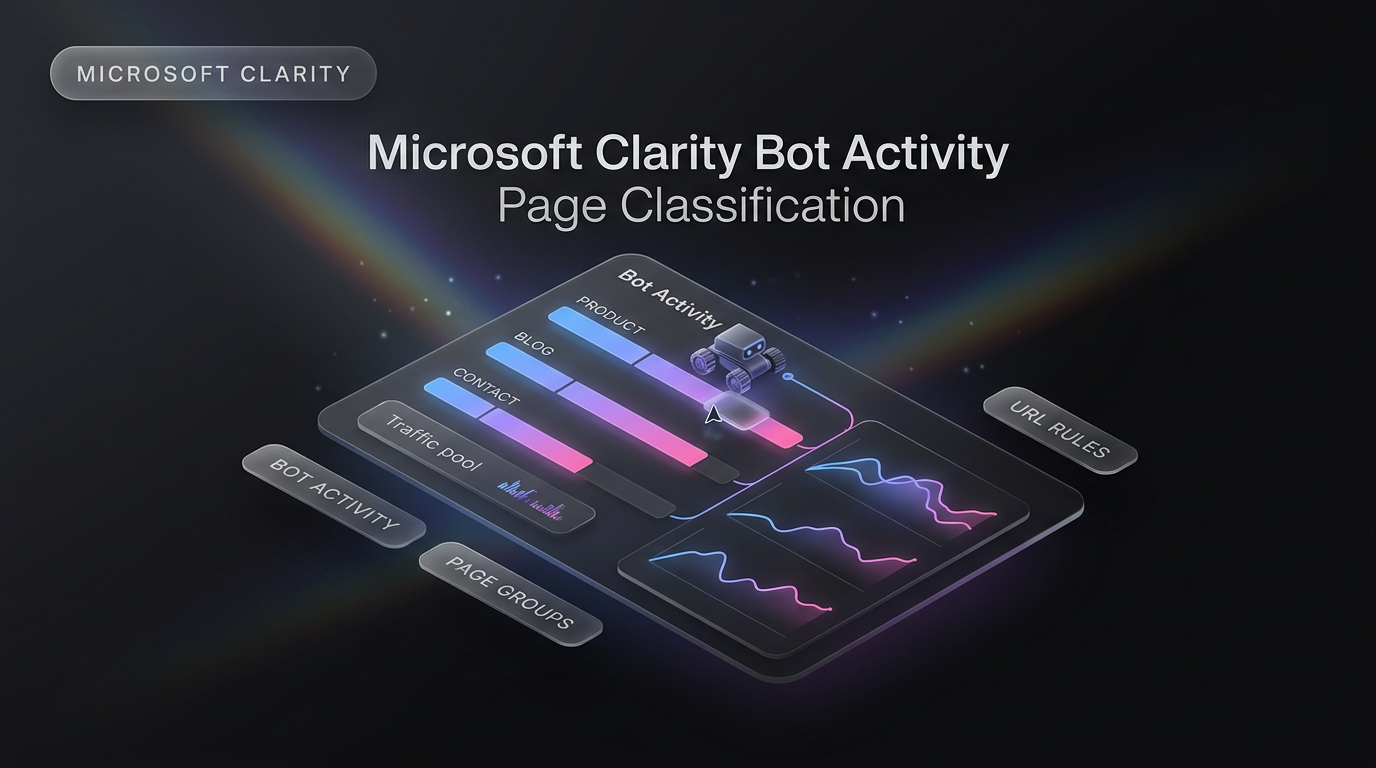
Analyzing crawler hits across large websites just became significantly simpler with the launch of page classification inside the Microsoft Clarity Bot Activity dashboard. Website owners who manage hundreds or thousands of distinct URLs often struggle to see the big picture when automated crawlers touch their sites. As announced on the Microsoft Clarity blog, the platform now organizes URLs into structured page types so administrators can study aggregate automated visits rather than sifting through endless single-address logs.
Understanding crawl behavior is an essential element of modern site governance. Whether evaluating search engine crawlers, automated monitoring scripts, or data scrapers, grouping URLs by function provides clarity that individual URL logs routinely obscure.
How Page Classification Works in the Microsoft Clarity Bot Activity Dashboard
The new functionality focuses on grouping related addresses into manageable categories. Rather than forcing administrators to review individual URL logs one line at a time, the Microsoft Clarity Bot Activity dashboard introduces both automated detection and custom grouping controls.
The system evaluates site structure in several ways:
- Automatic categorization: Clarity pairs content-based inspection with URL-based rules to assign pages to categories, even when a website relies on non-standard address naming conventions.
- Consolidated activity reporting: The dashboard displays crawler volume grouped by content type, highlighting which sections of the site receive the heaviest crawler traffic.
- Custom classification rules: Site operators can create custom categories using specific URL paths or add paths into pre-existing groups such as Product, Blog, and Contact Us.
- Rule override hierarchy: When you configure custom rules, your explicit path definitions override the automatic classifications assigned by Clarity.
By default, the platform groups URLs into standard structural types like products, blog articles, and administrative pages, but users retain full control to adjust those buckets to mirror their real site layouts.
Automatic classification relies on analyzing page markup and URL patterns simultaneously. This hybrid approach prevents classification failures when template parameters or query strings mask the functional purpose of a page. As a result, administrators spend less time manually tagging addresses.
Why Grouping Bot Traffic by Page Type Matters
Automated requests often account for a substantial share of daily server requests. When an automated crawler hits a website, it rarely explores the platform in the same sequential manner as human visitors. Some crawlers repeatedly check catalog pages for pricing shifts, others index editorial articles, and some sweep contact forms for unvalidated fields.
Before this update, identifying a crawler trend required downloading raw access lists or building manual spreadsheet formulas to isolate distinct directory paths. With Microsoft Clarity Bot Activity page grouping, site teams can immediately spot whether crawler volume is concentrated within e-commerce catalogs, documentation databases, or support sections.
For instance, an e-commerce brand might discover that third-party price aggregators are visiting product pages far more frequently than editorial guides. That insight lets engineering and SEO teams make targeted decisions regarding caching policies, rate limiting, and crawl budget management without wading through thousands of noisy individual logs.
Aggregated grouping also highlights server overhead distribution. When teams notice that non-revenue pages consume significant system capacity, they can restructure server caching rules to protect dynamic backend services.
Custom Classification Rules and Path Priorities
A key strength of this update is how custom paths take precedence over standard heuristics. Automated classifiers can sometimes misinterpret deeply nested URLs or custom taxonomy structures, especially on custom web builds that do not follow conventional folder paths.
Because user-defined rules override automatic categorizations within the Microsoft Clarity Bot Activity reporting suite, administrators can map non-standard subdirectories directly into standard segments. If an educational portal serves course syllabi from unusual subpaths, those routes can be pinned into an educational or product category with a couple of path rules.
This level of classification control is particularly helpful for teams working on bespoke web designing projects, where URL architectures are tailored around custom user flows and application backends rather than default template structures.
Administrators can continually refine these definitions as their websites scale. When a company launches a new product vertical or migrates older content archives, custom path rules ensure that incoming crawler traffic remains properly classified from the moment the new pages go live.
Practical Applications for Technical Teams
Grouping crawler interactions by section unlocks practical workflows for engineers, technical marketers, and automation builders who rely on clean web telemetry.
First, it simplifies crawl efficiency audits. Search engine bots allocate limited time and request volumes to individual domains. If the Microsoft Clarity Bot Activity panel reveals that bots spend most of their visits checking low-priority informational pages instead of commercial pages, site teams can adjust robots directives and internal link architecture to redirect crawler attention.
Second, it helps surface unusual scraping spikes. If a contact directory or search results endpoint suddenly experiences a steep surge in automated visits, security teams can investigate whether an aggressive scraper is bypassing normal rate limits or attempting reconnaissance. Catching these patterns at the category level is much faster than waiting for individual URL metrics to register anomalies.
Third, categorization assists development teams during site migrations. When restructuring URL pathways, monitoring category-level bot visits confirms whether search engine crawlers discover new directory paths without requiring manual query lookups for every migrated page.
Availability and Next Steps
Page classification is available immediately inside the Microsoft Clarity Bot Activity area. Teams using Clarity on existing properties can navigate directly to the bot dashboard, review how their URLs have been grouped automatically, and establish custom directory paths to refine their category accuracy.
Setting up custom categories early ensures that historical crawl trends match your team’s reporting goals as your domain expands over time. It requires no additional tracking scripts or tracking pixel updates, because Clarity processes the classification on the server side using your defined path rules.
Frequently Asked Questions About Microsoft Clarity Bot Activity
What is page classification in Microsoft Clarity?
Page classification is a built-in feature that groups related website URLs into functional categories, such as blog posts, product listings, or contact pages. This allows site owners to analyze bot behavior across broader content types instead of reviewing isolated page addresses.
How does custom rule priority work?
When a site administrator creates a custom rule based on a URL path, that rule takes immediate priority over automatic classifications. If Clarity assigns a URL to an editorial category, but the user specifies that the path belongs to a product group, the user rule determines the final placement.
Why should administrators monitor bot volume by page category?
Monitoring traffic at the category level inside the Microsoft Clarity Bot Activity interface helps teams identify whether crawlers focus on high-value business pages or waste server bandwidth on secondary utility pages.
What This Changes for Client Builds
Wasif builds custom online platforms and automated workflows, and having transparent visibility into non-human traffic is essential when designing high-performing client architectures. Automated scrapers, indexing bots, and background integrations can distort site analytics if left unmonitored. By leveraging structured Microsoft Clarity Bot Activity reporting alongside streamlined AI automation pipelines, Wasif helps teams protect server performance and ensure search crawlers focus on high-converting content assets.
If you want to optimize your web tracking, manage crawler traffic, or structure a high-converting site infrastructure, reach out to Wasif Ahmed to discuss your project.