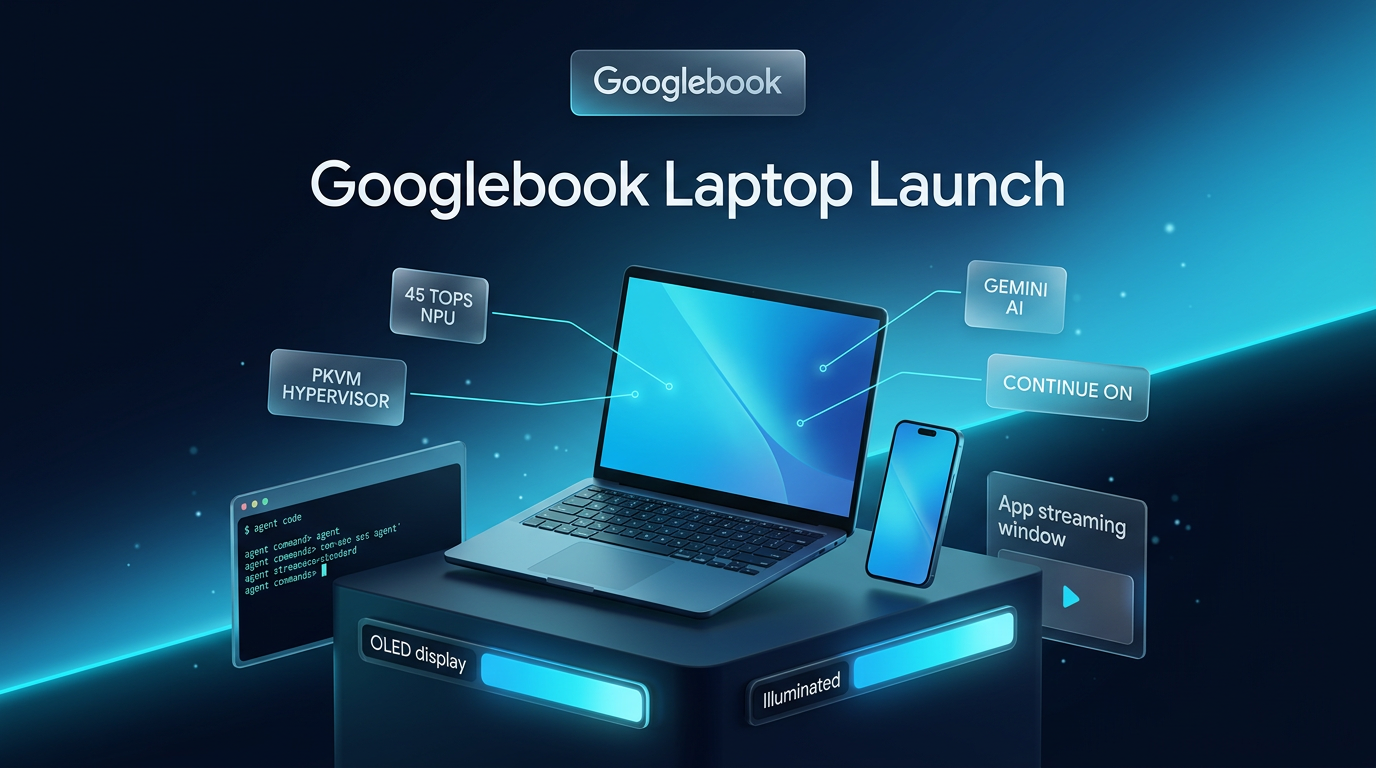
Google announced the Googlebook laptop line on September 21, 2026, opening pre-orders for a new category of personal computers designed to bridge the gap between Android mobile devices and desktop workstations. The company confirmed that units will arrive on retail shelves starting October 4 in the United States, followed by Canada, the United Kingdom, Ireland, France, Germany, and Australia on October 5.
As detailed in the release announced on the Google blog, the Googlebook laptop starts at $899 and pairs the Android software stack with desktop system components originating from ChromeOS. Google partnered with five computer manufacturers to produce the launch lineup, aiming to offer hardware choices across multiple configurations while maintaining direct compatibility with modern Android smartphones.
Hardware Specifications Across the Googlebook Laptop Lineup
The initial generation of Googlebook hardware is built by Acer, ASUS, Dell, HP, and Lenovo. Rather than relying on a single reference design, the manufacturers are offering different form factors featuring premium materials such as aluminum, magnesium alloy, and carbon fiber enclosures.
Displays across the range reach up to 2.8K OLED touchscreens, accompanied by backlit keyboards and haptic glass trackpads. Under the hood, Google states that devices will run on processors from Intel and Qualcomm. These chipsets incorporate neural processing units capable of delivering over 45 TOPS of on-device AI performance, supporting estimated battery runtimes of up to 14 hours.
Every model also revives the exterior Glowbar element. Positioned on the outside chassis, the light bar illuminates at boot, animates to display remaining battery percentages, and reacts visually during interactions with Gemini.
Core Features of the New Googlebook Laptop
The system software is tailored around cross-device continuity for owners of Android smartphones. The setup workflow transfers saved Wi-Fi networks, passwords, messages, and system settings directly to the laptop using end-to-end encryption. Once logged in, three main integration tools handle day-to-day coordination:
- Continue On: Enables users to resume ongoing app activities initiated on a phone directly from the laptop taskbar, such as continuing an audio project in BandLab.
- Shared Files App: Allows users to search, browse, and open photos or documents stored on their mobile phone directly through the native laptop file manager without manual transfers.
- Cast My Apps: Streams phone applications directly into a desktop window, permitting full keyboard and mouse interaction for single-use tasks like retrieval of verification codes or mobile delivery orders.
Beyond mobile continuity, the desktop environment runs the full desktop Chrome browser with standard extension support alongside large-screen optimized Android applications from the Play Store. Supported native software includes tools such as Adobe Photoshop, Adobe Lightroom, and CapCut, alongside offline playback for streaming services like Netflix and HBO Max.
For gaming and recreational use, users can access Android games from the Play Store or stream PC titles through cloud services. Google includes a complimentary one-year subscription to GeForce NOW with each purchase, allowing users to run titles from their existing PC libraries on the hardware.
Built-In AI Utilities and Workspace Tools
Google has embedded its Gemini intelligence layer directly into the desktop operating system. Users interact with the AI assistant through specialized input mechanisms rather than standalone chat windows alone.
The Magic Pointer feature activates Gemini contextually when a user wiggles the mouse pointer across the screen, allowing users to analyze on-screen text, translate sections, or clean up calendar schedules. Google notes that this tool operates strictly on demand and can be deactivated entirely in settings.
For typing and dictation, a physical Rambler key sits adjacent to the Quick Insert button. Rambler transcribes multilingual speech into structured written documents, converting freeform thoughts into formatted outlines, action checklists, and summarized notes. Desktops can also be customized using Create My Widget, which generates functional desktop cards based on plain-language text prompts.
Architecture, Virtualization, and Developer Tools
The security layer of the Googlebook laptop mirrors the ChromeOS defense model. It uses the Google Titan hardware root of trust, on-device malware scanning, and defense-in-depth isolation. A notable architectural addition is a Level 5 security-certified pKVM hypervisor.
This hypervisor runs an isolated Linux environment complete with terminal privileges. Developers can utilize this terminal to install Linux packages, manage source code repositories, and run autonomous agent tooling. The operating system includes Antigravity, Google’s platform for creating, testing, and deploying automated AI agents, along with terminal support for command-line tools like Claude Code and the Antigravity CLI.
These capabilities connect closely to the expanding area of Agentic AI Systems & AI Workforce tools, where local machines must execute automated tasks inside isolated developer containers.
Pricing, Subscriptions, and Support Lifecycle
The Googlebook laptop starts at an entry retail price of $899 through the Google Store, Best Buy, and select partner outlets. Every purchase includes bundled services for the first year of ownership:
- 12 months of Google AI Pro, which provides 5TB of cloud storage and elevated Gemini rate caps.
- 12 months of complimentary GeForce NOW cloud gaming access.
- 3 months of YouTube Premium and Adobe Photoshop access.
Google states that the operating system will receive regular feature drops and security updates for up to 10 years, aligning the update commitment with enterprise ChromeOS devices.
Practical Implications for Digital Workflows
For independent professionals and teams managing cross-channel operations, the blend of native Android app execution, desktop browser extensions, and isolated developer virtualization offers a distinct hybrid environment. Choosing a Googlebook laptop provides direct access to native mobile app environments without third-party emulators, which simplifies quality assurance and content verification for builders who handle web designing and mobile workflows simultaneously.
Running autonomous workflows also benefits from hardware-level isolation. Because the pKVM hypervisor separates Linux operations from the primary user partition, technical operators can experiment with background processes and agent scripts without placing underlying client accounts or operating system stability at risk.
The integration of on-device neural processing units delivering over 45 TOPS further ensures that local tasks like audio processing, transcription through Rambler, and local agent orchestration run without exhausting system resources or requiring continuous remote server connections.
Where This Fits in Real Projects
Wasif Ahmed builds business workflows, client management systems, and AI automation pipelines that rely on tight integration between mobile communication and back-office servers. Operating systems that combine reliable mobile synchronization with localized terminal access give operators a practical machine for monitoring notifications, verifying API webhooks, and managing client interactions on the road.
Because the platform supports containerized agent testing through Antigravity alongside mainstream business apps, the Googlebook laptop establishes a viable option for operators wanting dedicated hardware for both client-facing communication and secure local execution.
For distributed teams and freelance technical contractors, the ability to mirror mobile applications while retaining access to full desktop Chrome extensions eliminates unnecessary context switching between phone screens and computer monitors during daily operations.
Frequently Asked Questions
What makes the device different from standard Chromebooks?
While traditional Chromebooks focus primarily on web-based tasks and cloud storage, this hardware combines ChromeOS desktop architecture with a direct Android system base. It includes native mobile app streaming via Cast My Apps, continuous task handoff through Continue On, and deep integration with mobile phone files and settings.
How long is software support maintained for the hardware?
Each Googlebook laptop receives up to 10 years of regular feature drops and security patches from Google, providing a sustained lifecycle suitable for long-term production use.
Can developers execute autonomous coding agents locally?
Yes. The platform provides terminal access through an isolated Linux environment powered by a Level 5 certified pKVM hypervisor. Developers can run CLI tools such as Claude Code and deploy autonomous agents using Google’s Antigravity platform directly on the machine.
If you are planning to update your business infrastructure or integrate a Googlebook laptop into your automated client operations, feel free to reach out to Wasif Ahmed to discuss your setup.