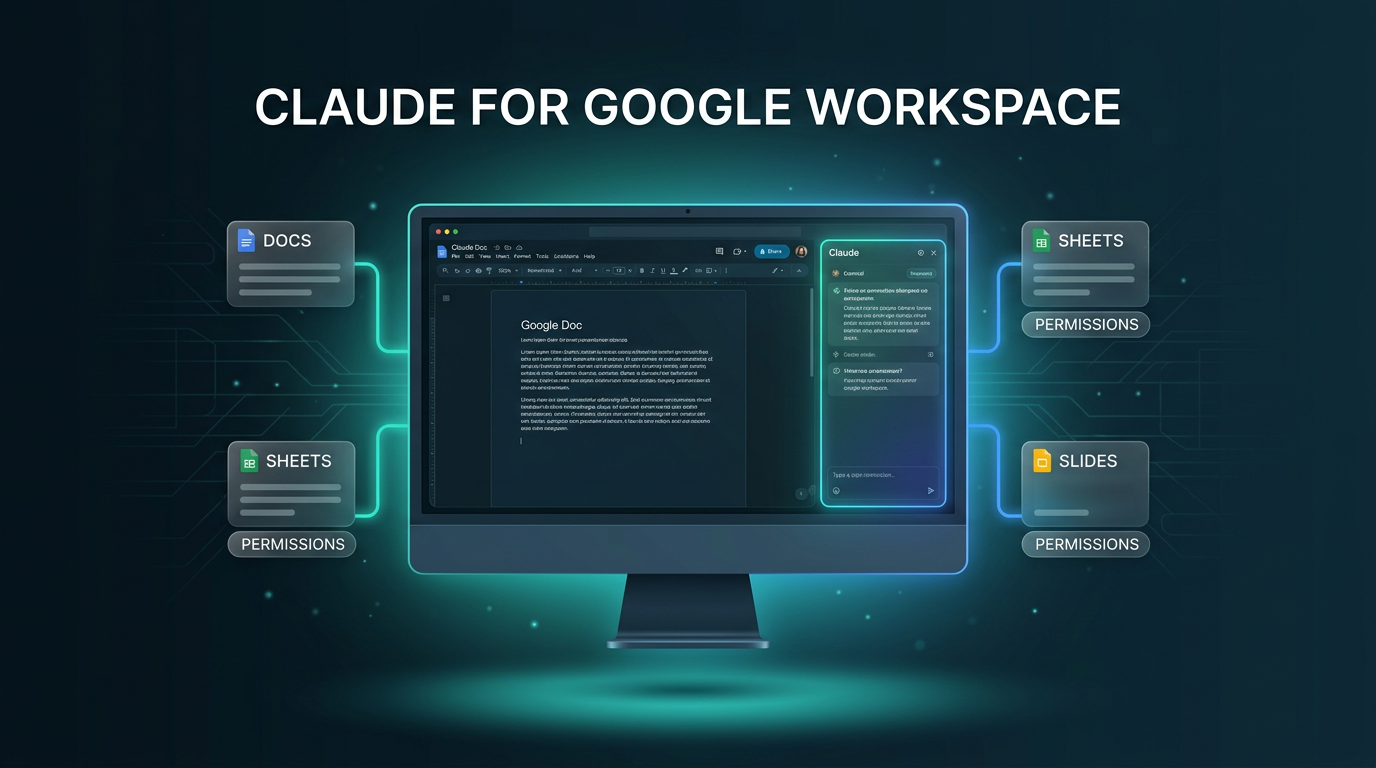
Claude for Google Workspace is now available in public beta across all paid Claude plans, bringing Anthropic’s assistant directly inside Google Docs, Sheets, and Slides. Along with the Workspace add-on, Anthropic has launched dedicated Google Docs, Sheets, and Slides connectors that let users create and edit Google files directly from the Claude conversation interface.
The release marks a significant step forward for teams that rely on Google drive environments for daily operations. Instead of copying data between browser tabs, users can now run document edits, formula generation, and presentation layouts in place, keeping existing permissions and connected data intact.
What Changed with Claude for Google Workspace
The primary addition is a native sidebar add-on installable through the Google Workspace Marketplace. Once installed, users access Claude through the Extensions menu inside any active Google document, spreadsheet, or presentation. Claude opens alongside the open file, reads the visible content, and observes any selected ranges, sentences, or slides.
Alongside the in-file sidebar, Anthropic rolled out three new connectors in beta for Google Docs, Sheets, and Slides. These connectors work inside Claude’s chat interface. When you paste a file link or prompt Claude to start a new document, the system generates or updates the Google file directly, showing a side-by-side view on supported setups.
As detailed in the official Anthropic announcement, this rollout is available to users on Pro, Team, and Enterprise plans.
How Claude Works Across Docs, Sheets, and Slides
Each application inside Google Workspace receives tailored interactions designed around typical workplace workflows.
In-line Writing and Formatting in Docs
Inside Google Docs, Claude can rephrase sentences, restyle headings, and adapt tone without disturbing the underlying formatting of the document. For larger structural revisions, the sidebar introduces suggestion cards. Each card highlights the precise paragraph or section Claude proposes to change, allowing the user to accept or dismiss the edit with a single click. For example, a user can highlight a messy product requirements document, ask Claude to condense the executive summary, and instruct it to convert an unstructured bulleted list into an organized table.
Data Cleaning and Python Modeling in Sheets
In Google Sheets, the integration handles routine spreadsheet tasks as well as deeper technical computation. Claude can draft native formulas, set up pivot tables, build native Google Sheets charts, and insert new worksheet tabs. When tasks require advanced data cleaning or joins, Claude can export the specified cell range into a Python environment, run the calculations, and write the cleaned values directly back into the sheet.
A concrete example involves creating a quarterly budget versus actuals report from a blank sheet. A finance manager can attach raw expense exports, ask Claude to structure separate tabs for each operating department, generate a summary chart on an overview sheet, and flag any departmental line items that exceed budgeted thresholds.
Layout-Aware Decks in Slides
Within Google Slides, Claude reads the existing master layouts, color palettes, and typographic themes of the presentation. When asked to generate additional slides, it builds them to match the deck’s aesthetic. Following generation, Claude evaluates the slide geometry, flagging overlapping text boxes, elements that bleed beyond the slide boundaries, or contrast issues that make text difficult to read.
Execution Modes, Permissions, and Enterprise Controls
Claude for Google Workspace gives users granular oversight over how autonomously the model makes edits to live files. The system includes two operational settings:
- Ask before edits mode: The default safety mode. Claude outlines every planned modification on an approval card with an executive summary, pausing until the user confirms the action before updating the canvas.
- Accept all edits mode: A rapid execution mode where Claude works continuously through multi-step prompts, applying edits to the document, sheet, or slide deck without stopping for individual approvals.
Security and administrative controls reflect organizational settings already established inside the organization. The sidebar inherits whatever custom skills, connectors, and model versions are active on the user’s Claude profile. For instance, a team can pair their Google Drive connector with an active Salesforce connector to assemble a quarterly business review deck, pulling revenue figures from Salesforce and call summaries from Docs.
For enterprise subscribers, Anthropic confirms that existing administrative protections carry over into the add-on. This includes customer-managed encryption keys (CMEK), OpenTelemetry audit export capabilities, and Compliance API monitoring. File access respects the user’s native Google sharing privileges, ensuring Claude cannot access documents outside a user’s defined Google Drive permissions.
How to Enable Claude for Google Workspace
Getting started requires administrative activation depending on your workspace plan tier:
- Individual paid accounts: Install the add-on directly from the Google Workspace Marketplace. Once installed, navigate to Extensions, select Claude, and choose Open Claude.
- Team and Enterprise accounts: Workspace administrators can deploy the tool domain-wide or assign it to specific organizational units via the Google Admin console. To use the chat-based connectors, the workspace owner or primary owner must enable the Docs, Sheets, and Slides connectors in Claude organization settings.
Practical Implications for Workflow Design
Bringing Claude for Google Workspace into production environments reduces context-switching friction for internal teams. Previously, running AI-assisted document workflows required copying source text into an external chat window, inspecting the response, and manually reformatting the paste back into Google Drive. By processing context directly inside the document model, formatting loss is minimized and collaborative suggestions remain visible to teammates.
For builders developing structured AI automation pipelines, having native connectors in Claude opens cleaner pathways for automated report drafting and data reconciliation without building custom API wrappers for routine documentation tasks.
Putting It to Work in Custom Environments
When Wasif designs operations workflows for businesses using Make.com and Google Workspace, maintaining clean document structure is often the slowest hurdle. The introduction of Claude for Google Workspace provides a dependable interface for intermediate human review. Rather than letting automated scripts overwrite presentation files or spreadsheets unchecked, operators can use the sidebar’s approval cards to verify AI-generated updates before they reach client-facing decks or executive reporting sheets.
Businesses interested in linking Google Workspace and CRM infrastructure into dependable automated systems can discuss implementation options directly with Wasif by visiting the contact page.
Bottom line: Claude for Google Workspace brings Claude into Google Docs, Sheets and Slides, with connectors to your Workspace data, and it is now in public beta. For teams already working in those apps, Claude for Google Workspace is worth testing, and Claude for Google Workspace shows where Anthropic is taking everyday productivity tools.