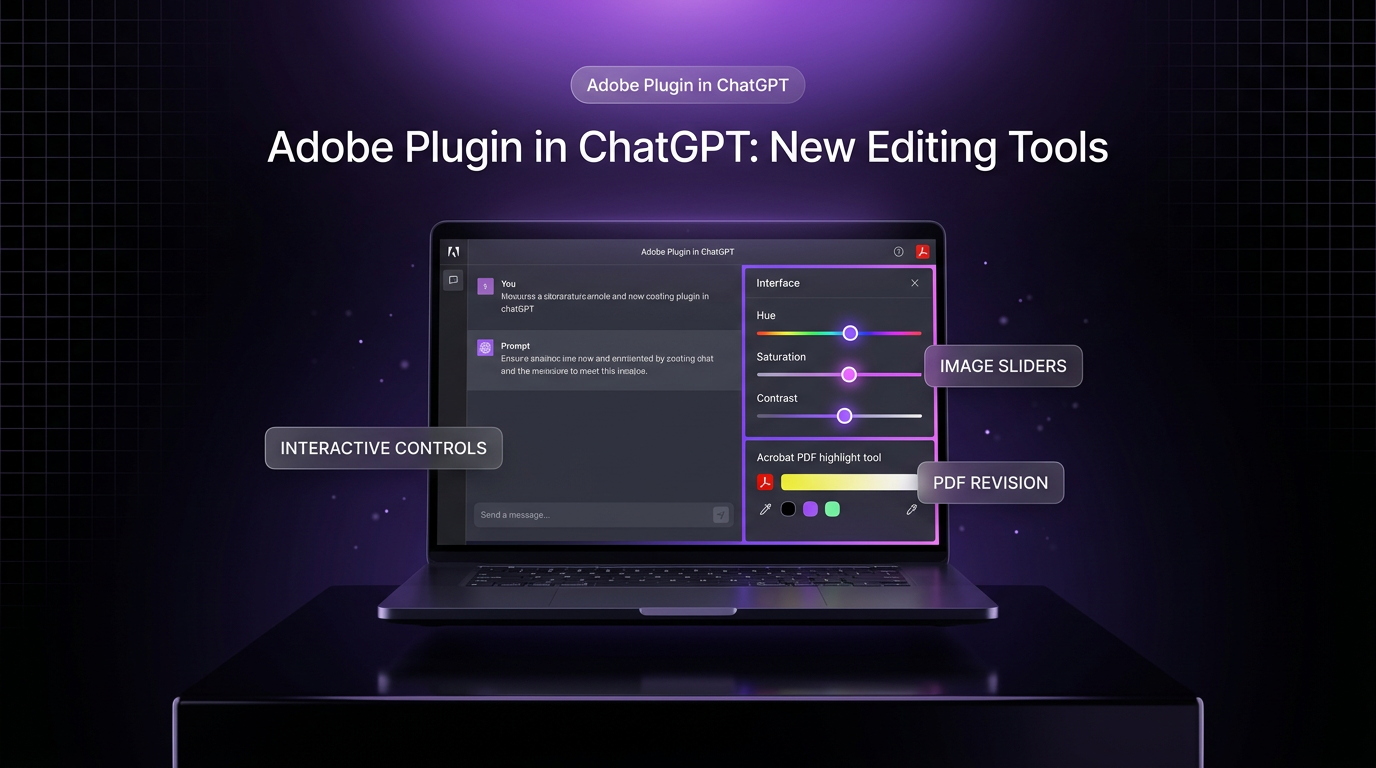
The Adobe plugin in ChatGPT has gained interactive editing controls that let users adjust visual assets and documents directly inside side panels. Announced alongside OpenAI DevDay 2026 on September 29, 2026, the update bridges conversational prompting and direct manipulation for creative and document work. According to an announcement published on the Adobe blog, the capability begins rolling out globally across both web and mobile app interfaces of ChatGPT.
Until now, working with generative design or document analysis in chat interfaces meant alternating between text descriptions and static downloads. This release introduces dedicated panels powered by Adobe Photoshop, Adobe Express, and Adobe Acrobat tools. Users can highlight specific elements on an image or PDF, execute prompt requests via the Adobe plugin in ChatGPT, and fine-tune the final output using direct sliders and text revision tools.
Key Features in the Adobe Plugin in ChatGPT Update
The central change is the introduction of dynamic side panels within the chat workspace. When a user requests an adjustment, the Adobe plugin in ChatGPT opens an editing window tailored to the specific asset type. For images and graphic designs, tools powered by Photoshop and Adobe Express let creators isolate items and refine them manually.
Key adjustments supported in the new interface include:
- Brushing over an object to isolate it for conversational prompt instructions, such as removing background clutter or replacing items.
- Direct sliders for hue, saturation, brightness, and contrast that surface dynamically based on the requested visual edit.
- In-place PDF text revisions powered by Acrobat tools without requiring an external desktop application.
- Document passage highlighting that feeds directly back into the conversation context for comparative analysis.
- Bi-directional syncing so edits made in the side panel update the active thread history automatically.
By keeping the asset in context, users do not need to re-upload files or rewrite detailed prompt descriptions after applying manual adjustments. The chat thread and the canvas remain aligned throughout the session.
Hands-On Photo and Graphic Edits in Side Panels
Visual content creation often demands precise adjustments that are difficult to communicate through text alone. When working with the Adobe plugin in ChatGPT on photo projects, users can brush over a targeted area, like an unwanted object on a table, and ask the model to remove it. Once the object is removed, the user can immediately refine the remaining elements.
For instance, if a social media manager needs a product subject to stand out, they can highlight the item and prompt the Adobe plugin in ChatGPT to adjust brightness. The panel dynamically displays contrast and color sliders scoped specifically to that selected subject. Rather than generating an entirely new image through repeated prompting, the user simply adjusts the sliders to achieve the intended balance.
This hybrid approach combines the speed of generative language instructions with the tactile precision of graphic software. Teams producing assets for content distribution or social media management can eliminate repetitive round trips between separate image utilities.
Direct PDF Revisions with Acrobat Tools
Document handling receives a parallel upgrade through Acrobat capabilities embedded within the panel. Users can open a PDF directly inside the workspace to review contracts, reports, or client briefs. Instead of merely extracting text summaries, the Adobe plugin in ChatGPT enables actual document revisions inside the active window.
Users can select text to edit wording directly on the page, or highlight clauses for contextual follow-up questions. For example, a business owner reviewing a contractor agreement can highlight a payment section and instruct the assistant to locate and highlight every corresponding clause related to invoicing throughout the document. Acrobat applies the visual highlights directly to the file, allowing immediate comparison of consistency across clauses.
Because the highlighted sections feed back into the language model as active context, the conversation continues with accurate references to the actual document state. This structural feedback reduces confusion when processing lengthy legal or administrative records.
Why This Integration Matters for Workflows
Conversational interfaces excel at processing intent, but they often struggle with exact spatial control. Asking an assistant to make an accent color slightly darker through text prompts frequently results in unwanted revisions to neighboring pixels. The Adobe plugin in ChatGPT addresses this friction by letting users step in with manual controls exactly when exact adjustments are required.
OpenAI product lead for the ChatGPT Ecosystem, Vibhor Chhabra, noted that the integration is intended to help people move from an idea to work they are ready to use or share, with control over details along the way. Adobe previously consolidated its creative and document tools into unified plugin experiences across ChatGPT, Claude, and Slack, and this launch extends that strategy by embedding interactive panels directly into the chat stream.
For builders constructing operational workflows or AI automation pipelines, tools that maintain document and visual fidelity inside conversational nodes make end-to-end task completion more practical. Team members can review, polish, and export assets without leaving the conversation interface.
Availability and Platform Support
Adobe confirmed that these interactive controls are rolling out globally starting September 29, 2026. The functionality is available across both ChatGPT on the web and the official ChatGPT mobile applications. Users with access to the Adobe plugin in ChatGPT can engage the side panels whenever supported image formats or PDF documents are introduced to the conversation.
The company indicated that it plans to continue expanding precision controls across connected conversational platforms. However, users should verify plugin permissions and account linkages inside their ChatGPT workspace settings to ensure the new panel tools are active.
Where This Fits in Client Builds
In client implementations, Wasif Ahmed focuses on reducing the manual overhead required to move assets between generative drafting tools and publishing systems. When team members must export draft graphics to desktop software just to nudge a slider or correct a single text typo in a PDF, automated workflows lose momentum.
Embedding interactive editing inside the chat interface gives operations teams a cleaner checkpoint for review. Wasif tracks updates like the Adobe plugin in ChatGPT to evaluate when native interface controls can replace complex multi-app handoffs in business routines, particularly for teams managing marketing collateral and document approval queues.
If you want to streamline your document pipelines or build custom workflow automations, reach out through the contact page to discuss your project.