Muse Realtime Voice is now rolling out across web, mobile, and Mac platforms, giving users direct spoken interaction with their digital assistants. First previewed at Connect 2026, the updated interface replaces typed prompts with bidirectional audio and synchronized visual reactions. Users can start a spoken session by selecting the phone icon located in the upper-right corner of the application window.
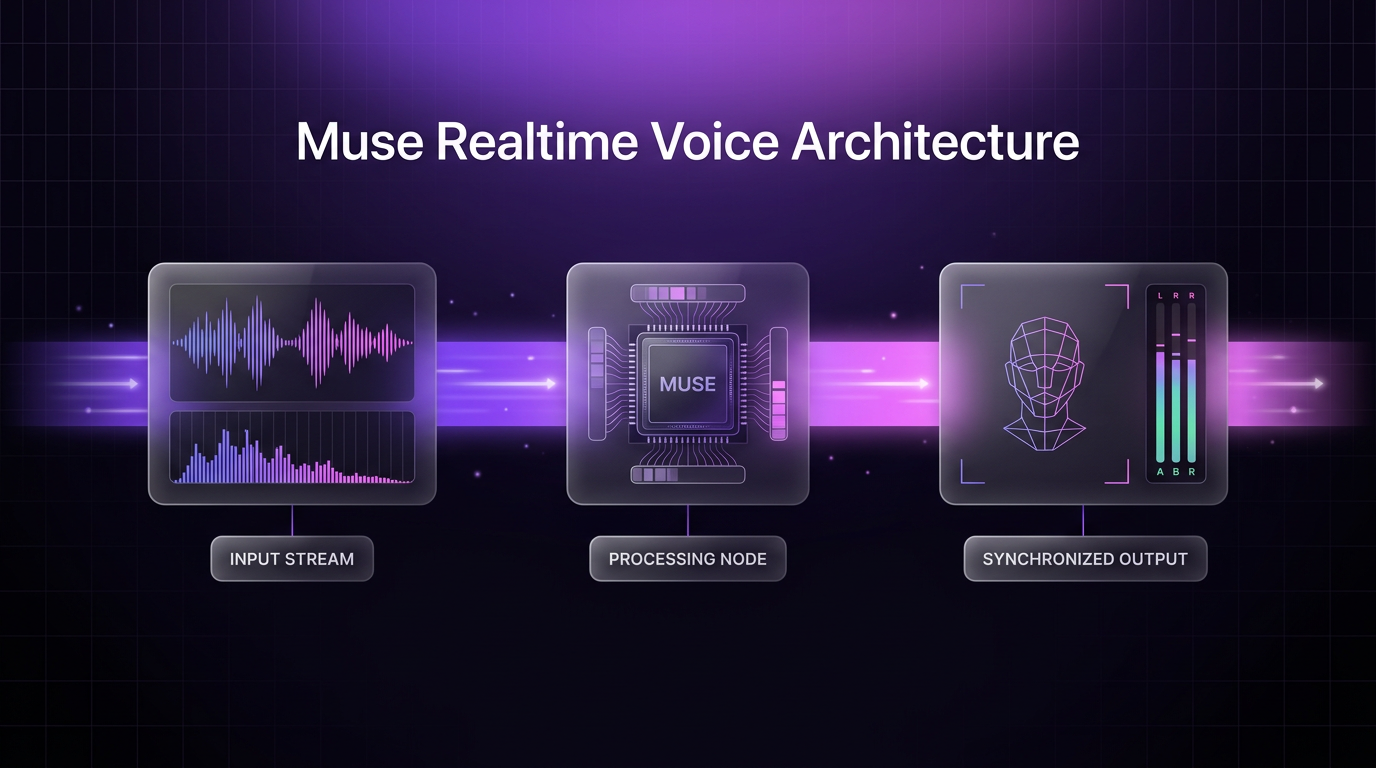
As detailed in the official rollout announcement, the system combines real-time streaming audio with expressive digital representations. This update signals a practical shift from turn-based chat interfaces toward continuous conversational computing across everyday devices.
What Muse Realtime Voice Changes for Daily Use
The introduction of Muse Realtime Voice shifts how users structure their input. In typical text interfaces, users spend time phrasing precise instructions to guide model outputs. Spoken conversation allows individuals to formulate concepts aloud without worrying about exact wording or syntax.
A user planning an itinerary can start with unrefined preferences, such as an architectural interest or a single restaurant target. Muse Realtime Voice processes these spoken thoughts continuously, assembling ideas as the speaker talks during routine activities like walking or preparing a meal. The interactive loop reduces the cognitive load of drafting, editing, and typing prompts on a keyboard.
Rehearsal scenarios provide another direct use case. Preparing for presentations, salary discussions, or client pitches often benefits from verbal practice. Because the assistant replies immediately, users can test spoken explanations and adjust their delivery based on incoming dialogue.
Avatar Presence Modes and Voice Customization
Alongside voice generation, the update deploys Muse Realtime Avatar technology. The visual model generates subtle expressions and nonverbal gestures calibrated to the tone and flow of the dialogue. These visual cues indicate whether the system is listening, thinking, or delivering a response.
Users can select between three separate visual display modes depending on their focus and environment:
- Voice-only mode, which conceals visual components for audio-first tasks or discreet listening.
- Split-screen layout, positioning the avatar adjacent to standard conversation notes and output history.
- Full-screen mode, providing a face-to-face visual layout intended for practice sessions and focused interaction.
Audio personalization is supported through a catalog of hundreds of selectable synthetic voices. These profiles span multiple tonal styles and conversational energies, ranging from regional accents to character voices. Users can swap active voice models at any point based on context or task preference.
Technical Handling of Interruption and Latency
Natural conversation depends on immediate feedback and the ability to break into speech. Muse Realtime Voice incorporates full-duplex communication pipelines, allowing users to speak over the assistant at any time. When an interruption occurs, the audio output terminates instantly and the system shifts context to ingest the new statement.
Standard language models process queries through separate stages: speech transcription, text generation, and text-to-speech synthesis. This phased architecture frequently produces awkward multi-second silences. By operating on a continuous streaming pipeline, the system maintains conversational cadence closer to human interaction.
The companion avatar uses synchronized kinematics to prevent latency mismatches between lip movements, facial tension, and audio tracks. When an interruption takes place, the visual model ceases speech articulation and resumes an attentive posture, avoiding the disorienting delays common in early generation conversational agents.
Platform Availability and Hardware Roadmap
The initial release of Muse Realtime Voice is limited to United States accounts across the Muse mobile application, web client, and Mac desktop software. System access activates automatically via the top-right call interface without requiring specialized hardware installations.
Meta announced that hardware integrations are currently scheduled for upcoming phases. Voice interactions and avatar-driven feedback will deploy to smart eyewear and dedicated wearable devices such as Muse Charm. Extending low-latency speech pipelines into wearable hardware represents an intentional push to remove screens entirely from common digital tasks.
Bringing continuous audio models to edge hardware introduces power consumption and data constraints. Initial deployments rely on cloud processing, but future hardware iterations are planned to process critical low-latency interactions through hybrid edge architectures.
Where Muse Realtime Voice Fits in Automation Projects
Modern workflow design increasingly connects conversational entry points to structured business operations. Wasif Ahmed evaluates updates like Muse Realtime Voice to understand how rapid audio models can simplify business intake and customer communication.
When conversational layers connect to broader AI automation backends, raw spoken input can trigger multi-step database updates and CRM modifications. Instead of manual data entry, an operator speaking into a voice interface can prompt autonomous routines that organize meeting outcomes or update client files.
In enterprise settings, pairing fast audio assistants with structured agentic AI systems ensures that verbal interactions produce auditable business data. As voice reliability improves, operational tools will increasingly accept audio notes and generate verified action items without desktop software intervention.
FAQs
How do I access Muse Realtime Voice?
Users in supported regions can access Muse Realtime Voice directly inside the Muse app on mobile, web browsers, or Mac. Selecting the phone icon in the upper-right corner of the interface starts a spoken session immediately.
Can I interrupt the assistant while it is talking?
Yes, the architecture supports real-time interruptions. Speaking during an assistant response stops the audio output immediately, allowing you to redirect the conversation without waiting for the system to complete its sentence.
Are the expressive avatars mandatory during voice chats?
Expressive avatars are completely optional. The interface allows users to toggle between full-screen visual avatars, a side-by-side view with text notes, or an audio-only mode that hides graphics entirely.
Conclusion
The rollout of Muse Realtime Voice establishes real-time audio and dynamic visual feedback as standard interface components for digital assistants. By minimizing conversational lag and supporting mid-sentence interruptions, spoken AI becomes practical for unscripted planning, verbal practice, and rapid iteration.
If you are planning to connect modern conversational interfaces to your existing business systems, reach out to Wasif Ahmed to discuss practical automation architectures.