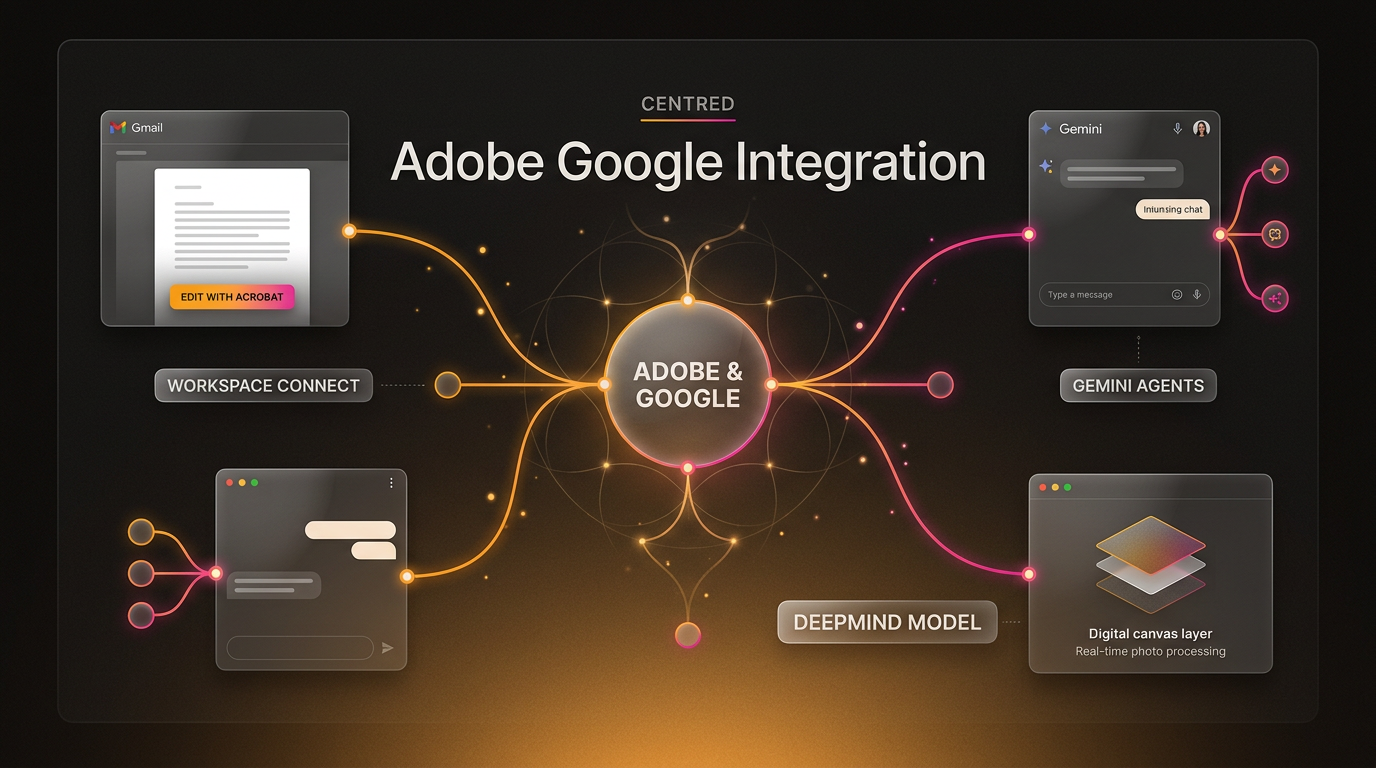
The new Adobe Google integration connects core productivity workspaces directly with creative production software.
Google announced the expansion of its partnership with Adobe at the Adobe MAX conference, outlining plans to surface Adobe tools inside everyday Google products while introducing Google artificial intelligence models into Adobe software.
For teams that move back and forth between document management and creative editing, switching applications interrupts daily workflows. The expanded partnership aims to reduce that friction by placing editing tools directly inside file preview interfaces, chat assistants, and search environments. Here is a breakdown of what was announced, how the features connect, and what these changes mean for day-to-day operations.
The Core Updates in the Adobe Google Integration
The announcement focuses on several practical touchpoints across consumer tools, workplace applications, and developer research. Rather than requiring users to manually download, re-upload, and convert assets across separate environments, the integration builds direct pathways between both software ecosystems.
1. Direct Acrobat Pathways in Google Drive and Gmail
Google plans to surface Adobe Acrobat as a suggested application within Google Drive and Gmail. File previews across both services will gain a dedicated “Edit with” entry point, allowing users to move from reviewing an attached PDF to modifying it inside Acrobat without leaving the browser tab or managing local file downloads.
This update addresses one of the most frequent friction points in business document handling. When contracts, invoices, or creative proofs arrive in an email inbox, reviewers often download the asset, open desktop software, apply changes, and re-attach the document. Surfacing Acrobat directly in the Gmail preview window streamlines that sequence into a continuous action.
2. Creative Connectors in Gemini and AI Mode in Search
Google announced that Adobe is expanding its connectors inside Gemini and Gemini Enterprise. These connectors will integrate Acrobat alongside additional creative tools, allowing users to call on Adobe capabilities directly inside chat-based prompts.
In addition, Adobe plans to bring its creative utilities to AI Mode within Google Search. When users query Google Search using AI Mode, they will have direct access to Adobe creative functionality to handle image generation, quick edits, or asset preparation directly within the search response surface.
3. Enterprise Automation via Adobe CX Enterprise Coworker
For organizations using enterprise workspace tools, the companies announced that businesses will be able to access Adobe CX Enterprise Coworker inside Gemini Enterprise. Adobe positions this system as an AI assistant designed to help marketing and creative departments coordinate multi-step production tasks.
Within the Gemini Enterprise interface, teams will be able to perform several coordinated tasks without toggling between separate administrative consoles:
- Draft and refine marketing graphics directly inside team conversations.
- Open, review, and modify PDF documentation during project planning sessions.
- Coordinate and prepare marketing campaign assets without app switching.
By bringing an enterprise-grade coworker agent directly into the primary communication hub, operational teams can reduce the administrative overhead traditionally required to prepare campaign deliverables.
4. DeepMind Research and Near-Real-Time Photoshop Editing
Beyond surface-level application connectors, the partnership extends into artificial intelligence research. Adobe and Google DeepMind announced plans to explore editing experiences tailored specifically for creative professionals.
The initial phase of this collaboration focuses on developing an advanced image model for Adobe Photoshop. Google and Adobe stated that this research effort aims to enable near-real-time image modifications, allowing editors to test complex prompt-based adjustments without long rendering pauses.
Why This Workflow Shift Matters for Businesses
Application fatigue remains a quiet drain on office productivity. In many operational setups, team members juggle cloud storage, email communication, document signing, and asset generation across isolated browser tabs. When software platforms build native connectors, the time spent exporting, re-saving, and tracking file versions drops significantly.
Organizations that rely on AI automation to connect project pipelines benefit when major software vendors establish native API handshakes. When platforms link their interfaces natively, downstream automated systems encounter fewer broken webhooks, fewer unsupported file transformations, and more consistent metadata tracking.
Furthermore, embedding specialized tools inside conversational agents like Gemini Enterprise points toward a broader pattern in enterprise software. Instead of requiring employees to master distinct interfaces for every vendor, conversational platforms are increasingly acting as operational command lines that run specialized actions through connected third-party agents.
Practical Implications and Implementation Timeline
Because this announcement represents an expanded partnership roadmap revealed at Adobe MAX, availability will roll out in phases rather than arriving as a single universal update. Business owners and technical leads should monitor their Google Workspace administrative panels to confirm when suggested app entries and Gemini connectors become active for their tenant domains.
Organizations managing sensitive corporate records should also plan ahead for access governance. When third-party connectors become available inside Google Drive, Gmail, and Gemini Enterprise, workspace administrators will need to ensure that organizational permission policies, single sign-on parameters, and file-sharing controls match internal data compliance standards.
Frequently Asked Questions About the Adobe Google Integration
When will the Adobe Google integration features be available?
Google announced the partnership expansion at Adobe MAX as an upcoming rollout. Certain features, such as the direct “Edit with” entry points in Google Drive and Gmail previews, will surface as suggested apps soon, while the DeepMind image model research remains in an exploratory development stage.
Do teams need separate licenses for both Adobe and Google Workspace?
Yes. Accessing Adobe Acrobat editing features from Gmail or using the Adobe CX Enterprise Coworker agent inside Gemini Enterprise will require appropriate active Adobe subscriptions alongside relevant Google Workspace or Gemini Enterprise seats.
How does the DeepMind collaboration differ from existing Photoshop tools?
While Adobe Photoshop already includes generative features powered by Adobe Firefly, the collaboration with Google DeepMind is exploring dedicated image models specifically designed to enable near-real-time interactive edits for professional workflows.
Putting These Updates to Work in Operational Systems
When Wasif designs integrated workplace pipelines, native handshakes between foundational platforms like Google Workspace and specialized software like Adobe help eliminate complex intermediary scripts. Native integrations reduce the maintenance overhead required to move assets between cloud storage and creative production lines.
For companies combining document processing with Agentic AI Systems & AI Workforce frameworks, having reliable enterprise agents like the Adobe CX Coworker embedded in central assistants provides structured pathways to trigger asset generation alongside custom CRM and marketing automation flows.
Conclusion
The expanded Adobe Google integration establishes direct links between universal productivity platforms and professional design software. By embedding Acrobat into Gmail and Drive, connecting Gemini to creative toolkits, and collaborating with DeepMind on responsive Photoshop models, Google and Adobe are systematically reducing the steps required to create and manage digital assets.
To explore how unified software integrations and automated workflows can streamline your business operations, reach out to Wasif.
Because these are announced plans rather than shipped features, keep an eye on official release notes as the Adobe Google integration rolls out.