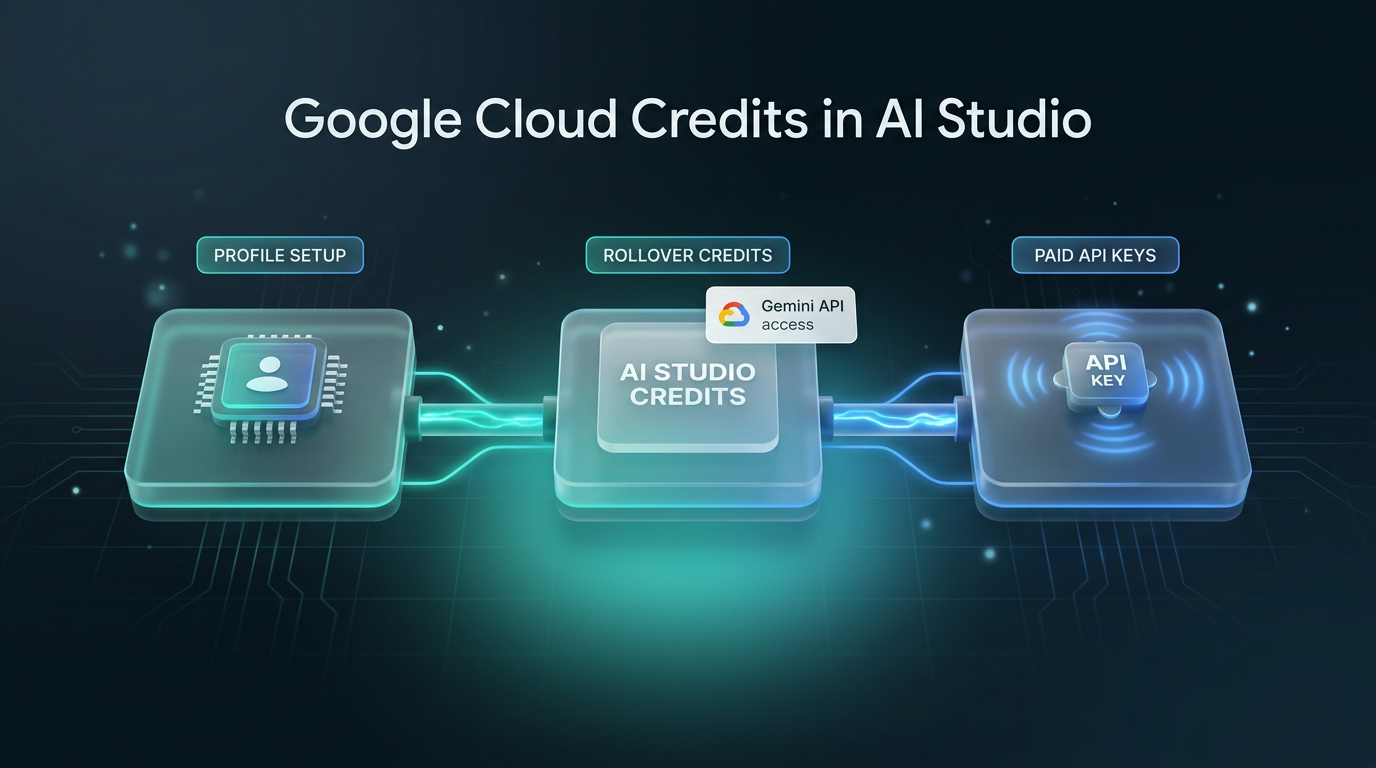
Developers can now claim and manage their Google Cloud credits directly inside the Google AI Studio interface without navigating away from their ongoing work. In an announcement on the Google for Developers blog, the company shared that Google AI Pro and Google AI Ultra subscribers can complete Developer Program onboarding, connect billing accounts, and draw down monthly promotional funds within a single unified workspace.
Previously, claiming promotional allowances required hopping across separate consoles, verifying developer registrations, and manually associating billing instruments before sending production queries. The streamlined workflow aims to remove friction for builders testing models such as Gemini 4 Carbon or building prototypes with media generation tools like Omni.
What Changed with Google Cloud Credits in AI Studio
The core change connects the Google Developer Program directly to the Google AI Studio console. When eligible subscribers sign in, the left navigation bar now alerts them to any unclaimed Google Cloud credits alongside their current active balances.
Instead of sending developers to the broader Google Cloud Console or external developer portals, an in-product redemption dialog handles registration in place. If an active Google Developer Program profile does not exist for the account, AI Studio automatically generates one during credit redemption.
Billing setup is integrated into the same dialog. Developers can attach or configure a Cloud billing account, activate paid-tier API keys immediately, and configure auto-apply settings so future monthly grants automatically offset usage as new cycles arrive.
Key Eligibility and Billing Rules
The update specifically supports paid Google AI tiers, granting recurring monthly allowances that scale with the user subscription tier. However, developers must meet several specific operational conditions to spend their Google Cloud credits against Gemini API usage:
- Prepayment requirement: Using the Gemini API under Cloud billing mandates a 5-dollar minimum prepayment and account balance before promotional credits begin drawing down.
- Twelve-month rolling validity: Each credit grant carries a 12-month expiration window starting from the issue date, preventing immediate expirations.
- Automatic rollover: Monthly allocations stack automatically month to month, allowing existing subscribers who recently created developer profiles to claim back-accumulated balances.
- Primary account restriction: Credits remain exclusive to the primary plan subscriber and cannot be transferred to family group accounts or shared secondary members.
- Earliest-expiring drawdown: The billing system automatically consumes the oldest available credits first, reducing accidental expiration of accumulated promotional grants.
Once linked, teams can monitor real-time usage metrics, drawdown progress, and remaining balances at the dedicated studio billing screen.
Why Managing Google Cloud Credits Matters for API Builders
For engineers and businesses testing frontier models, hitting subscription quota walls in the middle of development often interrupted workflow momentum. Generative audio and video workloads with Omni or heavy reasoning tasks using Gemini 4 Carbon consume substantial computational volume.
By putting Google Cloud credits inside the development console, developers can transition directly from prototyping to paid-tier overages without leaving the editor. The availability of paid API keys upon redemption means apps can move from prompting canvases directly to external testing environments, including production microservices hosted on Google Cloud Run.
The Google Developer Program profile generated through this redemption flow also provides secondary benefits, such as higher Google Antigravity quotas and access to Google Skills learning credits, unifying tooling perks across Firebase, Android, and Cloud within one umbrella.
Practical Setup Steps
Activating your Google Cloud credits inside the console requires just a few direct steps within the updated layout.
First, open the AI Studio dashboard while signed into your primary account holding an active Google AI Pro or Ultra subscription. Inspect the left-hand navigation pane, where an alert banner signals available grants.
Next, click the claim button to trigger the in-product redemption modal. This step creates your Google Developer Program profile automatically if your account lacks an active developer record.
Finally, link an active billing account and verify your 5-dollar minimum prepayment. Once processed, paid-tier Gemini API keys can be copied immediately, and all subsequent qualifying usage will draw down earliest-expiring promotional funds first.
Frequently Asked Questions About Google Cloud Credits
Who is eligible to receive monthly Google Cloud credits through AI Studio?
Eligibility is restricted to primary subscribers of Google AI Pro and Google AI Ultra plans. The promotional grants are tied to the Google Developer Program and cannot be distributed to secondary users on family subscriptions.
Why is a prepayment required to use promotional credits?
Google requires an active billing account with a minimum 5-dollar prepayment balance to unlock Gemini API Cloud billing. Once this baseline balance is funded, the promotional Google Cloud credits activate and begin absorbing ongoing API consumption.
What happens if I do not spend my monthly credits immediately?
Grants feature automatic monthly rollover with a 12-month rolling validity period from the date of issue. The billing system automatically deducts from earliest-expiring grants first whenever paid model usage exceeds basic tier quotas.
What This Changes for Client Builds
In client implementations, reliable access to scalable model quotas without abrupt credential failures makes testing complex pipelines more predictable. When Wasif designs automated architectures, reducing unnecessary console switching lets technical teams focus on prompt evaluation and data handling rather than account maintenance.
For businesses integrating custom pipelines through AI automation or connecting language models with webhook engines, this unified billing model speeds up initial testing. When developers can generate paid keys and verify quota reserves from one view, testing custom logic alongside broader business tools happens with fewer administrative bottlenecks.
Conclusion
Google AI Studio now makes claiming Google Cloud credits a native part of the developer experience for Pro and Ultra subscribers. By combining profile creation, billing linking, and credit rollover into one interface, Google removes friction for teams pushing demanding AI applications from prompt testing into live environments.
If you need assistance designing or deploying automated workflows powered by modern AI models, feel free to get in touch through the contact page.