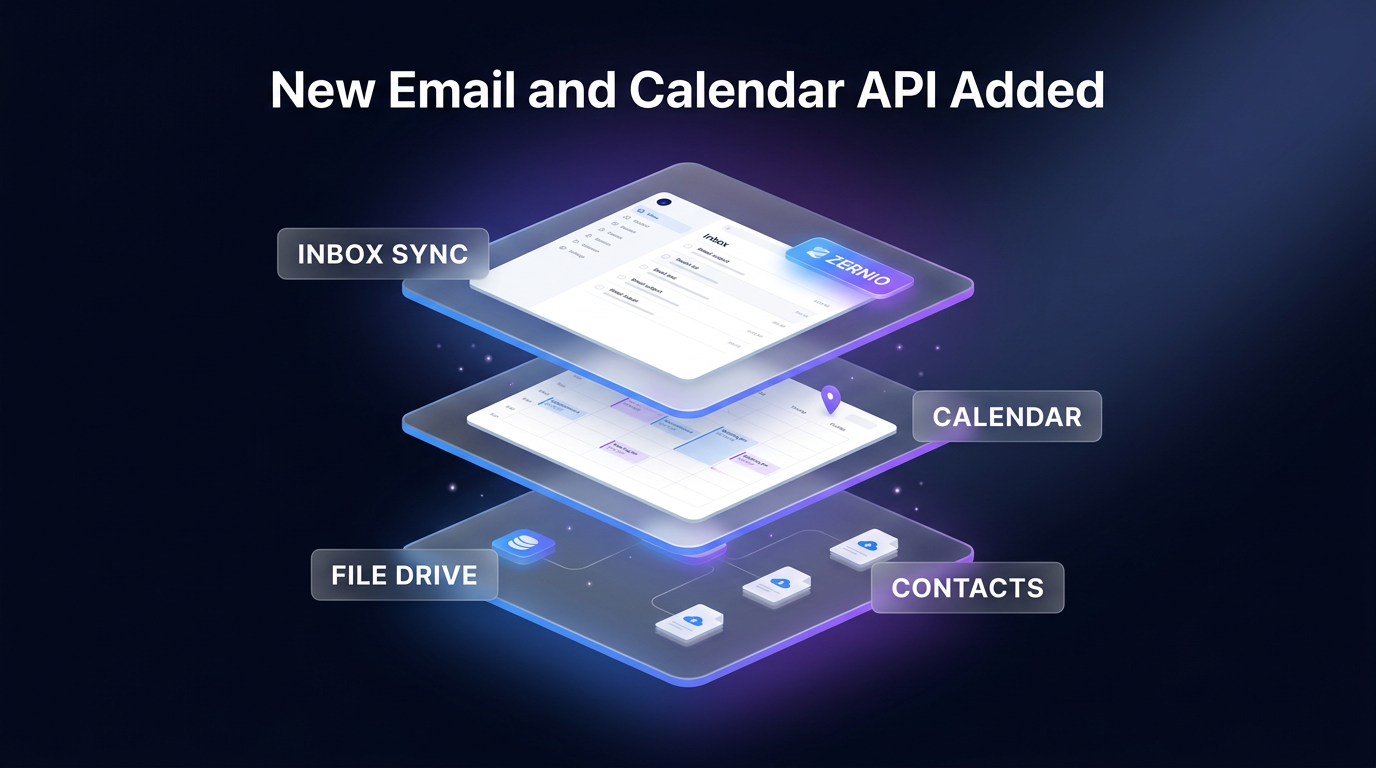
A unified email and calendar API connection is now available in Zernio following the release of native Google and Microsoft account integrations. As announced on the Zernio blog, developers can now connect user mailboxes to read and send messages, manage calendar events, access drive files, and sync contacts under a single API key that already controls social channels, WhatsApp, SMS, and advertising platforms.
Bringing direct mailbox and calendar controls into developer products usually demands extensive security reviews, recurring token refresh systems, and custom webhook listeners. This release enables autonomous software agents and customer platforms to interact directly from an end user’s personal mailbox or corporate account rather than sending system messages from disconnected routing domains.
Key Features in the New Email and Calendar API Release
The update connects directly to four distinct product areas within an authenticated Google or Microsoft profile. During authentication, users select the specific access areas granted to the application:
- Email services: Complete mailbox access across Gmail and Outlook to list, search, read, send, reply to, organize, and trash messages.
- Calendar services: Full calendar scheduling across Google Calendar and Outlook Calendar to create events, manage RSVPs, check free-busy availability, and discover open meeting slots.
- File storage: Direct file interaction across Google Drive and OneDrive to list, upload, download, share, and reuse stored assets as social publishing media.
- Contact books: Automated read-only contact syncing into the /v1/contacts endpoint from Google Contacts and Outlook contacts once per day.
By unifying these capabilities behind an email and calendar API, developers can configure permissions during user onboarding without writing separate authentication logic for each provider. Each connected mailbox operates as an independent account linked to a unique accountId that must be supplied on every API call.
Inbound communications, calendar adjustments, and cloud document updates arrive via standard Zernio webhooks. Instead of requiring developers to build and manage push notification subscriptions, Zernio configures watch channels with Google and renewal subscriptions with Microsoft automatically, keeping real-time event feeds active in the background.
Why Unified Mailbox Access Matters for Builders
Connecting software workflows to a real mailbox changes how client communications operate. Instead of routing transactional updates through external mail servers, messages sent through the email and calendar API originate directly from the user’s authentic address. Every reply threads naturally within existing email conversations, preserving context across internal teams and external recipients.
For teams building intelligent agents or customer support workflows, this shared infrastructure removes communication silos. A single AI agent accessing Zernio’s hosted Model Context Protocol (MCP) server can evaluate an incoming client email, run an availability check across calendars, issue a Microsoft Teams or Google Meet link, and follow up over WhatsApp if the invite remains unacknowledged. The hosted MCP server includes ready-made tools for sending email, listing message threads, responding to meeting invitations, and finding open calendar slots.
Multi-calendar availability checking is built directly into the calendar endpoints. Developers can query up to ten connected mailboxes in a single HTTP request, blending Google and Microsoft accounts freely. The availability engine accepts defined open working hours, timezone parameters, meeting durations, and buffer gaps between sessions, returning valid meeting times without external scheduling plugins.
Connecting software to an email and calendar API also allows unified inbox monitoring alongside chat tools. Customer support agents can view an incoming customer email alongside WhatsApp messages, direct messages, and SMS conversations in one consolidated feed. This setup gives service representatives complete visibility into cross-channel customer dialogues without navigating multiple dashboards.
Data retention and CRM synchronization also become automated. Webhook notifications for received messages, sent messages, and created calendar events allow platforms to record customer interactions against active sales opportunities. Whenever a sales representative sends a proposal or schedules a discovery call, the corresponding deal record updates automatically without manual data entry.
File handling also benefits from direct storage links. Applications can retrieve email attachments or access files stored in Google Drive and OneDrive. Google Docs export automatically as PDF files, while Google Sheets export as XLSX files. When users want to publish approved media assets to social networks, applications can reference the Drive or OneDrive fileId directly in the post payload. Zernio duplicates the source asset to prevent subsequent document edits from modifying published posts, avoiding the need for manual downloads and re-uploads across 18 supported social networks.
Security Reviews and Developer Infrastructure Handled by Zernio
Accessing personal mailbox scopes on major platforms introduces significant compliance hurdles. Integrating Gmail at scale requires passing Google’s restricted-scope review and maintaining an annual CASA Tier 2 security assessment. Maintaining Microsoft connections requires managing Azure enterprise consents, directory permissions, and verified publisher compliance.
Zernio handles the CASA Tier 2 verification, OAuth handshakes, and annual reviews on its default connection screen, allowing end users to grant consent directly. Developers retain the option to supply custom OAuth credentials if branded consent screens are required. However, using custom credentials means developers must independently complete Google’s verification process and forfeit platform-managed features like native Google Picker sessions, Gmail push notifications, and Microsoft administrative consent links.
The service also enforces standard provider safeguards to keep connected mailboxes in good standing. Mailbox sending caps default to provider thresholds: 200 daily sends on personal Gmail, 500 on Google Workspace, and 1,000 on Microsoft accounts. To prevent accounts from being flagged for spam, sending identical email copy to more than 50 distinct addresses within an hour triggers an automatic mailbox cooldown period starting at 10 minutes and doubling up to 24 hours.
Technical Architecture and Provider Limits in the Email and Calendar API
When implementing the email and calendar API, engineers must account for how Google and Microsoft treat user files and storage. Google connections utilize restricted drive.file permissions, limiting file operations strictly to documents picked through a Google Picker session or assets created directly by the application. In contrast, Microsoft accounts connect through Files.ReadWrite, granting broader access across the user’s connected OneDrive.
Attachment rules also diverge slightly between providers. Both platforms support up to 20 attachments totaling 25 megabytes per message, but Microsoft enforces an individual attachment ceiling of 3 megabytes per file unless specialized upload paths are used. Generated meeting links automatically adapt to each platform, producing Google Meet URLs for Google Calendar events and Microsoft Teams links for Outlook Calendar events.
Enterprise organizational policies introduce distinct administrative requirements. Google Workspace administrators can restrict third-party application installations across their domain, while Microsoft 365 tenants frequently require tenant administrator consent before an individual user can authorize account access.
Certain capabilities remain excluded by design or are planned for later iterations. Draft creation, scheduled send queues, open tracking, and link click tracking are currently unsupported. Historical messages received prior to the initial account connection do not populate the live inbox stream, though developers can still retrieve them by querying historical email endpoints directly.
Contact synchronization is strictly read-only and runs once per day, meaning contact webhooks can exhibit up to 24 hours of latency. For bulk marketing blasts, cold outreach campaigns, newsletters, or high-volume transactional messages, developers should rely on dedicated sending services such as Resend rather than personal user mailboxes.
Frequently Asked Questions About the Email and Calendar API
How does Zernio price connected Google and Microsoft accounts?
A connected Google or Microsoft profile counts as one standard connected account under Zernio’s regular billing framework. The single account connection fee includes access to email, calendar events, drive files, and contact synchronization. Accounts include two free connections before tiered usage rates apply.
Can the email and calendar API be used for mass marketing broadcasts?
No, the email and calendar API is engineered strictly for personal, one-to-one business communication. System protections automatically enforce rate limits and cooldown pauses if identical messages are delivered to more than 50 recipients within a single hour.
How does this compare to running the local Google Workspace CLI?
The Google Workspace CLI operates locally to connect an engineer’s personal terminal or coding assistant to their own productivity suite. Zernio serves client-facing web applications, allowing thousands of end users to authenticate their own accounts into a shared production platform.
Where This Fits in Real Automation Architecture
In custom system architecture, handling external email authentication often slows down client implementations. Wasif builds advanced operational systems using AI automation and agentic AI systems where unified communication endpoints streamline complex multi-channel workflows.
When building custom workflows, integrating an email and calendar API into multi-agent systems reduces architectural overhead. Consolidating email watches, file attachments, and calendar scheduling into a single webhook-driven interface eliminates custom middleware when linking business operations into custom software development projects.
Conclusion
The addition of Google and Microsoft accounts gives developers a dependable email and calendar API that bridges traditional inbox tasks with multi-channel automation. By handling provider security compliance, webhook renewals, and rate ceilings under a single roof, Zernio removes the primary engineering roadblocks to deploying functional personal mailbox agents.
To explore how custom automation and unified API integrations can streamline your business workflows, connect directly through the Wasif Ahmed contact page.