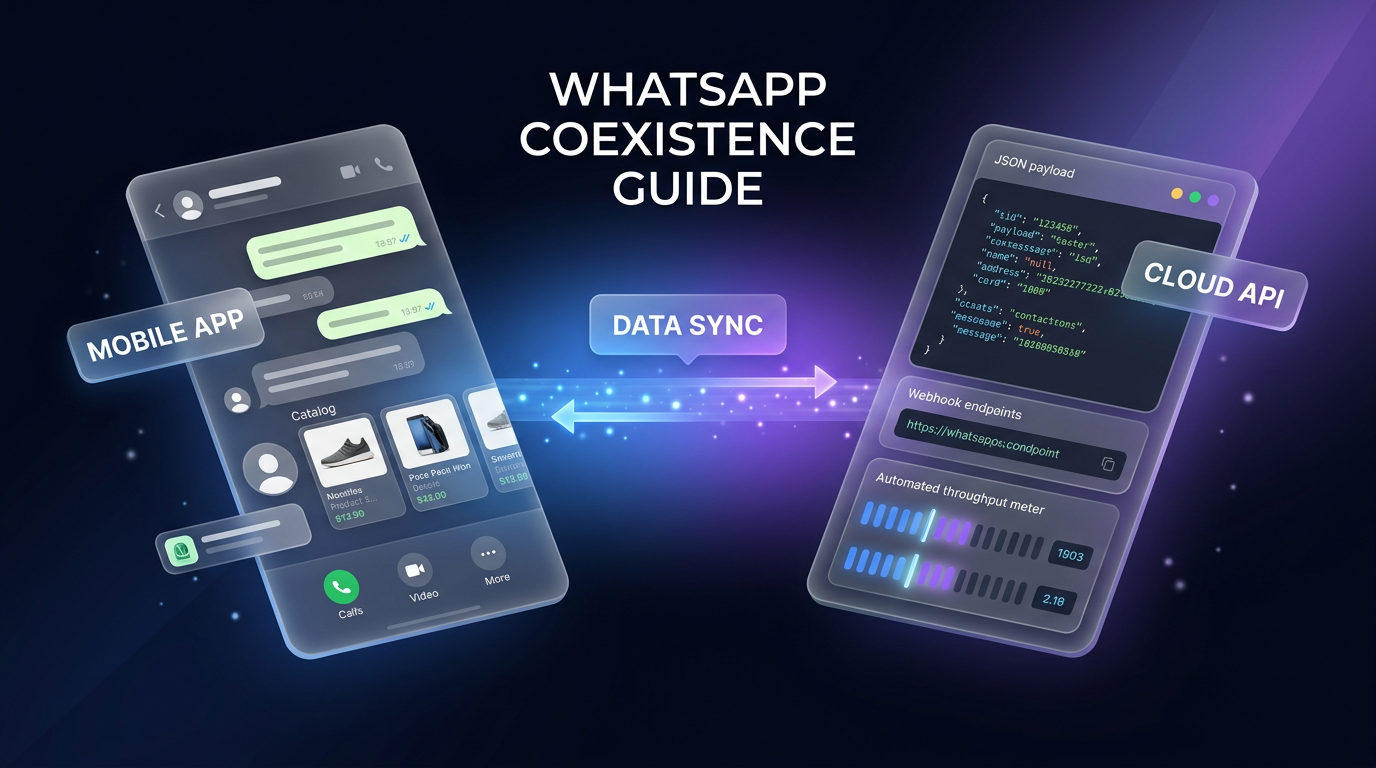
WhatsApp Coexistence allows businesses to run the WhatsApp Business app and the WhatsApp Cloud API concurrently on a single phone number. Historically, connecting a phone number to Meta’s Cloud API meant surrendering mobile app access, forcing teams to choose between automation tools and human-led mobile conversations. As detailed in the breakdown by Zernio, WhatsApp Coexistence removes this limitation by synchronising messages and contacts across both interfaces.
This arrangement enables teams to handle automated workflows, CRM triggers, and bulk interactions through an API while staff manage direct, personalised conversations from their mobile phones. This guide outlines the technical prerequisites, step-by-step onboarding, feature differences, and troubleshooting steps needed to deploy WhatsApp Coexistence.
Technical Prerequisites for WhatsApp Coexistence
Before initiating onboarding, both your development infrastructure and the target WhatsApp Business account must satisfy Meta’s technical criteria. WhatsApp Coexistence relies directly on Meta’s Embedded Signup framework.
On the application and developer side, you must satisfy several foundational criteria:
- Maintain Meta Solution Partner or Tech Provider status with a verified Meta application.
- Configure the WhatsApp business use case tied to a verified business portfolio.
- Implement the Embedded Signup flow with active session logging.
- Configure webhook callbacks to receive, acknowledge, and process incoming message events.
On the customer or account side, your operational phone number and mobile app must meet these conditions:
- Run the official WhatsApp Business app on version 2.24.17 or later.
- Maintain an active phone number registered inside the mobile app.
- Ensure the number is not registered as an Official Business Account with a green checkmark.
- Disconnect any previous business service provider connections that could block migration.
- Disable two-step verification PIN settings temporarily before starting the signup process.
How to Set Up WhatsApp Coexistence Step by Step
Setting up WhatsApp Coexistence requires running Meta’s Embedded Signup flow with specific permissions granted to your application. These permissions typically include whatsapp_business_management to handle account settings, whatsapp_business_messaging to send and receive messages, and whatsapp_business_manage_events to track interaction webhooks.
Step 1: Select the Account in Embedded Signup
The business user opens the Embedded Signup window inside your application. They select their Meta business portfolio, choose their existing WhatsApp Business Account, and enter the active phone number currently registered in their mobile app to initiate the Coexistence workflow.
Step 2: Scan the Verification QR Code
Meta displays a dedicated QR code on the setup screen. The user opens the WhatsApp Business app on their mobile device, navigates to Settings, selects Linked Devices, and scans the code. This action authorises data synchronisation between the mobile client and the Cloud API environment.
Step 3: Confirm Account Pairing
After scanning, the user receives an in-app confirmation confirming that the mobile account is successfully linked to the Meta Business Platform. This step validates the shared operational state of the phone number.
Step 4: Capture Connection Identifiers
Once onboarding finishes, the Embedded Signup flow returns critical identifiers to your application: waba_id (WhatsApp Business Account ID), business_id (portfolio ID), and phone_number_id (the active phone number identifier). Your backend must store these parameters securely to authenticate outbound API requests and route incoming webhooks.
WhatsApp Coexistence Operational Rules and Architecture
Operating a dual-channel setup requires an understanding of Meta’s platform constraints. Using WhatsApp Coexistence introduces specific rules that govern message pricing, connection maintenance, and system capacity.
First, an active team member must open the WhatsApp Business mobile app at least once every 14 days. If the app remains inactive past this window, Meta may suspend or drop the Coexistence link until the device reconnects.
Second, messaging capacity operates under fixed parameters. Phone numbers utilising WhatsApp Coexistence have a set processing speed capped at 20 messages per second across the API integration. When an external customer initiates contact, a standard 24-hour customer service window opens, permitting free-form automated or manual replies.
Third, billing rules remain split across the interfaces. Outbound conversations routed through the WhatsApp Cloud API incur Meta’s standard per-conversation charges. Conversely, manual messages composed and sent directly inside the mobile WhatsApp Business app remain free of API charges.
WhatsApp Coexistence vs WhatsApp Cloud API: Feature Comparison
While WhatsApp Coexistence mirrors one-to-one chats across systems, certain mobile and API capabilities diverge. Understanding these boundaries helps prevent misconfigured business processes.
For individual chats, Coexistence enables two-way mirroring. Outbound messages from the mobile app reflect inside the Cloud API feed, and API messages appear in the mobile interface. Up to 6 months of eligible one-to-one chat history can be transferred during initial onboarding, along with existing customer contacts.
However, specific privacy and group messaging features behave differently:
- Group chats: Functional exclusively in the mobile app; the Cloud API does not ingest or process group threads.
- Disappearing and view-once media: Disabled automatically for individual chats when Coexistence is active.
- Live location sharing: Disabled for individual conversations under Coexistence.
- Broadcast lists: Existing broadcast lists transition to read-only status, and users cannot generate new broadcast lists.
- Voice and video calls: Supported natively inside the mobile app, but entirely unsupported over the Cloud API.
- Native catalog tools: Mobile catalog, order management, and quick replies remain active on the device but do not bridge into API endpoints.
Troubleshooting Common WhatsApp Coexistence Onboarding Errors
During the setup sequence, specific Meta account conflicts can interrupt onboarding. Here is how to diagnose and resolve the most frequent error codes encountered during WhatsApp Coexistence deployment.
Error #2494064: Already Registered to a WhatsApp Account
This error occurs when the phone number is either an Official Business Account with a verified green checkmark, or remains linked to an old WABA or Facebook Page via a previous agency. Because Official Business Accounts cannot use Coexistence, the green checkmark must be removed first, or Meta Support must release the historical account link.
Error #2655093: Already Shared with a Partner
This message signifies an unresolved association with a previous Business Solution Provider, even if your local dashboard appears disconnected. The previous provider must formally release the number in their Meta Business Manager before Coexistence onboarding can finish.
Error #3441038: No Permission
This code indicates the target number is linked to an older WABA currently scheduled for deletion. You must wait for Meta’s automated deletion window to conclude fully before attempting to attach the number to your new integration.
Error #3441061: Linked to Automatic Events
This error arises when prior Click-to-WhatsApp ad campaigns generated automated contact lists tied to the number. Clearing legacy ad associations or adjusting campaign assets within Meta Ads Manager resolves the restriction.
FAQs
Can I use WhatsApp Coexistence with an Official Business Account?
No, Meta does not permit WhatsApp Coexistence on numbers carrying the green Official Business Account verification badge. Businesses must choose between maintaining the green checkmark or adopting the dual-access Coexistence configuration.
How far back does chat history sync during WhatsApp Coexistence onboarding?
Meta supports synchronising up to 6 months of eligible one-to-one message history during the initial pairing sequence. Group conversations, broadcast data, and expired media files are excluded from this synchronisation process.
What is the maximum messaging speed supported by WhatsApp Coexistence?
Numbers operating under WhatsApp Coexistence have a throughput limit fixed at 20 messages per second through the Cloud API. Businesses anticipating significantly higher programmatic sending volumes must utilize a standalone Cloud API deployment instead.
Where This Fits in Real Automation Projects
Wasif designs and deploys comprehensive communication systems using tools like Make.com, custom API pipelines, and Go High Level. In real-world client operations, the standard WhatsApp Cloud API often created friction for small sales teams because mobile staff lost the ability to carry conversations on the road.
By incorporating WhatsApp Coexistence into automated client architectures, businesses can link automated lead triage, instant CRM logging, and AI automation pipelines while allowing senior staff to step in natively from their phones whenever high-touch negotiation is necessary.
Conclusion
WhatsApp Coexistence provides a balanced bridge between automated enterprise messaging and hands-on client relationship management. By preparing your business portfolio, ensuring mobile app version compatibility, and adhering to Meta’s pairing procedures, you can link programmatic Cloud API capabilities to your existing phone number without disrupting daily mobile operations.
If you are planning to modernize your business communications and integrate automated CRM workflows, explore Wasif’s engineering services or reach out directly via the contact page to discuss your project requirements.