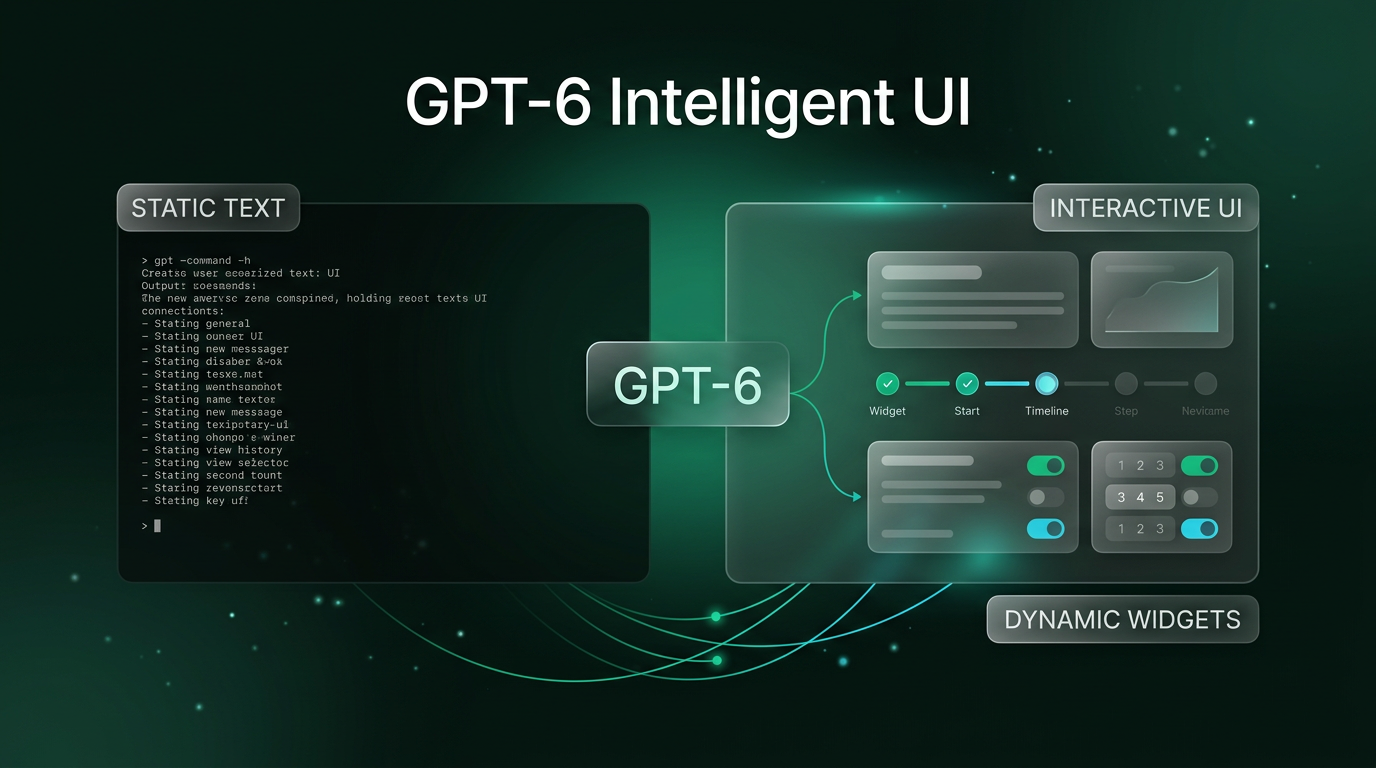
OpenAI has released its latest flagship model upgrade, bringing GPT-6 Intelligent UI to all users across ChatGPT. Following an initial rollout for paying subscribers the previous month, the company announced that this new generation of model capability is now available to more than 1.2 billion weekly active users, as announced on the OpenAI product release blog. Rather than limiting conversational AI to plain text blocks and basic markdown formatting, this update fundamentally alters how the model presents information inside chat sessions.
The primary change centers on dynamic interface composition. Instead of writing long textual explanations, ChatGPT now creates bespoke visual elements, interactive calculators, step-by-step cooking timelines, and responsive forms on the fly based on the prompt intent.
What Changed: Introducing GPT-6 Intelligent UI
In standard conversational models, every response arrives as sequential text, bullet points, or markdown tables. With the arrival of GPT-6 Intelligent UI, the model evaluates incoming prompts and constructs custom interface layouts tailored to the task.
OpenAI explains that GPT-6 has been trained specifically to blend text, graphical components, and interactive UI controls. Depending on what a user requests, ChatGPT can return interactive buttons, real-time quantity selectors, graphic diagrams, interactive checklists, or side-by-side data comparisons. When an inquiry requires only a simple sentence, the system retains a concise text format. However, when an inquiry involves planning, calculations, or multi-part comparisons, the model renders dedicated software widgets directly inside the conversation feed.
In the official release demonstration, OpenAI highlighted the shift using practical everyday queries, such as meal preparation and mechanical breakdowns:
- Interactive Recipe and Dinner Planners: Instead of listing static recipe weights, the system generates dynamic guest counters. When the user toggles a guest count button from 4 to 8, the required ingredient weights for items like bone-in leg of lamb or roasting potatoes update instantly without submitting a new prompt.
- Interactive Phase Checklists: Multi-step workflows, such as a full Sunday cooking schedule, render as numbered, interactive checklist cards that track progress across prep time, oven intervals, and resting periods.
- Component Breakdowns: When asked to dissect complex machinery like a seven-speed bicycle, the model serves tabbed interface modules allowing readers to inspect individual subsystems, including the frame, drivetrain, cockpit, and braking components independently.
- Contextual Action Triggers: Responses include native copy buttons for generated grocery lists alongside follow-up chips that allow users to tailor meals for dietary adjustments or guest count shifts.
Why Dynamic Interfaces Matter for Everyday Users
The introduction of GPT-6 Intelligent UI marks a significant design pivot away from prompt-and-read ergonomics. For years, conversational software treated language models as simulated chat partners. While conversational back-and-forth works well for open writing or summarization, it introduces unnecessary friction for tasks that rely on numeric calculation, visual organization, or sequential steps.
Consider meal planning or event logistics. In prior versions such as GPT-5.6 Instant, an adjustment in guest attendance required writing another prompt: “Adjust this lamb recipe for six people instead of four.” The engine would regenerate several paragraphs of text, forcing the reader to scan the entire response again to locate updated measurements. Under the GPT-6 Intelligent UI framework, the user adjusts a plus or minus stepper button on the widget, and the numbers recalculate instantly within the existing view.
This approach transforms ChatGPT from a pure message thread into an ad-hoc application engine. For students, visual breakdowns of mechanical or scientific concepts reduce the cognitive load of reading wall-of-text explanations. For consumers planning road trips or hosting events, having maps, checklists, and calculators consolidated inside one panel cuts down the time spent manually transcribing model outputs into outside applications.
Practical Implications for Builders and Businesses
For builders working on digital experiences, the deployment of GPT-6 Intelligent UI offers clear insight into where consumer interaction expectations are heading. As over a billion users grow accustomed to interacting with software that generates its own interface controls on demand, static AI interfaces will feel increasingly dated.
Organizations creating internal workflows or consumer portals must consider how client expectations will shift. When people interact with conversational systems, they will expect functional tools rather than walls of text. A customer querying an e-commerce assistant will expect interactive filters and checkout buttons right in the chat panel, not generic links to static product catalog pages.
From an operational standpoint, this model evolution complements modern web engineering. Teams designing workflows inside custom customer relationship management platforms or web designing environments will need to bridge language models directly into structured, component-driven user interfaces. Clean data structures, component libraries, and modular API design will be essential for feeding clean context into conversational platforms that render custom front ends.
Grounded Outlook and Rollout Details
OpenAI stated that this capability is deploying widely following its initial preview for premium tiers, reaching the wider ChatGPT user base across web and mobile platforms. The company notes that safety evaluations accompanied the training process to ensure interactive components remain secure and do not expose client environments to arbitrary script execution.
While the initial examples emphasize consumer planning scenarios, the underlying design pattern will likely expand. As developers evaluate how GPT-6 Intelligent UI behaves in varied contexts, the boundary between chatting with an assistant and operating micro-software will continue to blur. However, teams building mission-critical workflows should remember that user interface generation depends heavily on precise prompt comprehension; testing structured outputs against real data remains necessary before relying entirely on dynamic interfaces.
FAQs About GPT-6 Intelligent UI
What is GPT-6 Intelligent UI?
GPT-6 Intelligent UI is a native capability in OpenAI’s ChatGPT that enables the model to generate interactive components, such as counters, charts, checklists, and forms, alongside standard text answers. Instead of forcing users to read long text outputs, the system generates responsive widgets tailored to the specific question.
Who has access to the new interface features?
OpenAI launched the model initially to paid tiers and is currently rolling out the capability to all ChatGPT users globally, encompassing over 1.2 billion weekly active users across web and mobile interfaces.
Can GPT-6 Intelligent UI replace dedicated software tools?
While GPT-6 Intelligent UI creates temporary calculators, planners, and diagrams for immediate tasks, it does not replace persistent database systems or specialized business platforms. It serves as a rapid, on-demand micro-tool builder for specific conversational questions.
What This Changes for Client Builds
Wasif builds connected business architectures, integrating AI automation backbones with structured front-end platforms. In custom client implementations, shifts like GPT-6 Intelligent UI underline why clean data architecture matters. When generative systems begin rendering front-end components automatically, the underlying databases, API webhooks, and automation pipelines must deliver structured, validated parameters every single time.
Whether you need to architect modern operational workflows or prepare your digital systems for the next stage of generative interfaces, Wasif creates structured solutions tailored to real business goals. Explore how you can upgrade your workflow by reaching out through the contact page.