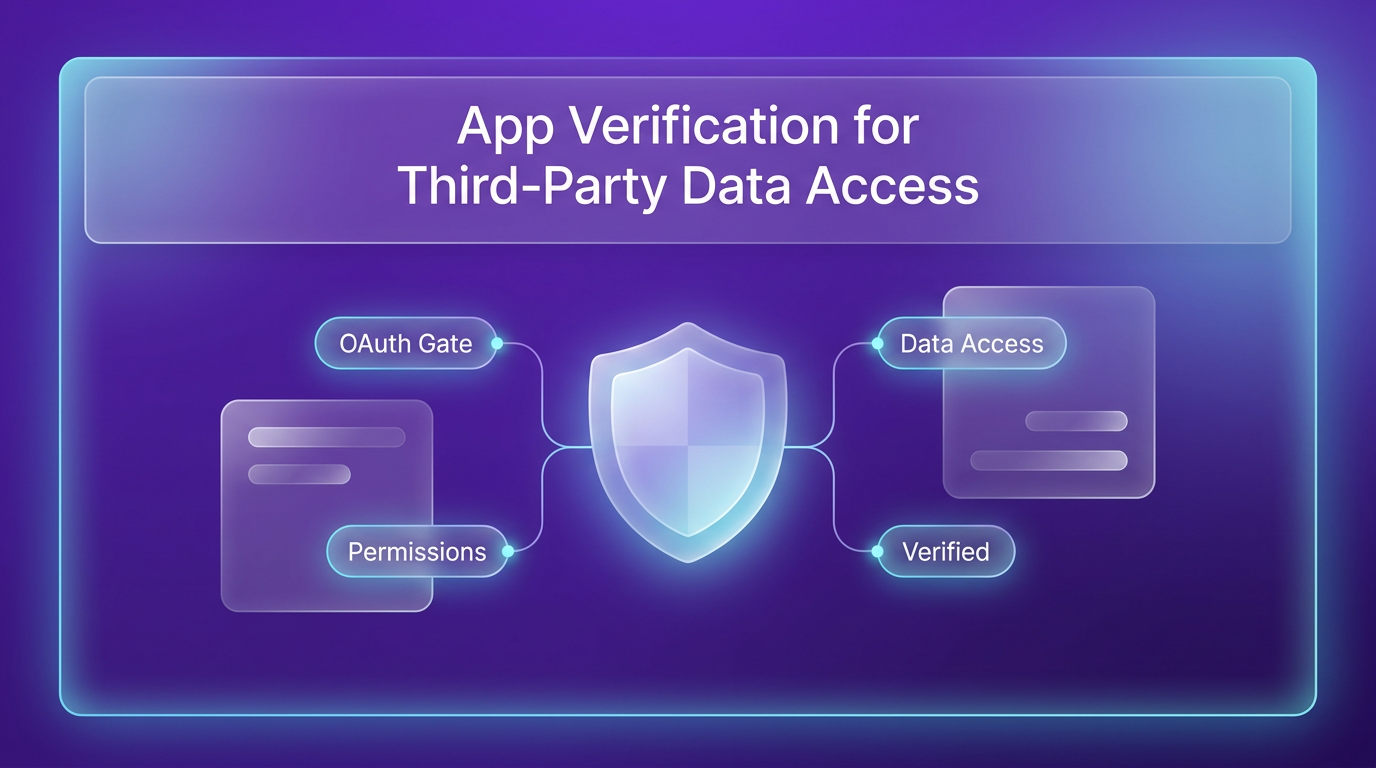
Building an app that connects to a user’s Google Calendar, Slack, or HubSpot data comes with extra responsibility. Providers like Google require apps to be reviewed before they can access user data. This guide walks through the verification process, using the example of SkyRingAI, an AI phone receptionist built with Lovable.
Matthew Canaday built SkyRingAI to answer calls, qualify callers, and book jobs straight onto a business owner’s Google Calendar. To do that, the app needs to read and write calendar events for each user. Lovable’s app user connectors handle the technical foundation, storing credentials securely and routing requests through a gateway. But the builder still needs to get the app reviewed by Google before it can go public.
Who is responsible for third-party user data?
When an app works with third-party data, responsibility is shared across three parties: the platform, the builder, and the provider.
Lovable manages the technical connection. Credentials are stored server-side and encrypted. The generated app never receives the credential itself. Requests pass through Lovable’s connector gateway, and each user’s existing permissions in the source system determine what data can be accessed. This holds even when the user is offline, which is called offline access.
The builder decides what data is accessed and how it is used. Every scope requested must support a visible user-facing feature. The builder is also responsible for access control, retention, deletion, and disclosure if the app stores or processes returned data.
The third-party provider, such as Google, decides which apps can access its users’ data. Providers use review processes to evaluate how an app handles user data before granting public access.
Do you need Google’s review?
Not every app that connects to Google needs review. Apps used within a single Google Workspace organization can be configured as internal and do not need to be reviewed. External apps can be tested with a limited set of test users before submitting for review.
The review process depends on the permissions the app requires, which Google calls scopes. Scopes are labeled as non-sensitive, sensitive, or restricted on the Data Access page in Google Cloud Console.
- Non-sensitive scopes (e.g., basic sign-in) do not require data-access verification. Brand verification may still be needed for the consent screen.
- Sensitive scopes (e.g., reading Google Calendar events) require Google to review why the app needs that access and where the functionality appears.
- Restricted scopes (e.g., gmail.readonly, drive.readonly) add a separate security assessment through the CASA framework, which must be repeated every year.
Adding restricted scopes upfront can move your app into a tier with recurring paid audits. So request only the minimum permissions your current features need.
How to get your app verified: step by step
Matthew’s advice is to decide exactly what the app needs before asking Google for access. The same principle applies across providers: connect access to a visible user need, request the minimum permissions, and make the finished app easy to review.
1. Define the user-facing feature first
Before opening Google Cloud Console, get specific about what the user should be able to do and which Google data makes that possible. For SkyRingAI, the relevant job was scheduling. The app needed to check availability and book appointments. Write down what the user can do, which Google product provides the data, whether the app reads, creates, updates, or deletes anything, and why a narrower permission would stop the feature from working.
2. Map each feature to the minimum scopes
Minimum permissions is best practice for every connection. Ask only for the access the current feature needs. For example, if the app only needs to see whether someone is free, calendar.freebusy may be enough. If it needs to create or edit events, calendar.events is more fitting. Google’s Calendar authorization guide lists the full set of scopes.
For every sensitive or restricted scope, be ready to explain what the permission allows, where the user sees that functionality, and why the feature cannot work with a narrower scope. Google reviews whether requested access exceeds the functionality already present in the app.
3. Build the app and test the connection
At this stage, build the visible feature and configure Google OAuth in a test setup. Create a Web application OAuth client with Lovable’s redirect URI and plug the client ID and secret into Lovable’s connection settings. By the end, a test user should be able to sign in, grant access, and use the feature end to end.
It’s important that the app works completely before you submit. Reviewers need to see the same product, branding, consent screen, scopes, and functionality named in the application.
4. Prepare your customer-facing assets
Before submitting, publish a homepage on a domain you own. Anyone should be able to view it without logging in, and it should explain what the app does. Branding must be verified and published before you can request data access verification. Google’s brand verification requirements detail how to ensure your app accurately represents its identity.
5. Submit for review
Once everything is ready, submit the app through Google’s OAuth verification process. The review will check that the requested scopes match the functionality, that privacy disclosures are clear, and that the walkthrough video or documentation matches the app. The process can take time, so plan accordingly.
FAQs
How long does Google OAuth verification take?
Google does not publish a fixed timeline. The review duration depends on the scopes requested and how complete your submission is. Sensitive scopes typically take longer than non-sensitive ones, and restricted scopes require the additional CASA assessment, which adds time.
Can I use restricted scopes without annual reassessment?
No. Restricted scopes require a separate security assessment through the CASA framework every year. This is a recurring cost and responsibility. Only request restricted scopes if your app genuinely needs that level of access.
What happens if I request more scopes than needed?
Google may reject the review if the requested access exceeds the functionality visible in the app. It is better to start with the minimum scopes and add more later if a new feature requires it.
Does Lovable handle the security for me?
Lovable handles the technical connection, storing credentials encrypted and routing requests through its gateway. But the builder is still responsible for how the app uses and processes the returned data. That includes access control, retention, and deletion.
Where this fits in real projects
For builders creating AI agents that interact with user data, this verification process is a practical gate. Wasif builds agentic AI systems that often need to act on behalf of users, like booking appointments or managing calendars. Understanding the review process helps set realistic timelines and scope decisions early.
The key takeaway is to design the app around the minimum permissions from the start. That saves time, avoids unnecessary audits, and makes the review smoother. The same logic applies whether you are using Lovable, Make.com, or any other platform that connects to third-party APIs.
If you are working on an AI automation project that needs third-party data access, Wasif can help you plan the architecture and navigate the verification steps. Reach out to discuss your project.