Google has announced a Google AI student offer that gives eligible college students up to 12 months of access to selected Google AI plans at no charge. The announcement was made on August 19, 2026, alongside new and enhanced study features in the Gemini app.
The offer and feature availability depend on the student’s location, account type, age requirements, and eligibility checks. Google describes the program as a way to help students organize class materials, study difficult topics, and research course-related questions.
Students can review the offer through the announcement on the Google blog, then visit the student hub at gemini.google.com/students to check the available options.
What the Google AI student offer includes
Eligible college students in the United States can receive one year of Google AI Pro at no cost. Google lists the standard value as $19.99 per month. The US plan includes higher usage limits in Gemini, access to Gemini Spark, Gemini features in products such as Gmail and Google Docs, and 5 TB of storage.
Students outside the United States may qualify for one year of Google AI Plus in more than 140 markets where the plan is available, with specific country exclusions. Google says this version includes Gemini Omni, higher Gemini usage limits, and 400 GB of storage.
The terms are different by market, so students should not assume that the US plan or its included services apply in another country. Google also requires a valid payment method at sign-up, and the plan can begin charging after the free period unless it is cancelled.
Optional YouTube Premium discount
Google is also offering selected student bundles that combine Google AI Pro with an individual YouTube Premium subscription for up to 70% off. The bundle is subject to separate Google and YouTube terms, requires student verification through SheerID, and may renew at the standard price when student status ends.
New study tools in Gemini
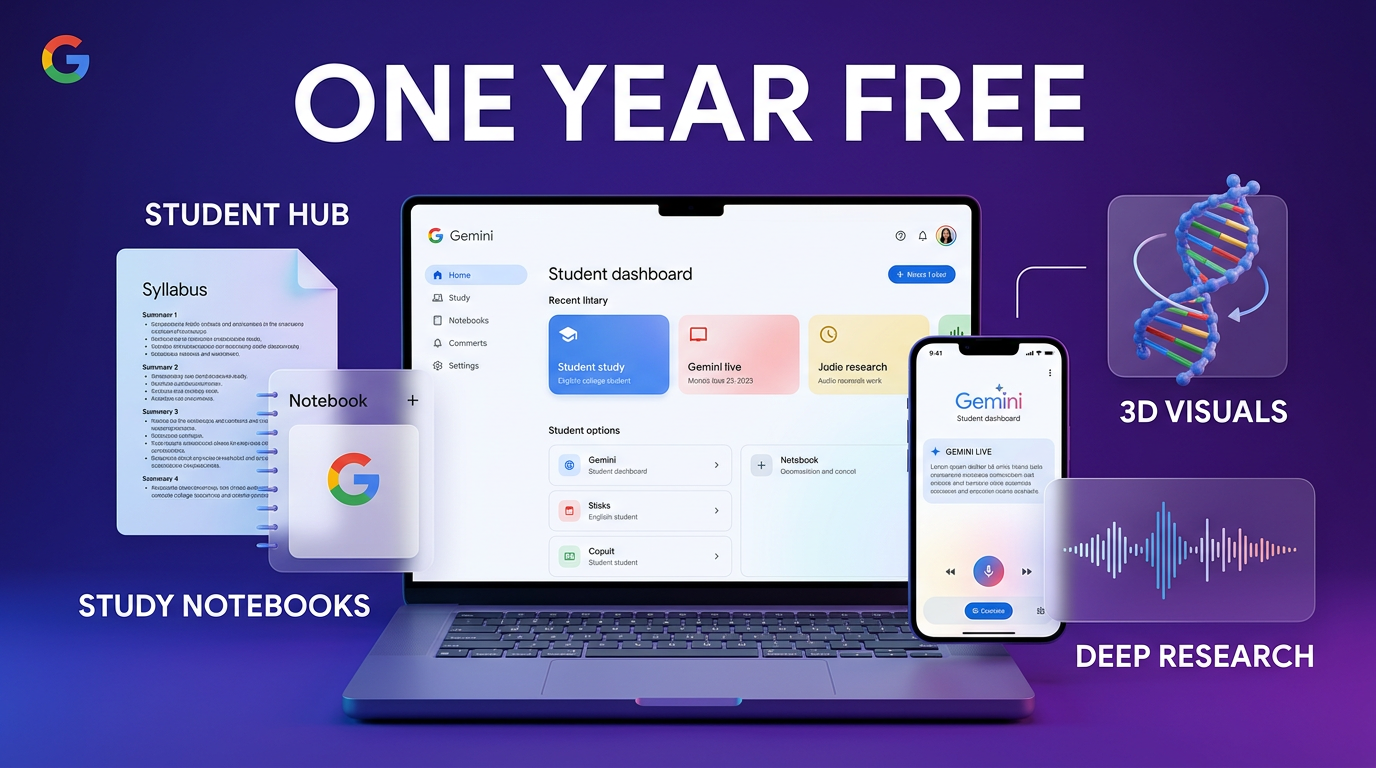
The Google AI student offer arrives with a dedicated student hub in the Gemini app. The hub brings student-focused tools into one place, including study notebooks, flashcards, and practice quizzes.
The hub is available on mobile and web for signed-in consumer accounts in all Gemini app languages. Google says support for school-issued accounts and users who meet minimum age requirements is rolling out in the coming weeks. Usage limits still apply.
Study notebooks based on class materials
Study notebooks are designed to work from materials a student provides, such as lecture notes. Gemini can use those materials to create a learning plan, divide topics into smaller lessons, and offer a diagnostic quiz intended to identify knowledge gaps.
The tool also includes custom lessons and quizzes, along with a progress dashboard for tracking milestones. Google says graphs and images will be added to study notebook lessons in the coming weeks. It also plans to let Gemini identify key dates in a syllabus and add exams or assignment deadlines to Google Calendar with the student’s permission.
For a concrete example, a student could upload lecture notes for a biology course, request a diagnostic quiz, and use the resulting notebook to work through smaller sections before reviewing the quiz results. The output should still be checked against the course syllabus and assigned material.
Interactive visualizations
Gemini can generate interactive visual responses for some questions. These may include tables, grids, and functional 3D simulations that help explain a concept.
Google gives examples such as rotating and zooming into a 3D model of DNA, watching a pendulum demonstrate changes in energy, or exploring cash burn rates through an interactive table. The feature is available on mobile and web for consumer and school-issued Google accounts, subject to usage limits.
Deep Research in Gemini Live
Deep Research is rolling out to Gemini Live, Google’s conversational interface for discussing questions by voice. A student can ask Gemini to research a topic, continue another activity while the report is prepared, and receive a notification when the report is ready.
Afterward, the student can discuss the report, ask follow-up questions, or request refinements through Gemini Live. Google says the conversation keeps the report’s context available while the student switches between typing and speaking.
Important dates and eligibility details
The offer is available to eligible students who meet Google’s requirements, but the exact terms differ between plans and markets. Students should review the conditions before enrolling, particularly because the free period is followed by automatic monthly billing unless the subscription is cancelled.
- US students may redeem Google AI Pro through December 31, 2026.
- Students in eligible markets outside the US may receive Google AI Plus, with a separate redemption deadline of December 31, 2026.
- A valid payment method is required at sign-up for the free plans.
- Google says the US plan automatically charges $19.99 per month after the trial unless cancelled earlier.
- Google AI Plus is listed at $4.99 per month or the local-currency equivalent after the free period.
- The YouTube Premium bundle is not available on school-issued accounts and has separate verification and renewal conditions.
Students should also check whether their account qualifies. The student hub is initially available to signed-in consumer accounts, while access for some school-issued accounts and age-qualified users is rolling out in the coming weeks.
Why the update matters for students
The practical change is that several learning tools are being grouped with a temporary plan offer rather than requiring students to find and configure each feature separately. A student can start with a syllabus or lecture notes, create a study notebook, practice with quizzes, and use a visual explanation when text is not enough.
That does not remove the need to verify AI-generated content. Study plans, explanations, research reports, and calendar dates can contain mistakes or miss important context. Course requirements and instructor guidance remain the reference point for deadlines, citations, and assessed work.
The cost terms also matter. A free year can become a paid subscription, and the available plan may differ depending on where the student lives. Anyone claiming the Google AI student offer should record the renewal date and review the subscription settings before the trial ends.
A practical way to use the new tools
A sensible starting workflow is to begin with a single course rather than upload every class at once. Add the syllabus and relevant notes, inspect the generated study plan, and correct dates or topics that do not match the course requirements.
Next, use a diagnostic quiz to find weak areas. Interactive visualizations can help with subjects that benefit from models or simulations, while Gemini Live may be useful for talking through a problem set or asking follow-up questions about a research report.
Students should keep their source material organized and ask Gemini to distinguish between information taken from their documents and general explanations. For research work, the final report should be checked against original sources and the assignment’s citation rules.
What this changes for practical AI builds
For builders, Google’s update is a useful example of how a general AI assistant can be organized around a specific workflow. The student hub is less about one isolated prompt and more about moving from source material to a plan, practice, visualization, and follow-up conversation.
That pattern also applies to business systems. A well-designed AI workflow needs a clear starting input, a defined next action, and a way for the person using it to review or correct the result. The Google announcement does not establish that the same features are available for business accounts, so businesses should treat the student tools as a product example rather than assume access or equivalent terms.
The Google AI student offer is available to eligible students under market-specific terms, with some features already available and others rolling out to additional account types in the coming weeks. Checking the official offer details before signing up is the safest way to confirm eligibility, plan access, and renewal conditions.
Reach out to Wasif Ahmed to discuss practical AI automation and digital systems for a business.