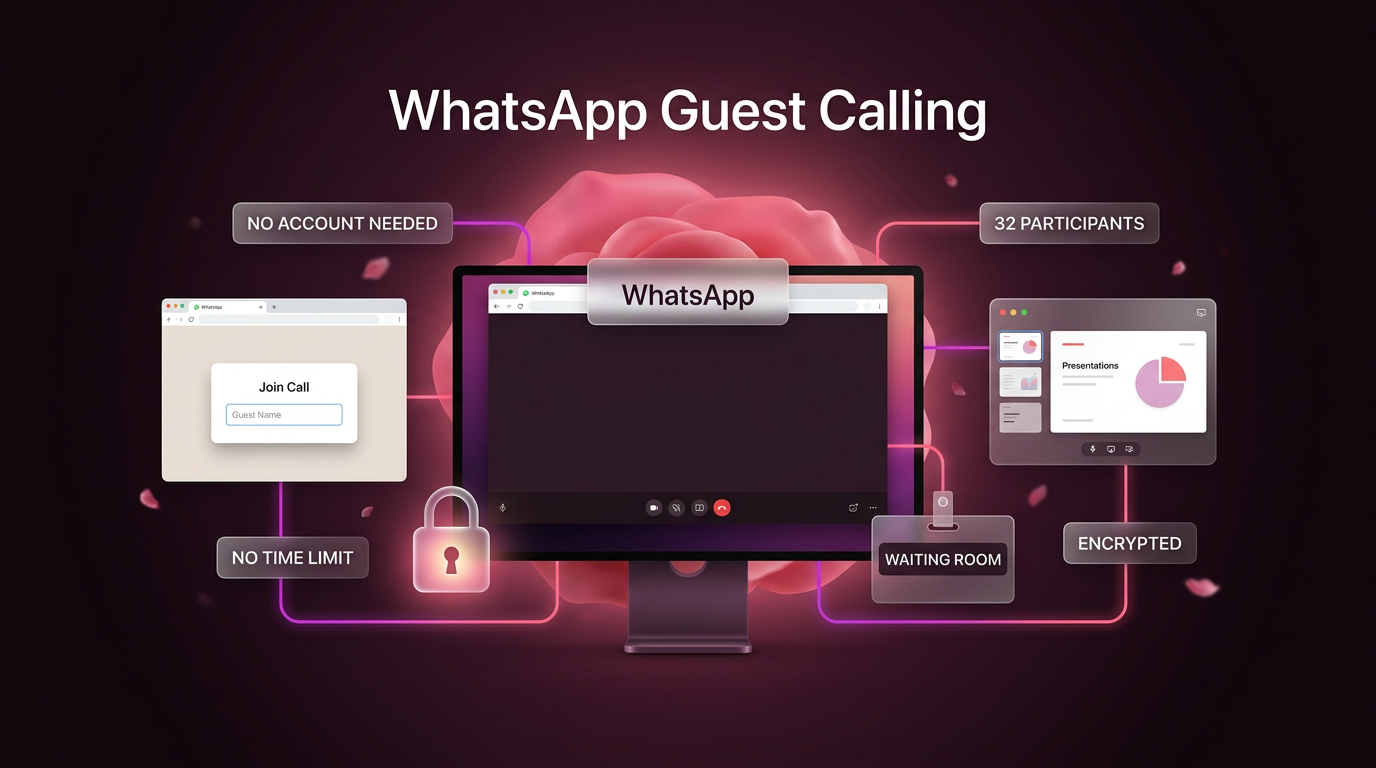
WhatsApp announced a significant update to its communication platform on October 14, 2026, introducing WhatsApp guest calling. The new capability allows anyone to join an ongoing or scheduled call through a computer web browser, even if they do not have a WhatsApp account registered to their phone number.
As shared in the official update announced on the WhatsApp blog, the rollout removes one of the platform’s longest-standing friction points. In the past, every participant in a voice or video session had to maintain an active profile on a mobile device. Under the new system, hosts can generate a shareable web link that external guests can use to connect immediately without paying fees or facing artificial session durations.
How WhatsApp Guest Calling Works for Hosts and Visitors
The mechanics behind WhatsApp guest calling focus on ease of access while retaining host-level oversight. Only registered account holders can generate a call link, ensuring that anonymous entities cannot spin up unmonitored rooms on WhatsApp infrastructure.
To create a session, a user opens the Calls tab inside WhatsApp on their device, taps the plus icon, and selects the option to create a call link. That link can be distributed through standard email, calendar invites, or direct messaging channels. External participants who click the URL do not need to download the mobile application or set up credentials. Instead, the link opens directly in their desktop web browser, prompts them to type their name, and places them into a session queue.
Calls support both one-on-one discussions and larger group meetings of up to 32 people. The company confirmed that all sessions hosted through the system retain end-to-end encryption regardless of whether attendees connect from the mobile app or via browser guest access.
Safety Controls and Host Approvals in WhatsApp Guest Calling
Opening conference lines to public URLs usually raises privacy and security concerns. WhatsApp addresses this by placing strict boundaries on guest permissions inside every meeting room.
Whenever an external user attempts to enter via WhatsApp guest calling, they do not land straight into the conversation. They enter a digital waiting room. The call host receives an admission prompt and must manually approve each guest before audio and video feeds turn on. Hosts also retain the ability to remove any participant from the active call at any point during the session.
Guest privileges inside the call are strictly limited to protect personal information:
- Guests cannot view the phone numbers of other attendees on the call.
- Guests cannot send in-meeting text messages or side notes.
- Guests cannot forward invite links or add other people directly into the session.
- Guests must wait for host authorization before gaining audio, video, or screen privileges.
These boundaries mean businesses and independent consultants can speak with prospects, tutors can meet students, and teams can coordinate with outside contractors without exposing their personal mobile numbers or chat histories.
In-Call Tools Available to Browser Guests
Despite being restricted from administrative settings and participant directories, guests gain access to primary collaboration features during active sessions. WhatsApp guest calling gives browser-based visitors the tools required for collaborative work and remote presentations.
Participants connecting through web browsers can share their computer screens to review documents, slide decks, or software interfaces. The interface includes standard interaction buttons, allowing guests to send emoji reactions like a thumbs-up or heart, as well as a hand-raising toggle to signal when they want to speak without interrupting the current speaker.
Unlike traditional conferencing platforms that enforce a 40-minute or 60-minute cutoff on free tiers, WhatsApp imposes no time limits on these calls. Meetings run as long as needed without abrupt disconnections or the requirement to create sequential room links.
Calendar Integrations Planned for Later in the Year
WhatsApp also outlined upcoming integrations intended to align the service closer with day-to-day office scheduling. Later this year, the company plans to release official calendar plugins for Google Calendar and Microsoft Outlook.
Once installed, the plugin allows an account owner to connect their WhatsApp profile and insert a meeting link straight into standard event invites. Recipients can open the calendar reminder and click through to join whether they hold an active WhatsApp identity or not. This move targets the routine corporate workflow where meetings are planned days or weeks in advance rather than initiated on demand.
Practical Implications for Businesses and Builders
For small companies, freelancers, and agencies, WhatsApp guest calling lowers the barrier to quick consultations. Many clients resist downloading proprietary desktop applications or registering new accounts simply to attend a 15-minute briefing. Providing an encrypted link that launches in Chrome, Edge, or Safari reduces onboarding friction for external meetings.
The feature also changes how service businesses handle customer support calls and preliminary sales inquiries. Because phone numbers remain masked for guest attendees, staff members can handle incoming meetings without revealing private contact details.
When combined with operational systems like Go High Level or custom automation workflows built through AI automation, link-based calling simplifies customer touchpoints. Instead of forcing prospects into structured enterprise conference software, teams can dispatch automated reminders containing direct web call links.
FAQs About WhatsApp Guest Calling
Do guests need a WhatsApp account or mobile app to join a call?
No. Guests do not need an account, a registered phone number, or the mobile application. They can join directly from a desktop computer web browser by clicking the shared meeting link and entering their display name.
How many people can join a call through WhatsApp guest calling?
WhatsApp supports group calls with up to 32 participants simultaneously. This total limit includes both registered WhatsApp account users and approved browser guests.
Are WhatsApp guest calls subject to time limits or subscription fees?
No. The company confirmed that guest calls are completely free of charge and do not have time limits. Hosts and guests can talk without artificial session cutoffs or unexpected restart prompts.
Can guest participants see everyone else’s phone number?
No. WhatsApp restricts guest visibility so that phone numbers of other participants remain hidden. Guests can participate in the call and share their screens, but they cannot view private contact data or chat history.
Where This Fits into Everyday Systems
Wasif designs operational communication flows and client pipelines that minimize manual steps. Introducing link-based video sessions directly within common scheduling ecosystems allows agencies and service professionals to streamline booking confirmations without forcing software installations on leads. To explore how to connect modern messaging tools into your sales and client management systems, visit the contact page to start a conversation.